---
title: "How do I add a past measurement?"
description: "Log measurements from earlier appointments on the patient's profile in Almendra, entering the appointment date and the body measurements taken."
sidebar:
order: 19
lastModified: 2022-01-07
translationKey: consultas/como-agregar-una-medida-pasada
---
To add a past measurement, the first step is to go to the profile of the patient you want to add the past measurement to, then scroll down.
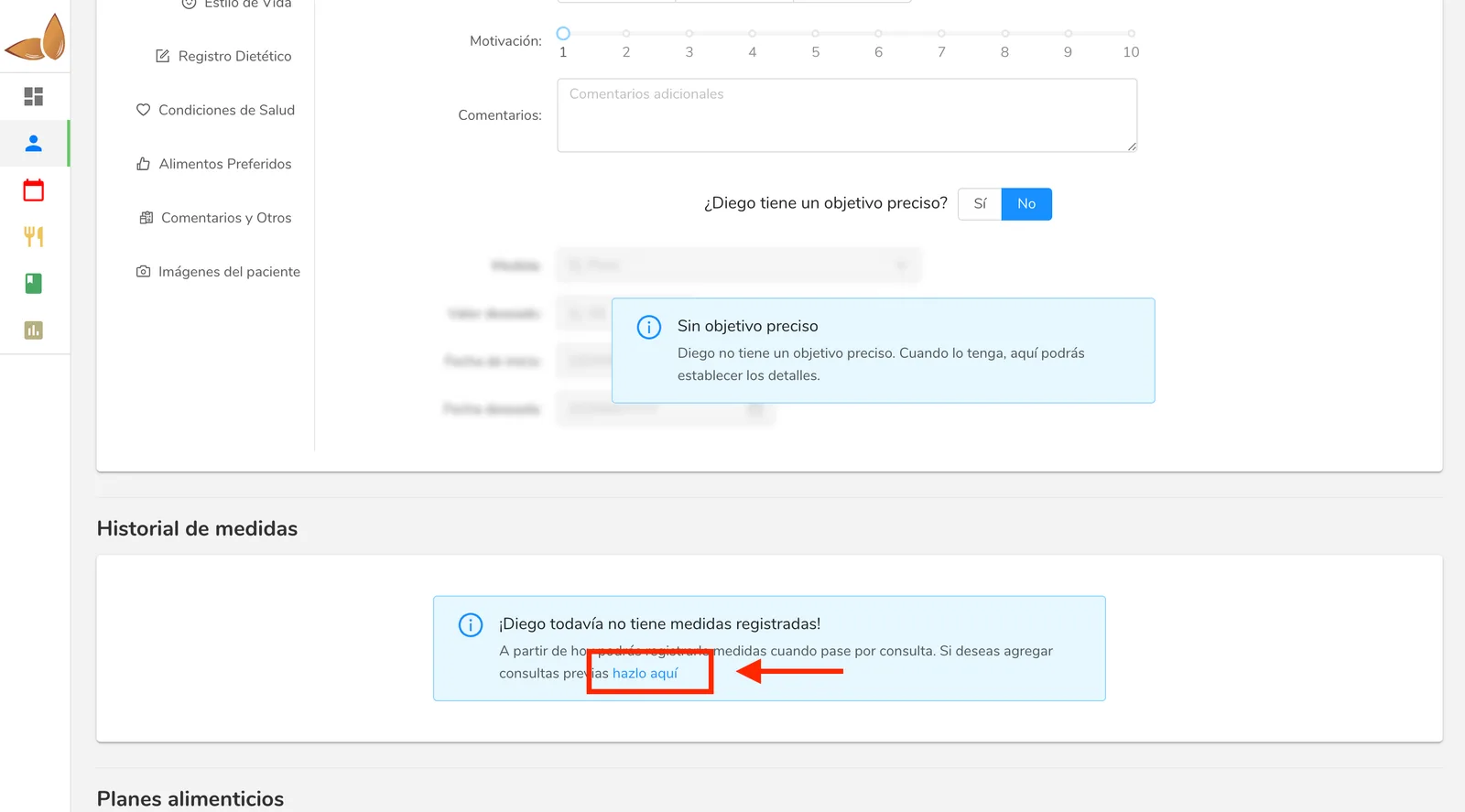
**If you've never had an appointment with the patient using Almendra**, you'll find the option by clicking the link highlighted below.
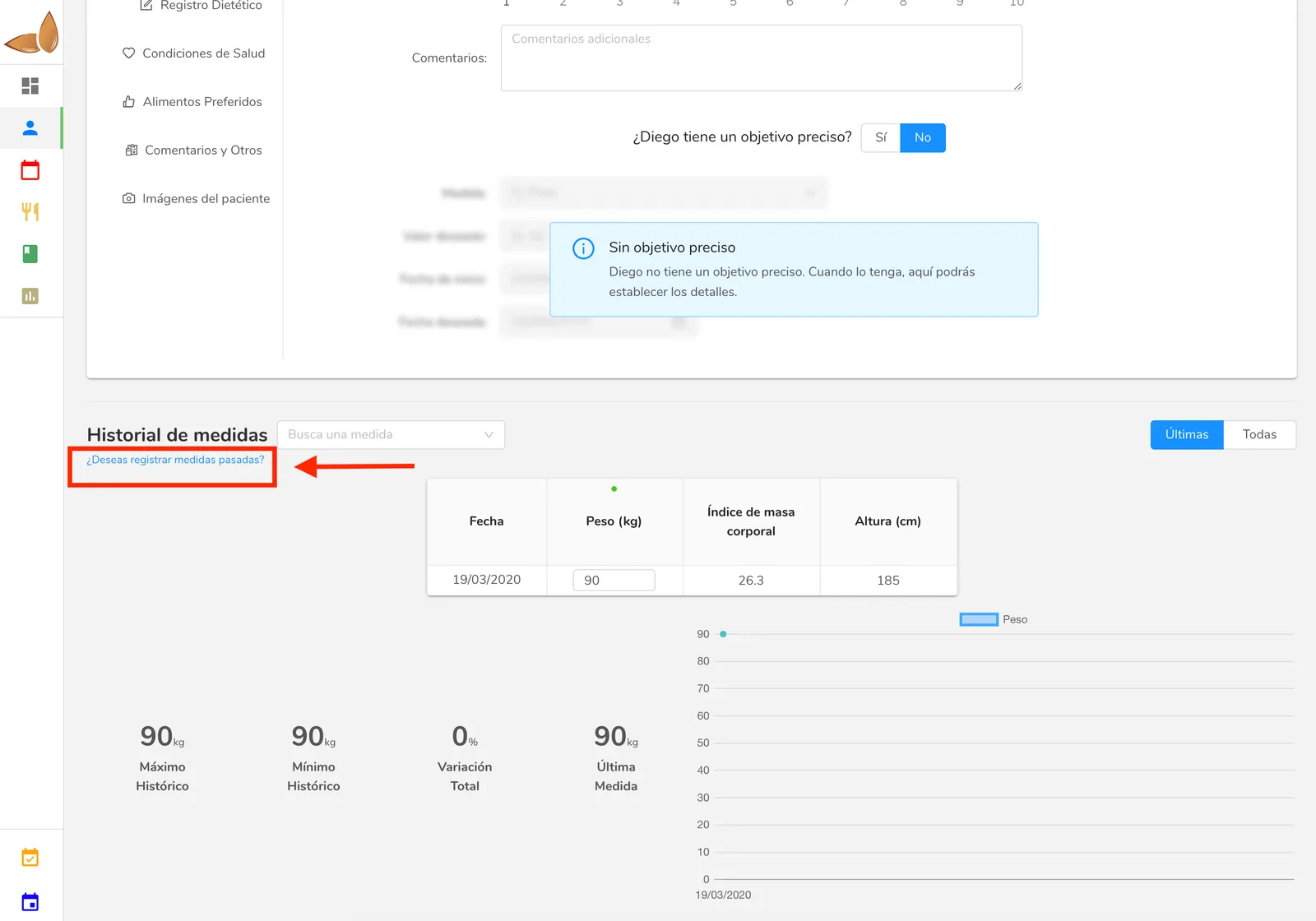
 Otherwise, **if you've already had appointments with the patient in Almendra,** you'll find the option you're looking for in the link below.
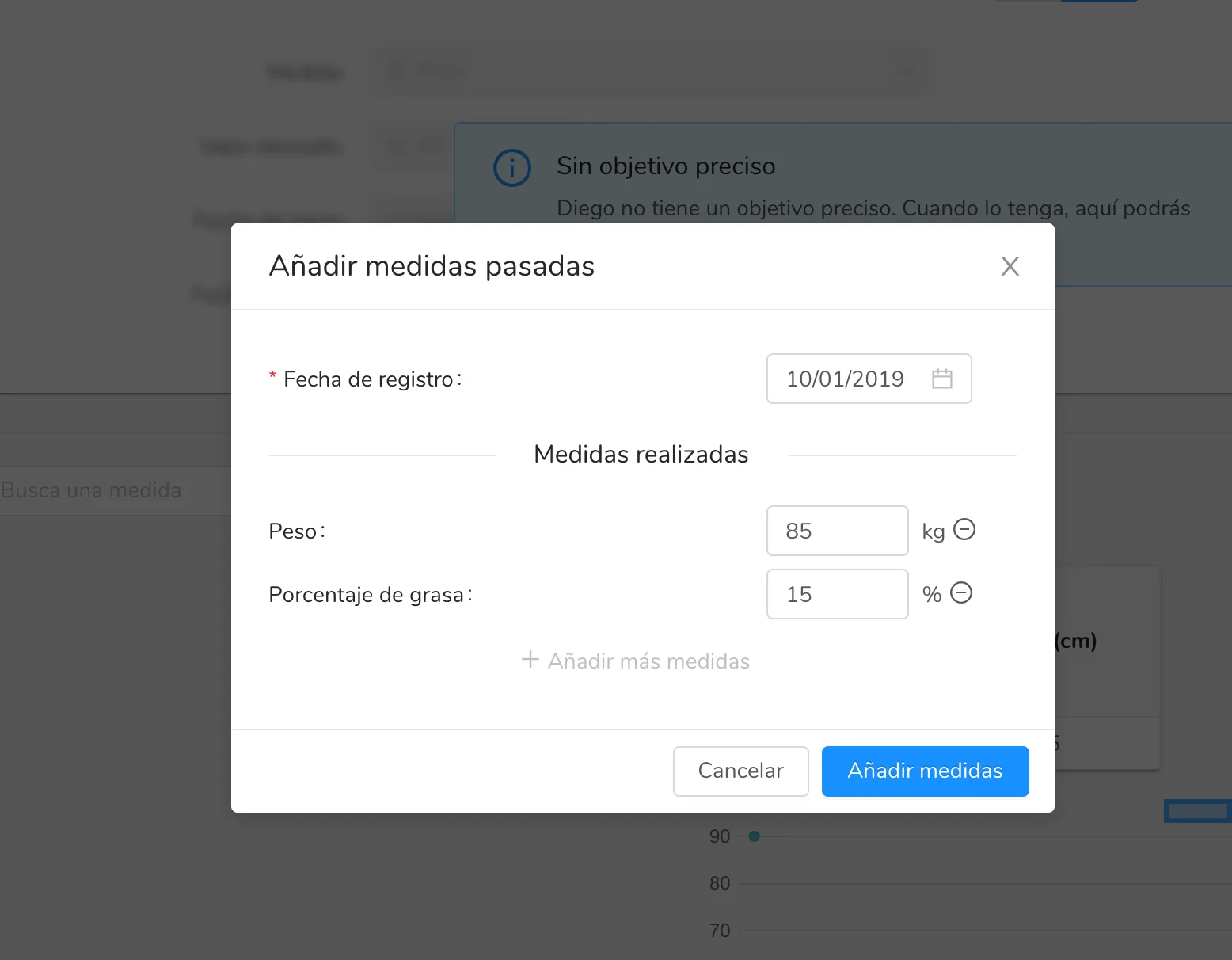
 Once you click the corresponding link, a pop-up window like the one shown below will appear, where you can add both the appointment date and the corresponding measurements.