---
title: "How do I finish an appointment in progress?"
description: "End an appointment in progress with Finish on the last step, from the stopwatch in the sidebar, or with the stop icon on Appointment in progress on Home."
sidebar:
order: 18
lastModified: 2026-10-28
translationKey: consultas/como-termino-una-consulta-en-proceso
---
You have three options to finish an appointment in progress:
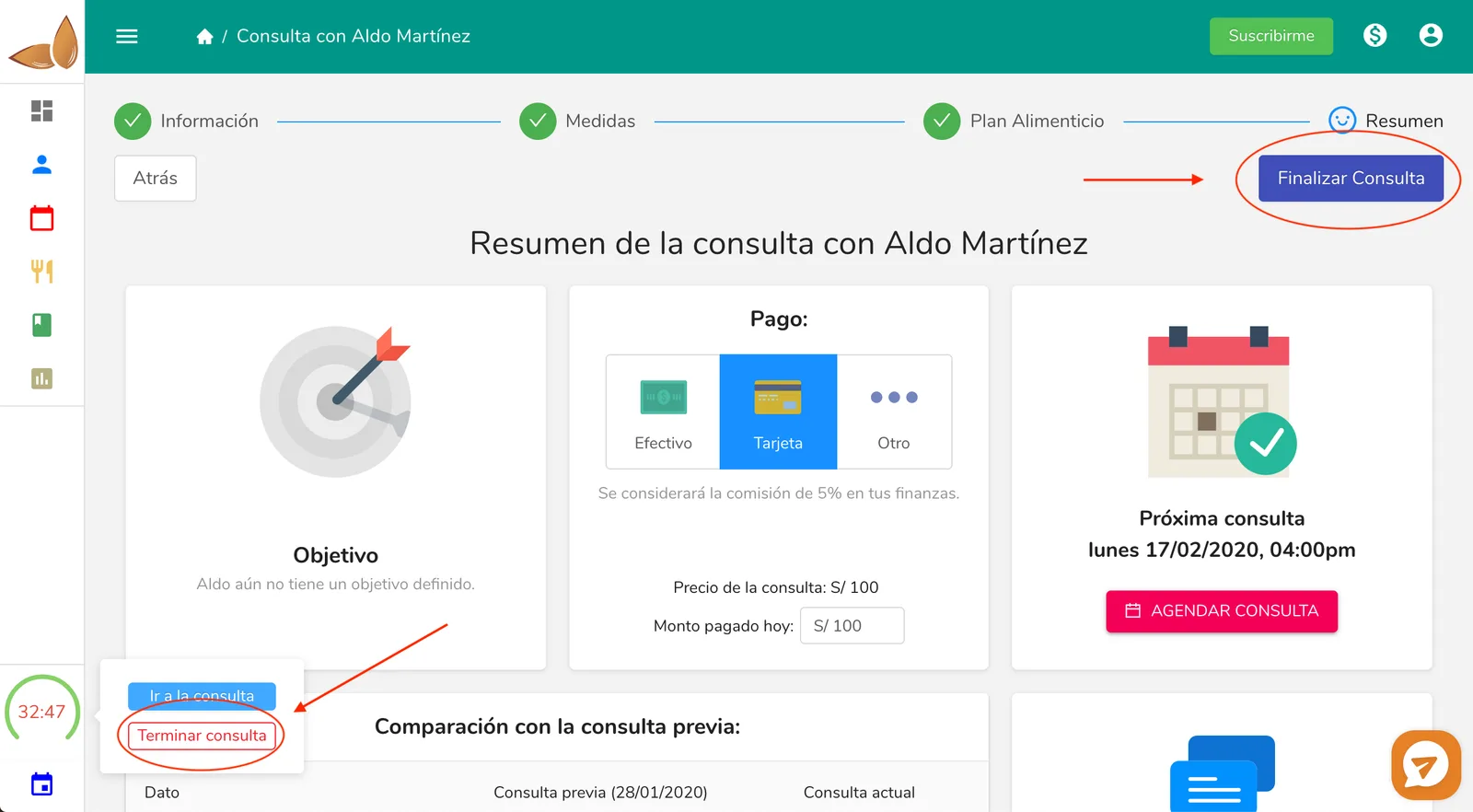
**1- Click on the "Finish" button in the last step of the Appointment process.**
**2- Click on the stopwatch in the left sidebar and then click on "Finish appointment".** Remember that the stopwatch only appears when you have an appointment in progress.
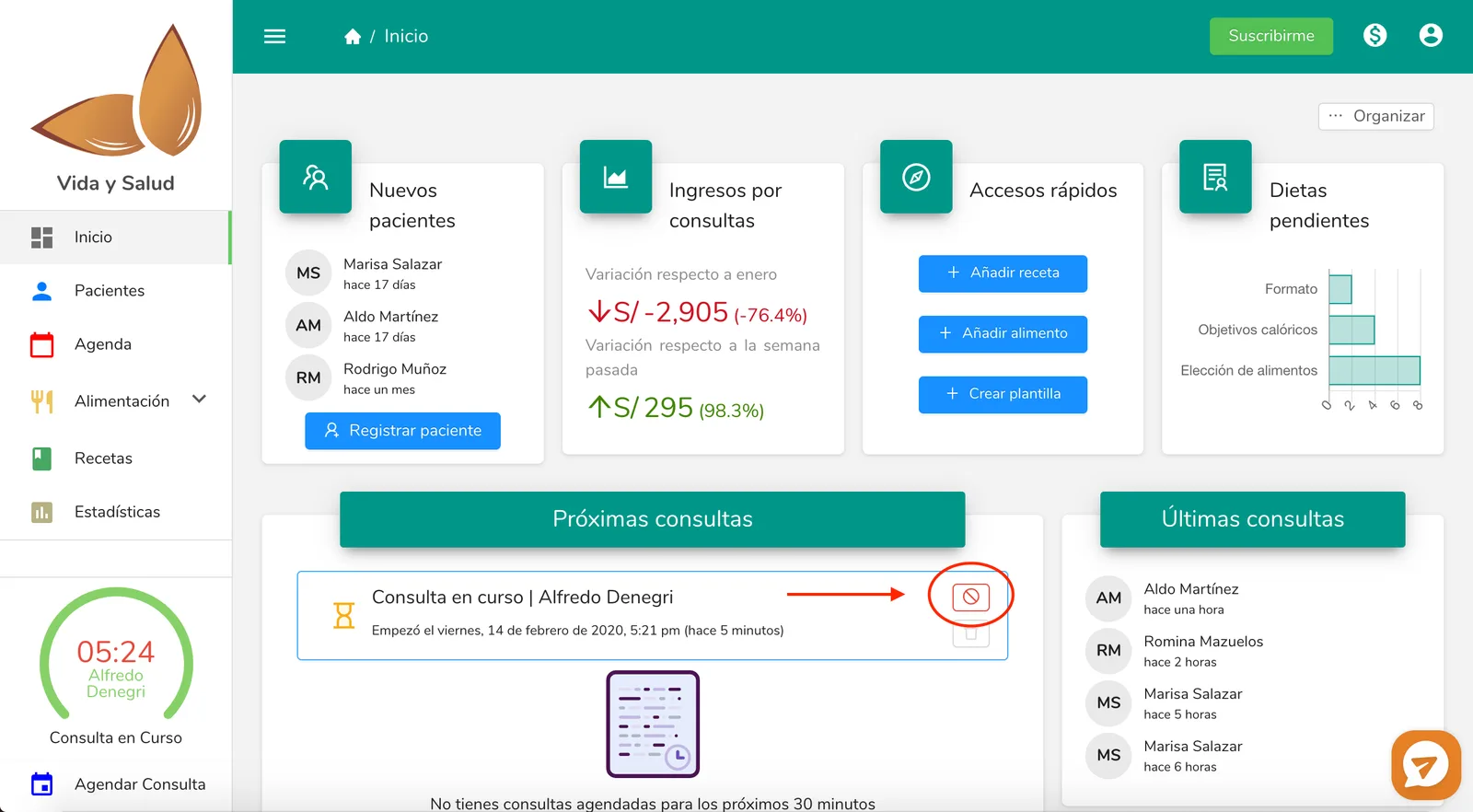
**3- On Home, hover over the "Appointment in progress" item and click on the "stop" icon.**
**Saw the patient without starting the consultation in Almendra?** If the consultation belongs to a package and is still scheduled, you don't need to start it to close it: open the consultation in **Schedule** and click **Mark as done**. There you enter the amount paid that day and the payment method. See [How do I fix a consultation payment?](/help/en/packages/how-do-i-fix-a-consultation-payment).
## Reference image for points 1 and 2
 ## Reference image for point 3