---
title: "How do I schedule an appointment?"
description: "Schedule an appointment in Almendra with the Schedule appointment button on Home or the Schedule page, or by clicking and dragging over a time slot."
sidebar:
order: 1
lastModified: 2024-08-12
translationKey: consultas/como-agendo-una-consulta
---
Click the following link to watch a detailed video walkthrough:
[How to schedule an appointment](https://www.youtube.com/watch?v=EzHJYC7JMgk)
To schedule an appointment, you have the following options:
**1. From Home:**
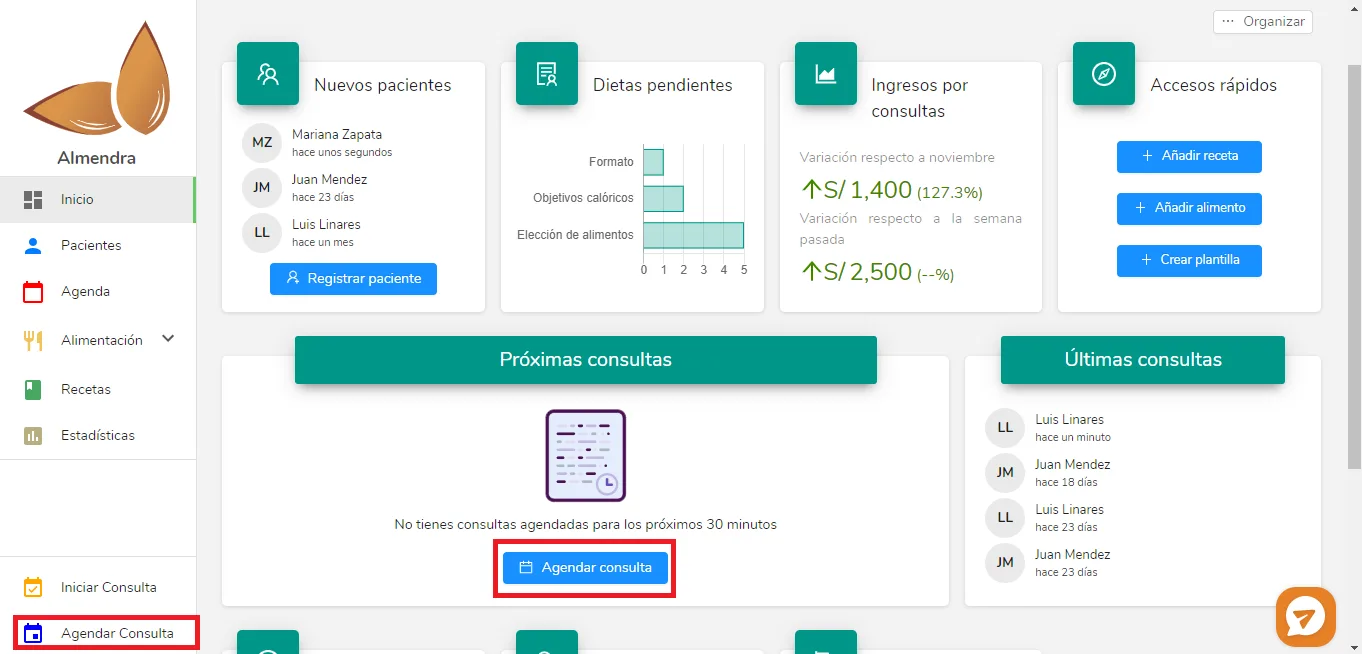 Click either of the two "Schedule appointment" buttons in the red boxes. A pop-up window will open where you enter the appointment details, such as the patient, date, and time.
**2. From Schedule:**
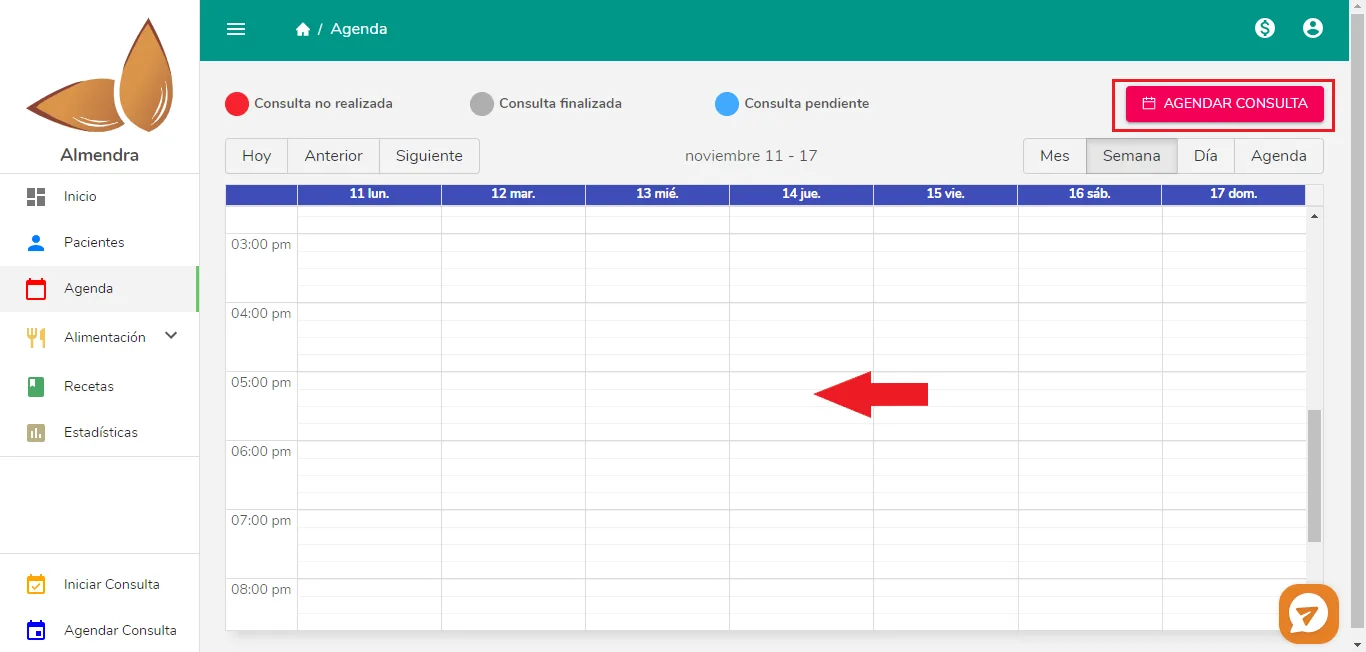 You have two options on this screen:
- _Click "Schedule appointment"_: the pop-up window will open.
- _Click and drag_: place your cursor where the red arrow is (it can be any day and time). Click and hold the mouse button, then drag down: a gray rectangle shows the start and end times. Release the button when the end time shown is the one you want.