---
title: "How do I add recipes to a free-text meal plan?"
description: "Link recipes to a free-text meal plan in Almendra with Add recipes so your patient can see their ingredients and preparation in the PDF and the app."
sidebar:
order: 13
lastModified: 2026-10-15
translationKey: planes-alimenticios/como-agrego-recetas-en-un-plan-alimenticio-de-texto-libre
---
To understand what a free-text meal plan is, read [What is a free-text meal plan?](/help/en/meal-plans/what-is-a-free-text-meal-plan).
In a plan with a food search, recipes are added on their own when you pick them. In a free-text plan, though, you type the meals by hand, so Almendra can't tell which lines are recipes. That's why you link them in a separate step.
Say you want the patient to see the ingredients and preparation of "Caesar salad" in their plan (PDF and app).
**1. Write the recipe in the meal.** In the table editor, type it in the **Foods** field below the table, click **Place foods**, pick the meals and click **Finish**. In the day-by-day editor, type it directly in the meal's text box.
**Note:** you can write "1 serving of Caesar salad" or "Caesar salad with little lettuce". It's free; just remember to write one food per line.
**2. Link the recipe.** At the top right of the editor, click the book icon (**Add recipes**). This window opens:
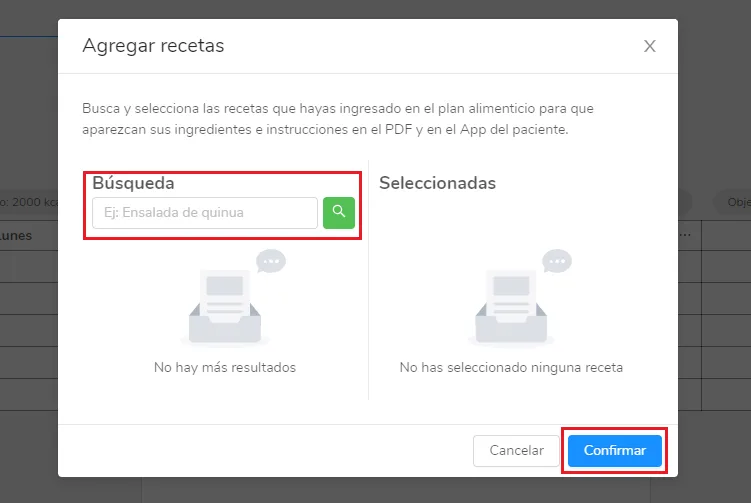 Type "Caesar salad" and press Enter or click the magnifying glass. The results appear:
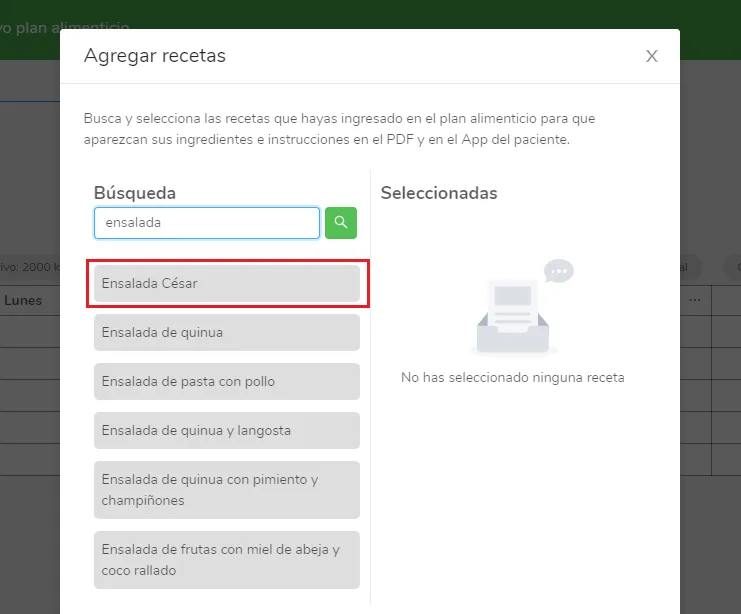 Click Caesar salad and it moves to the **Selected** column:
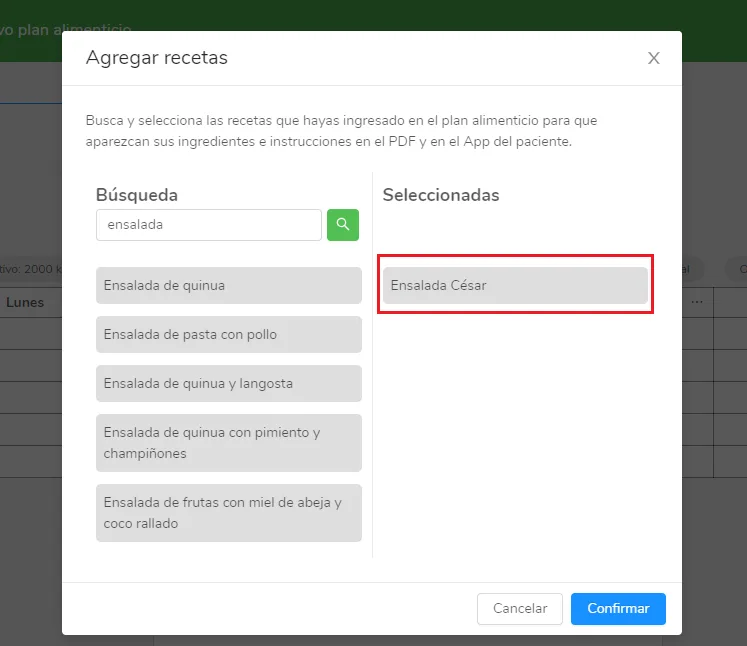 Repeat this with each recipe in the plan and click **Confirm**.
The patient will see in their app and PDF the instructions and ingredients of the recipes in the **Selected** column. For a recipe to show up in the search, you must have created it first in your recipes section.