---
title: "How do I change the name of a food from a database?"
description: "Rename a database food inside a meal plan in Almendra by clicking its name and typing a new one. Your patient will see the updated name."
sidebar:
order: 18
lastModified: 2022-01-06
translationKey: planes-alimenticios/como-cambio-el-nombre-de-un-alimento-de-una-base-de-datos
---
You might not like the names of the foods provided by Almendra and its databases. You can change the name of a food that has already been added to the meal plan as follows:
**1. Place your cursor over the food's name and click it:**
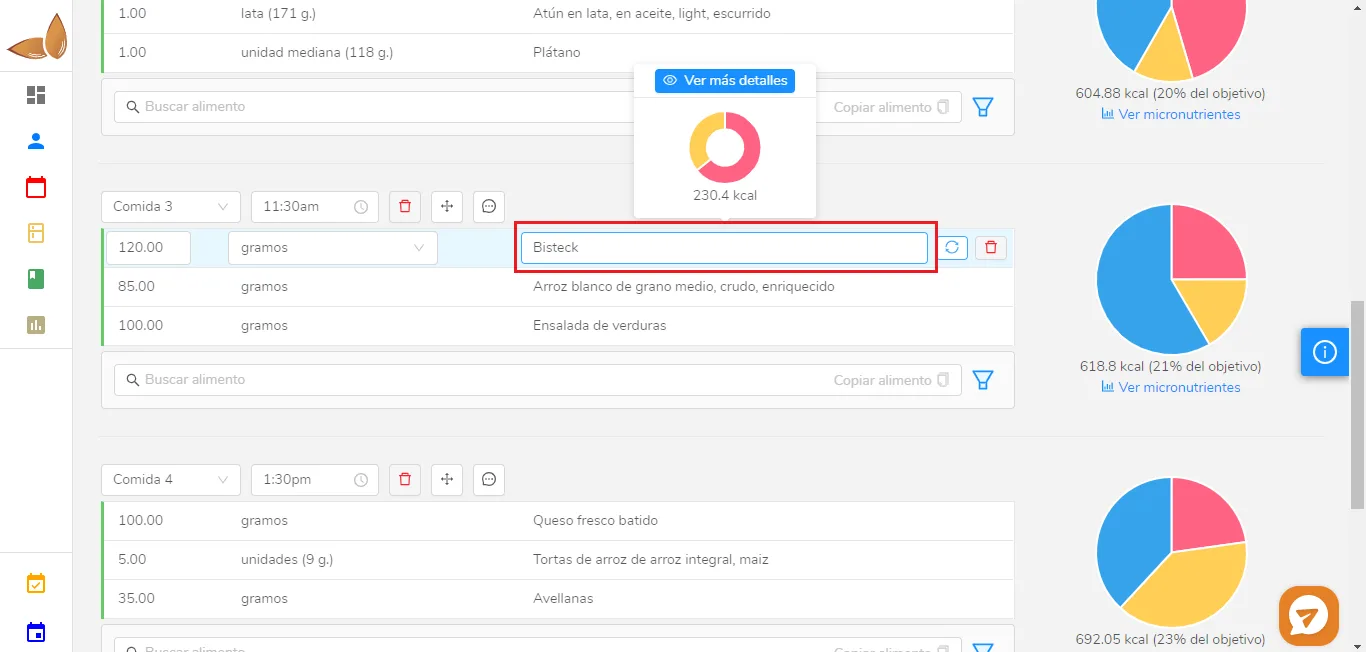 **2. Type the name you want for that food and click anywhere on the screen:**
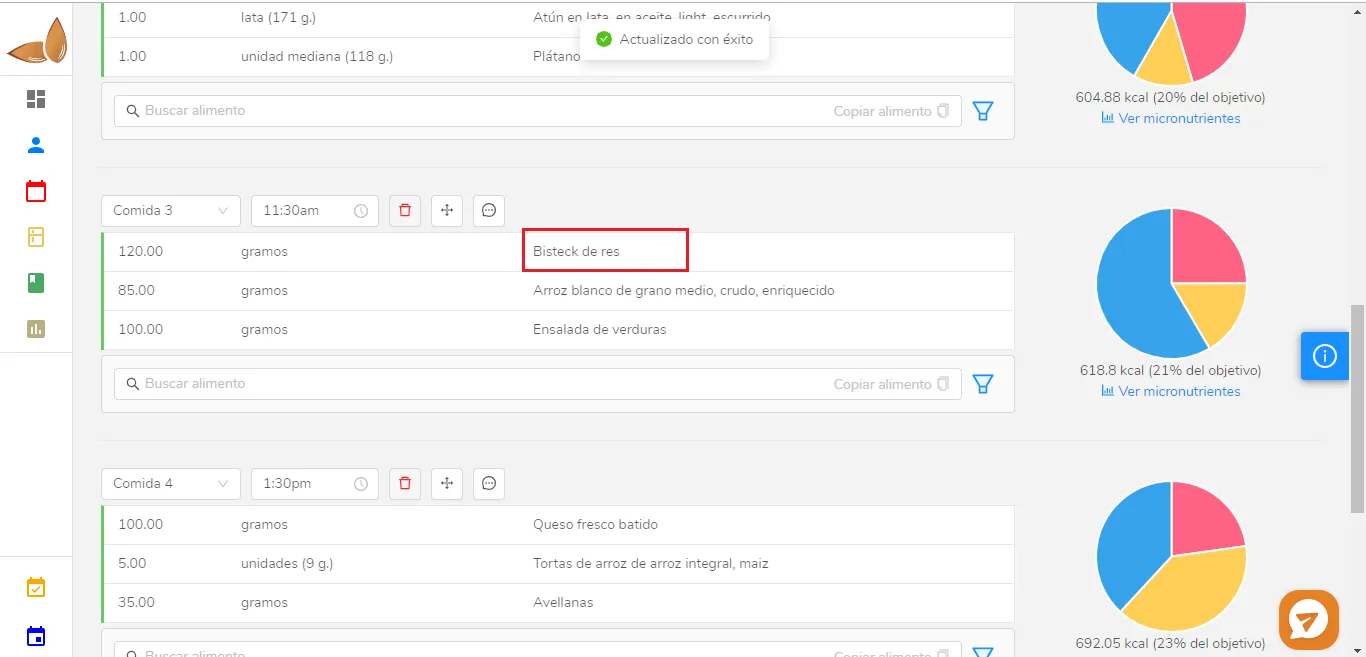 Done! The food's name has been changed. The patient will see the changed name of the food.