---
title: "Where can I see the micronutrients of each food?"
description: "See a food's micronutrients from its Details in the meal plan editor, or with the info button in any food search in Almendra, for any amount you want."
sidebar:
order: 22
lastModified: 2026-10-15
translationKey: planes-alimenticios/donde-puedo-ver-los-micronutrientes-de-cada-alimento
---
There are two options:
**1. The food is already in the meal plan:**
It depends on the editor you're using:
- **Table editor:** click the food inside its cell and then **Details**.
- **Day-by-day editor:** hover over the info icon (the "i") at the end of the food's name. You'll see a chart with its macronutrients; click **See more details**.
- **Flexible editor:** click the info icon (the "i") at the end of the food's name and then **Details**.
A window opens with the food's information, including micronutrients:
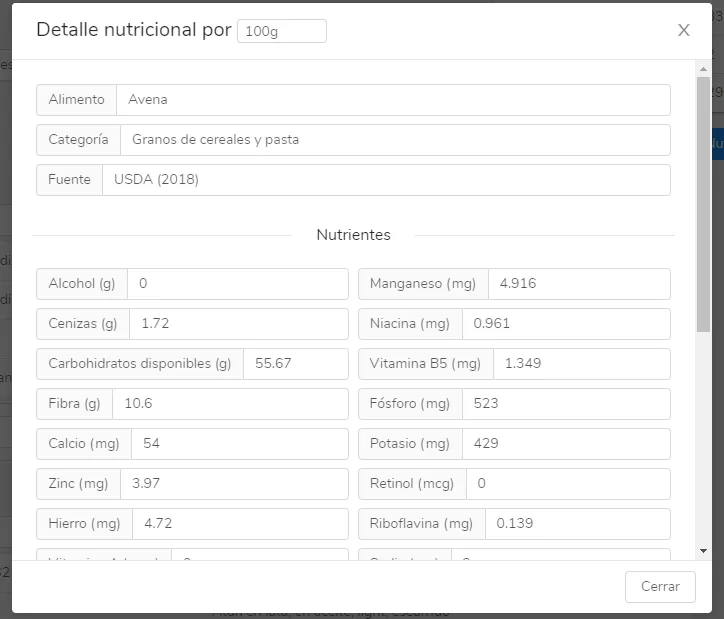 You can view the nutrients for any amount you want: just change the amount at the top of the window, where it says "Nutritional details per".
**2. The food is not in the meal plan yet**
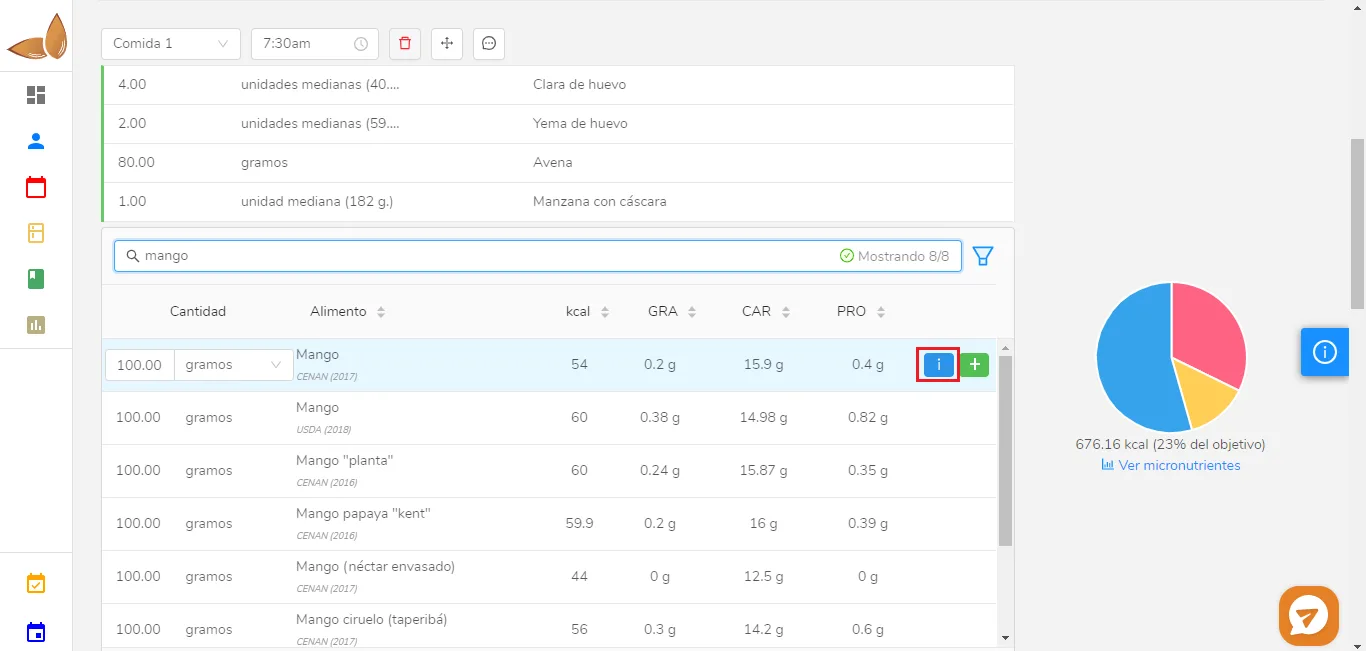
In this case, type the name of the food in the search (it can be any search: in the meal plan, in a recipe, or in equivalents) and click the blue button with an "i". The same pop-up window as in the previous case will open: