---
title: "How do I change my password?"
description: "Change your Almendra password from General Settings in the Security section: fill in the fields and click Change password."
sidebar:
order: 7
lastModified: 2024-08-13
translationKey: otros/como-cambio-mi-contrasena
---
**1. Go to Settings:**
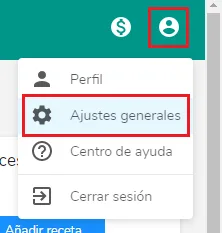 **2. Click on Security****3. Fill in the corresponding fields and click "Change Password":**
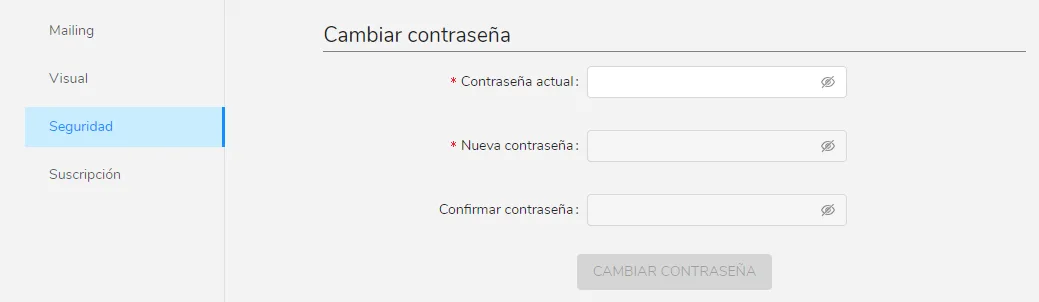 Done! Your password has been modified.