
How do I upload an image to a recipe?
To upload an image to a recipe in Almendra, turn on edit mode with Edit recipe and use the upload button that appears below the recipe photo.
Updated January 7, 2022
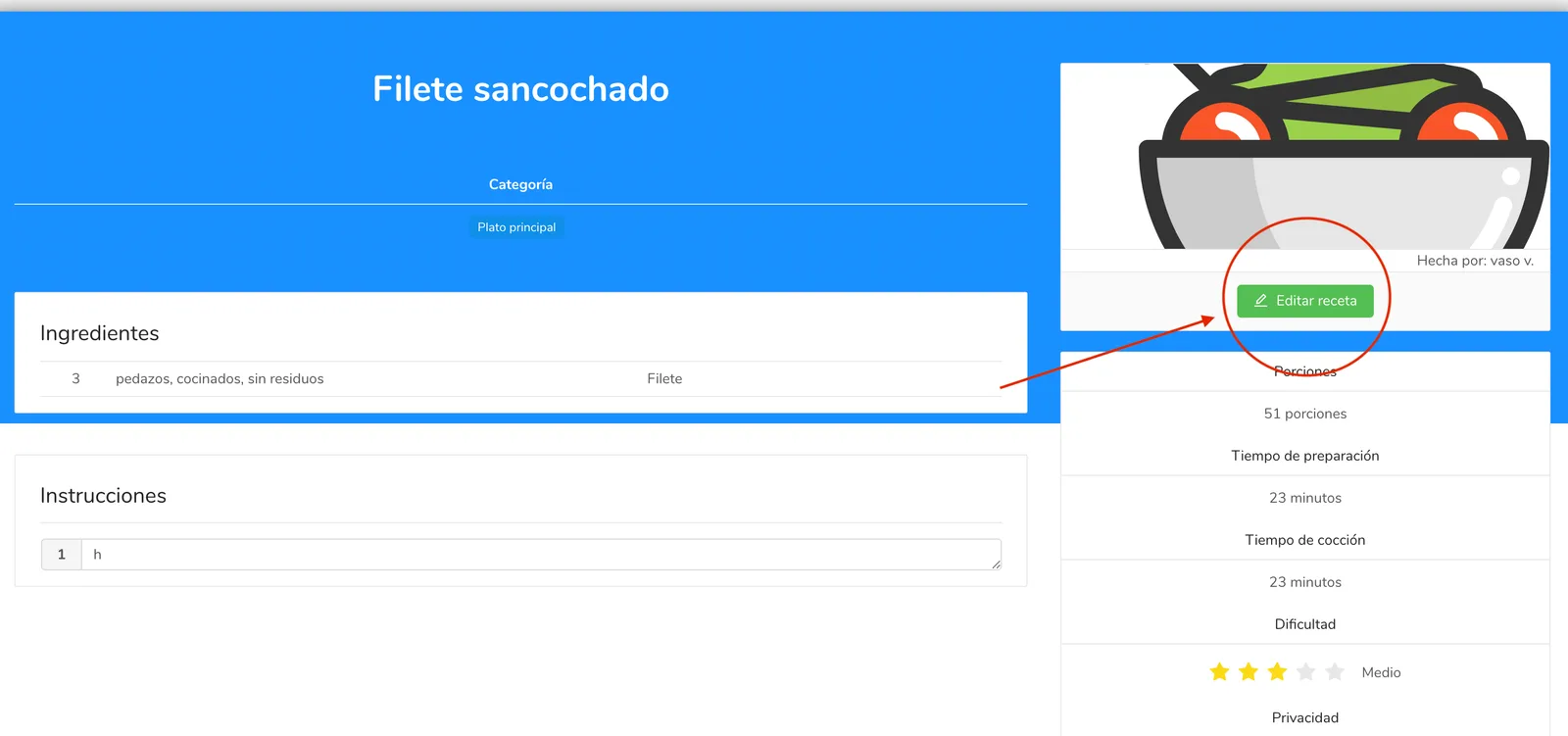
To upload an image to a recipe, you first need to make sure the recipe is in edit mode. If it is NOT in edit mode, it will look like this, and to enable editing you’ll need to click “Edit recipe”
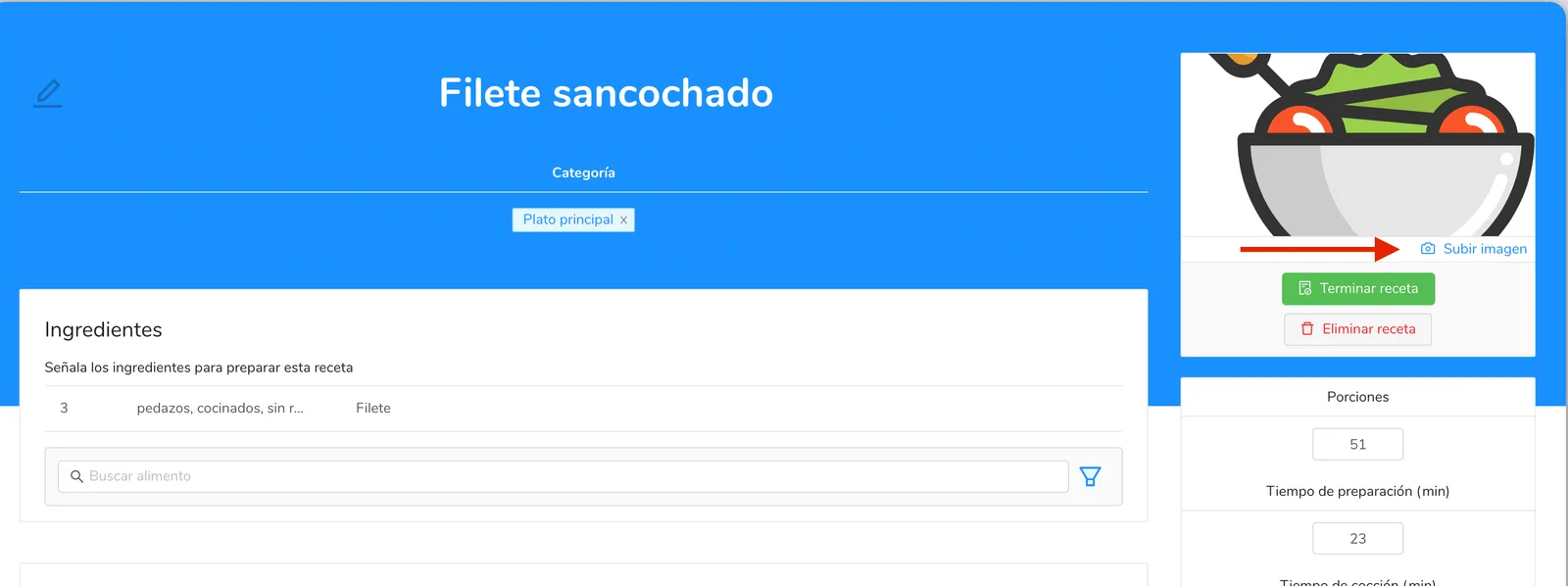
Once your recipe is in edit mode, below the image, on the right, you’ll see a button to upload the image. Click it and upload your image.
Can’t find what you’re looking for?
Our team replies within 1 business day, Monday to Friday 9:30 AM – 6:00 PM (GMT-5).