
How do I add an expense?
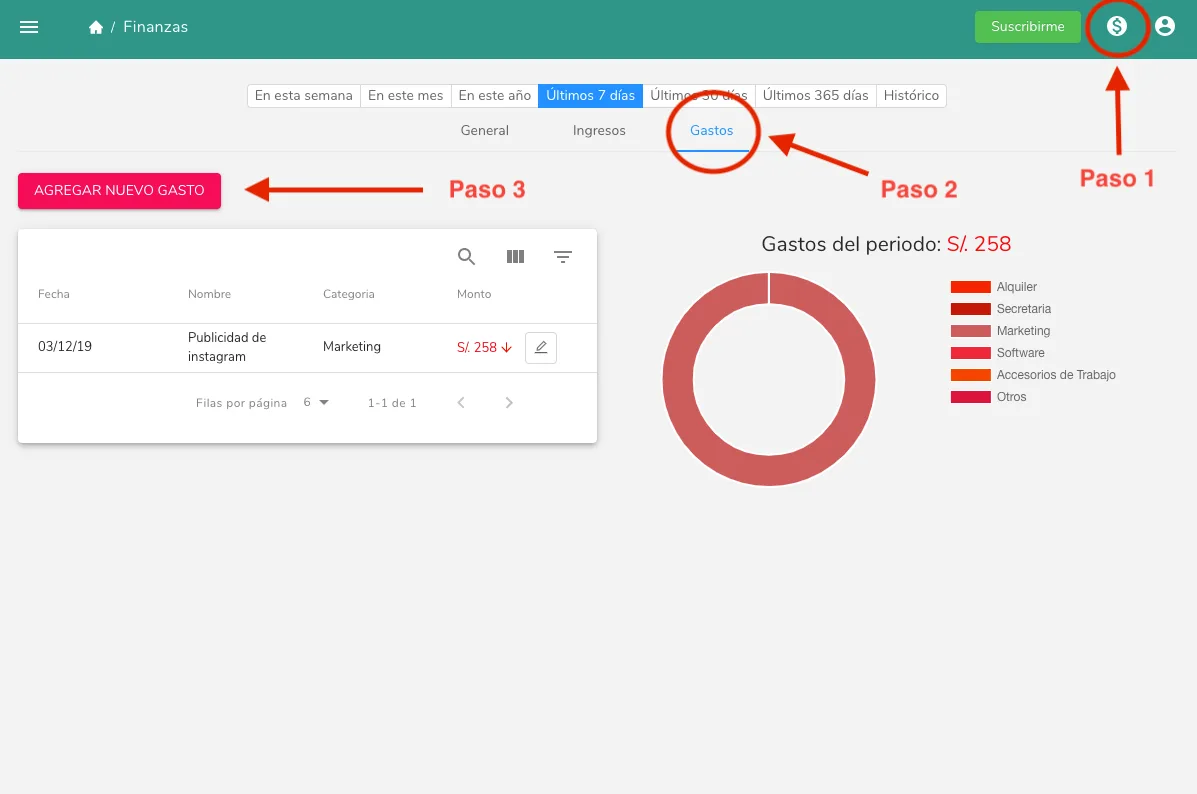
Record an expense in Almendra from the finances module: open the expenses section, click Add new expense, and fill out the form.
Updated January 7, 2022
To add an expense, first go to the finance module by clicking the coin icon in the top right corner of the software (Step 1). Once you’re in, go to the expenses section (Step 2). Then click the “Add expense” button (Step 3) and fill out the form.
Can’t find what you’re looking for?
Our team replies within 1 business day, Monday to Friday 9:30 AM – 6:00 PM (GMT-5).