
How do I edit a recurring expense?
Edit a recurring expense in Almendra: change every occurrence or just one, and set an end date when the amount is going to change.
Updated January 7, 2022
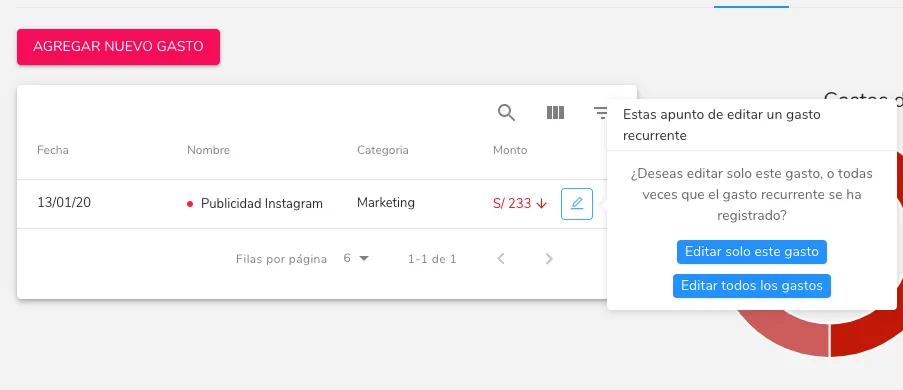
If you want to edit a recurring expense, you have two options:
1) Edit all recurrences of the expense
With this option you would be editing every time the expense appears in the software, whether past, present, or future occurrences. We recommend only making this kind of edit to rename or recategorize expenses, or to set an end date.
2) Edit a specific expense within the recurrence
This option lets you edit one specific expense within the recurrence. Maybe one month you didn’t pay the full amount, or you paid in advance; in that case you could edit that specific expense.
If the payment changes in the future, you can use the end date. For example, if you’re currently paying $1500 in rent and your landlord tells you it will cost $1600 starting next year, the ideal would be to set an end date on your expense before the year ends, and register a new recurring expense starting next year with an amount of $1600.
In the image below we can tell the two options apart.
Can’t find what you’re looking for?
Our team replies within 1 business day, Monday to Friday 9:30 AM – 6:00 PM (GMT-5).