Where will my packages appear if I make them public?
Public packages are shown on your Almendra personal page. To hide one, edit it in Settings > Nutritional Packages and make it private.
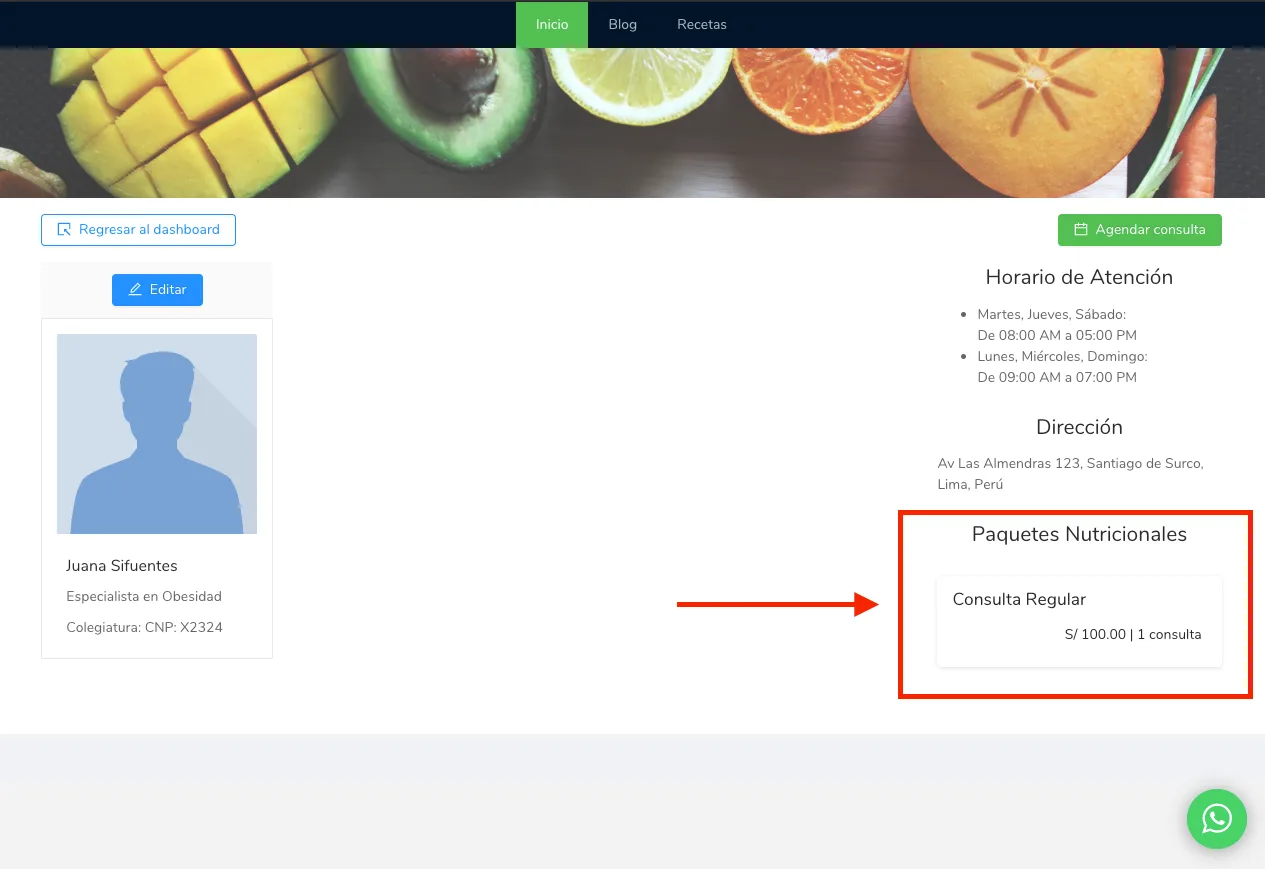
If your packages are public, they will be visible on your personal page, as shown in the image below.
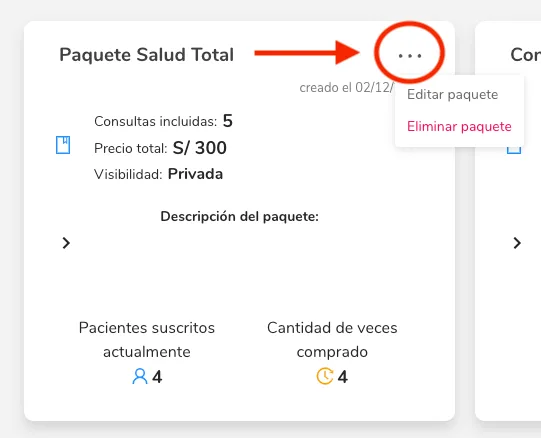
If you want your packages to NOT be public, you can make them private by going to the settings menu, under the “Nutritional Packages” section.You can edit each package as shown in the image below.
After clicking on “Edit Package,” the following screen will appear:
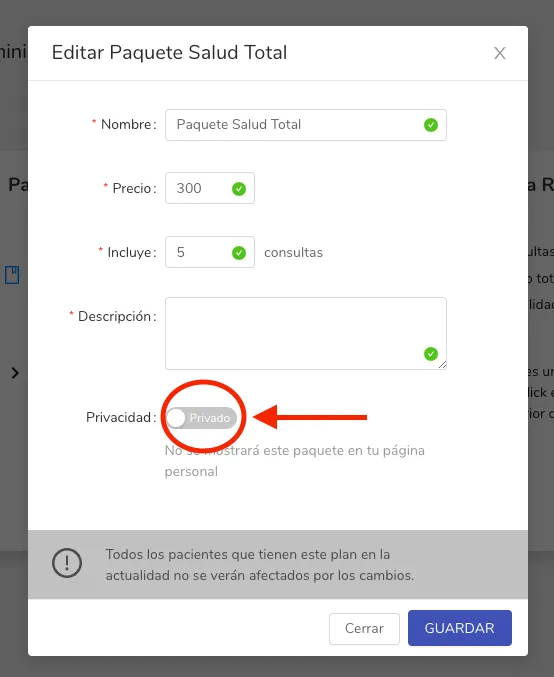
Turn the privacy switch off and press Save.