
Patient App: How to Request the Deletion of Your Account and Associated Data?
Delete your Almendra patient app account from Account > Security > Delete Account. Removing your account and data is permanent and cannot be undone.
Updated August 12, 2024
In today’s digital age, understanding how to manage your data and privacy is crucial. If you are considering taking control of your digital footprint by deleting your account and associated data from our platform, here is a simple guide to help you through the process. Our platform ensures that your data deletion requests are handled securely and efficiently, respecting your privacy and data rights.
Step-by-Step Guide to Request Data Deletion
Step 1: Access Account Settings
Once you have logged into your account, start by accessing the side menu. This can be found on the main interface of our platform. Look for the ‘Account’ option within the side menu. Clicking this will take you directly to the account settings screen. This area allows you to view and modify your account details.Step 2: Navigate to Security SettingsWithin the account settings screen, you will find various menus related to account management. Click on the “Security Menu” to proceed to your account’s security settings. This section is dedicated to the security and privacy options available for your account, ensuring you have full control over your personal information and how it is managed.
Step 3: Request Account Deletion
In the security settings, locate the “Delete Account” section. Here, you will find a form specifically designed to request the permanent deletion of your account and the associated data from our servers. The form is clear and will guide you through providing the necessary information to process your request.
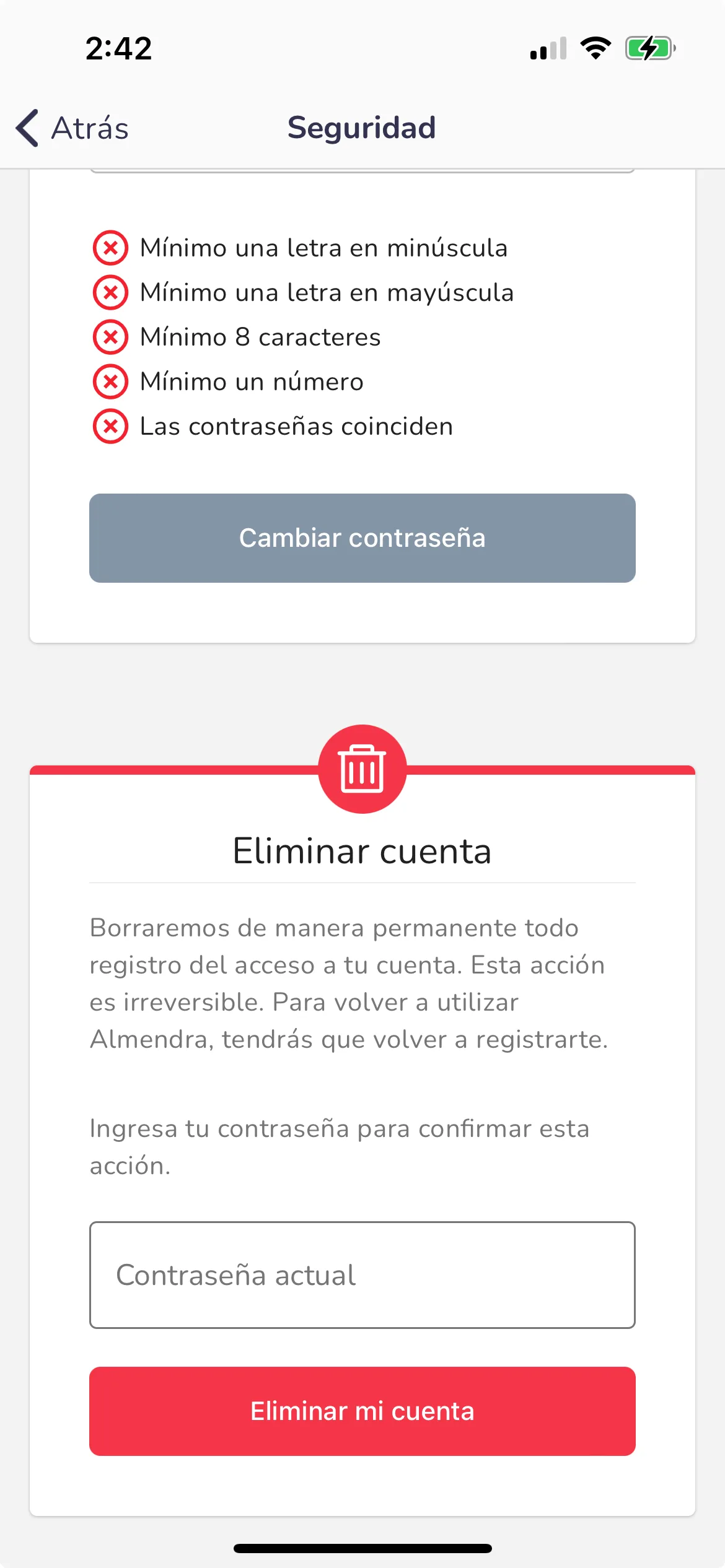
Remember, account deletion is irreversible. Once your account and data are deleted, you will not be able to recover any information or access our services using the same account. Please make sure you have backed up any important information or data you wish to keep before proceeding with the deletion request.
Can’t find what you’re looking for?
Our team replies within 1 business day, Monday to Friday 9:30 AM – 6:00 PM (GMT-5).