
Why does the option to visualize the patient's information appear?
When you send app access to a patient who already has an Almendra account, Visualize imports their profile and measurement history once they confirm.
Updated January 7, 2022
When you send the App access email to a patient who previously had an Almendra account, you will see the following notice:
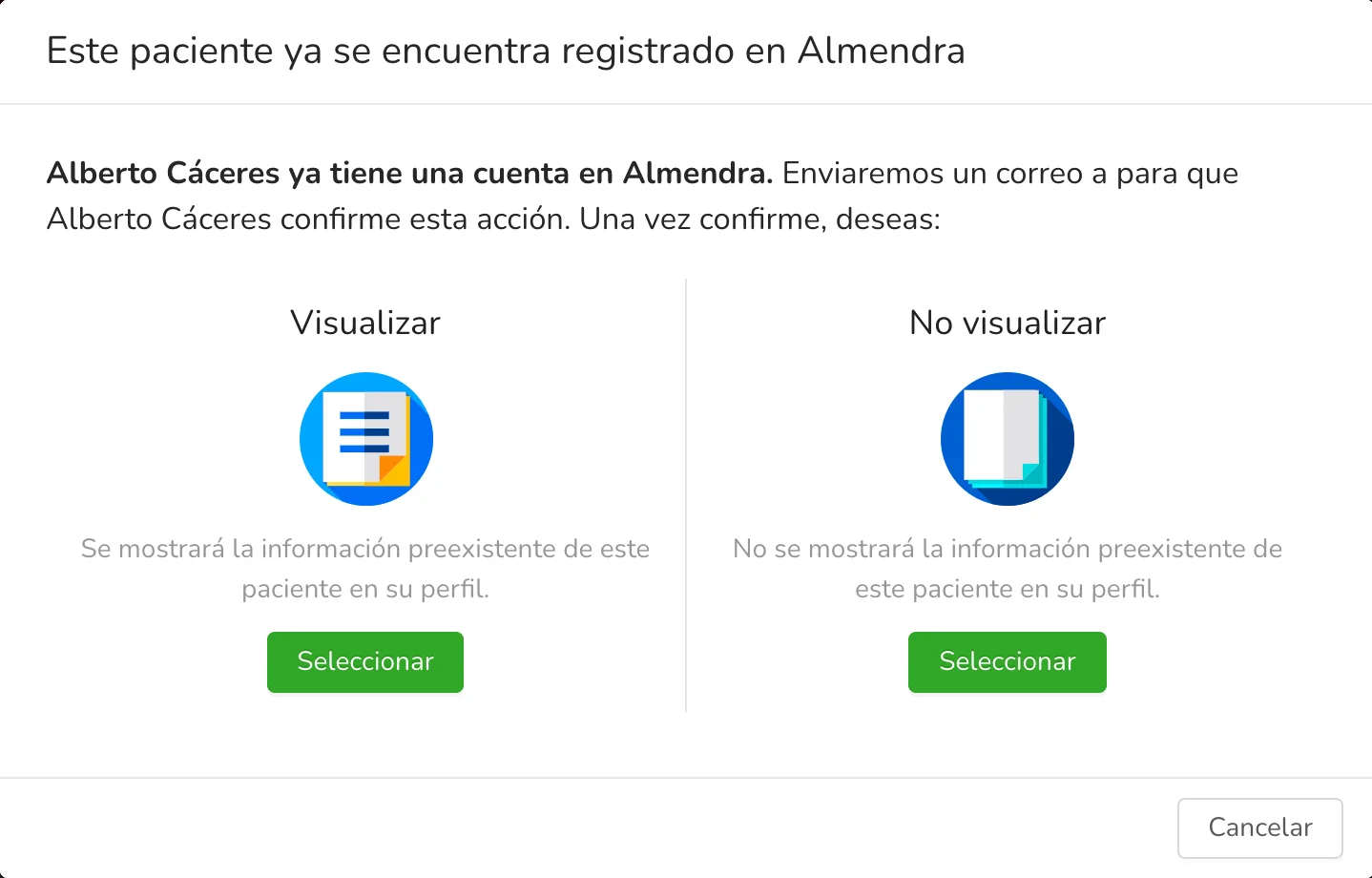
Specifically, this notice appears if:
-
You registered a patient with an email and sent them the App access email, but a patient with that same email is already registered in Almendra.
-
In the patient’s profile, you added a new email for the patient and sent them the App access email, but a patient with that same email is already registered in Almendra.
What does the “Visualize” option mean?
The “Visualize” option means you want all the pre-existing information the patient has in their Almendra account (measurements history and profile) to be automatically added to this patient’s profile in your dashboard.
What does the “Don’t visualize” option mean?
The “Don’t visualize” option means you don’t want the patient’s pre-existing information to be automatically added to this patient’s profile in your dashboard.
Why does it say “an email will be sent to the patient to confirm the action”?
Whether you chose “Visualize” or “Don’t visualize” for the pre-existing information, the patient must confirm that you are offering them your professional services. To do this, the patient is sent an email and a notification asking them to confirm the action.
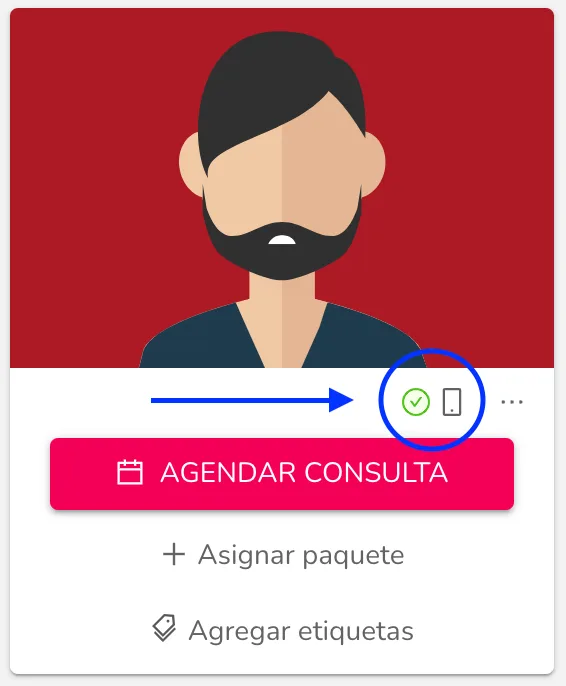
Once the patient confirms the action, you will see the “The patient has already entered the app” indicator with a green “check” icon in their patient profile, below their photo.
Can’t find what you’re looking for?
Our team replies within 1 business day, Monday to Friday 9:30 AM – 6:00 PM (GMT-5).