
How do I edit a patient's information?
Edit a patient's information in Almendra from their profile or during an ongoing appointment, and when to use each one to keep an accurate history.
Updated January 7, 2022
You can edit the patient’s information either from their profile or from an appointment in progress.
We recommend editing from the patient’s profile only information that was entered by mistake, or information not related to an appointment. For everything else, such as measurements or changes to the patient’s preferences, it’s better to edit it from an appointment in progress (so you have accurate data on when and in which appointment the change was made).
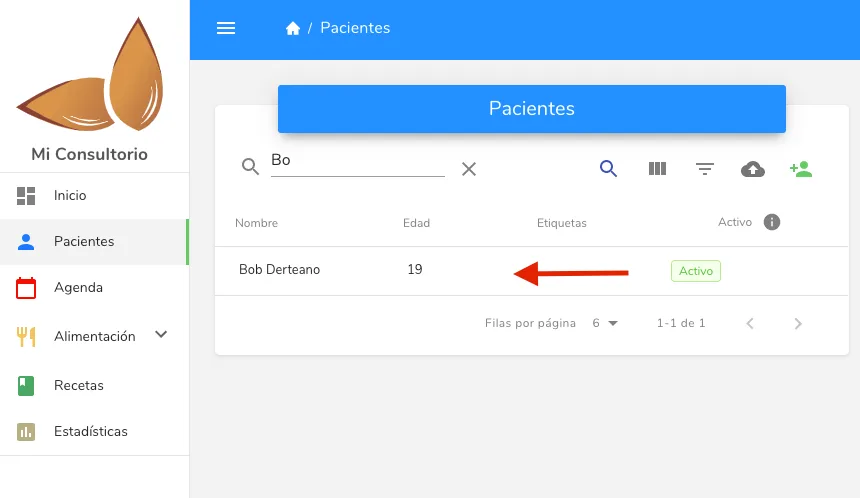
To edit a patient, just look them up in the patients menu and click on their name. Once you’re in their profile, you can modify any field.
Can’t find what you’re looking for?
Our team replies within 1 business day, Monday to Friday 9:30 AM – 6:00 PM (GMT-5).