
How can I change the banner and the image on my personal page?
Change your personal page banner with Edit and Upload image. The photo on the left is your profile picture, which you update in Settings > Profile.
Updated August 13, 2024
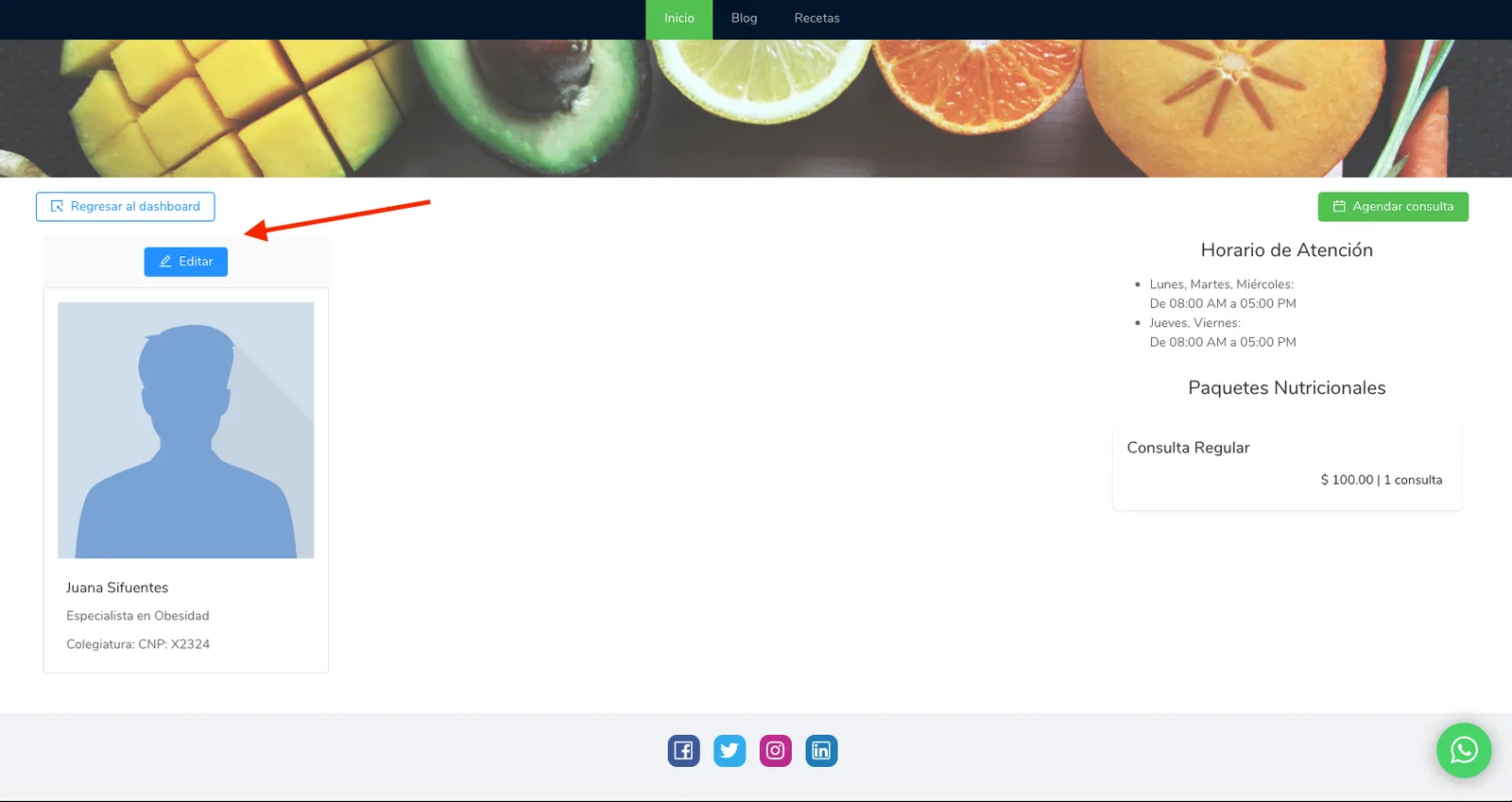
To change the banner on your personal page, first go to your personal page and click the “Edit” button above the image on the left.
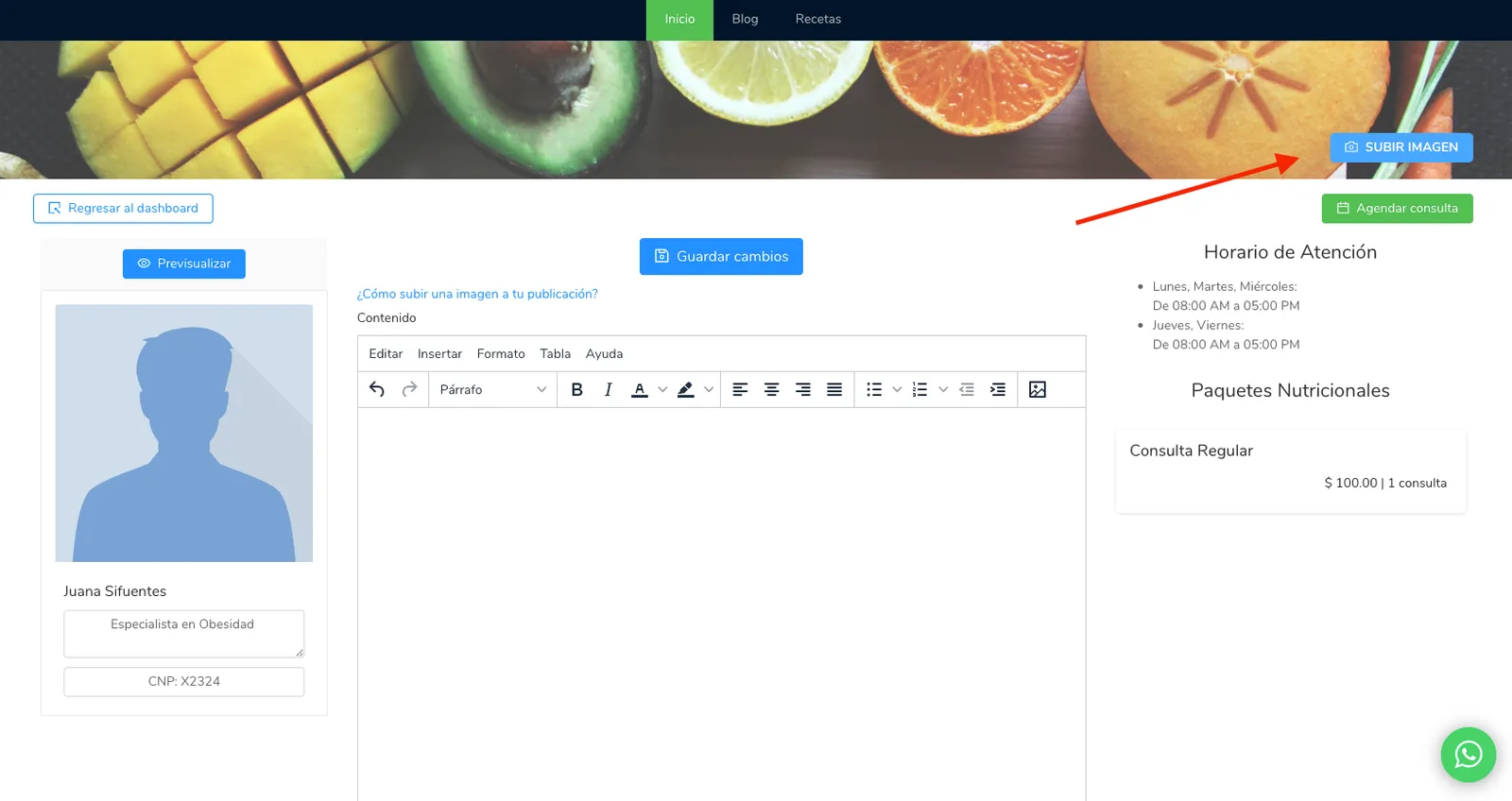
Once you’re in editing mode, a “Upload Image” button will appear in the upper right corner of the page. Use this button to change the dashboard image.
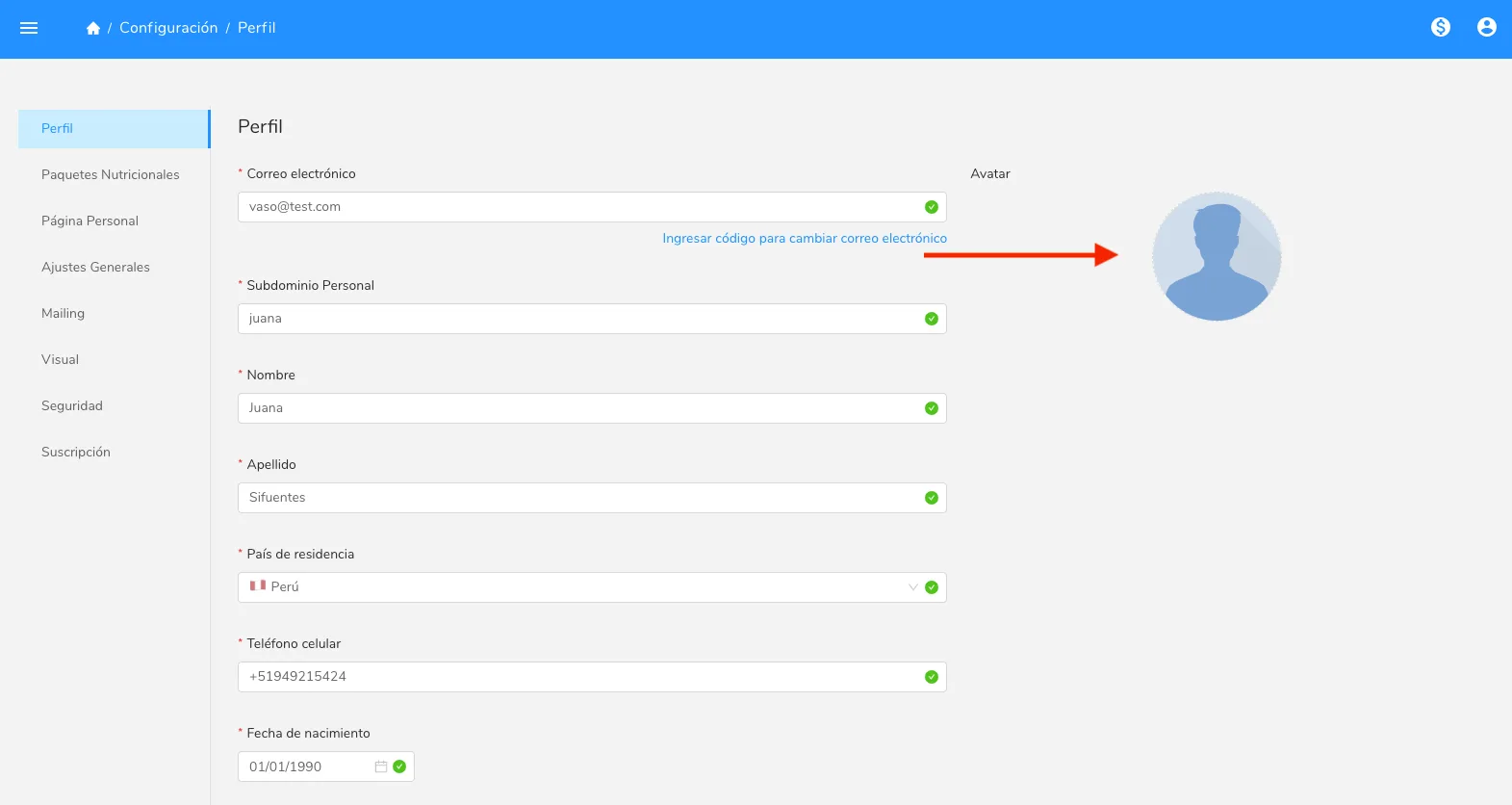
To change the image on the left side of your personal page (which is also your profile picture), go to the settings menu, in the “Profile” section, and simply click on the image icon. This will open the option to upload a new image.
Can’t find what you’re looking for?
Our team replies within 1 business day, Monday to Friday 9:30 AM – 6:00 PM (GMT-5).