
How to change the visibility of a nutritional package?
Make a nutritional package public in Almendra to show it on your personal page and in online booking. You change it under Nutritional Packages.
Updated August 13, 2024
Changing the visibility of a nutritional package to “public” serves the following purposes:The nutritional package information (name, price, included consultations, and description) will be displayed on your personal page.If you have enabled the online booking system (Expert and Unlimited plans), your patients will be able to choose the nutritional package when scheduling a consultation with you. You will be notified via email when the patient selects the nutritional package during the consultation booking.
To change the visibility of a nutritional package, follow these instructions:
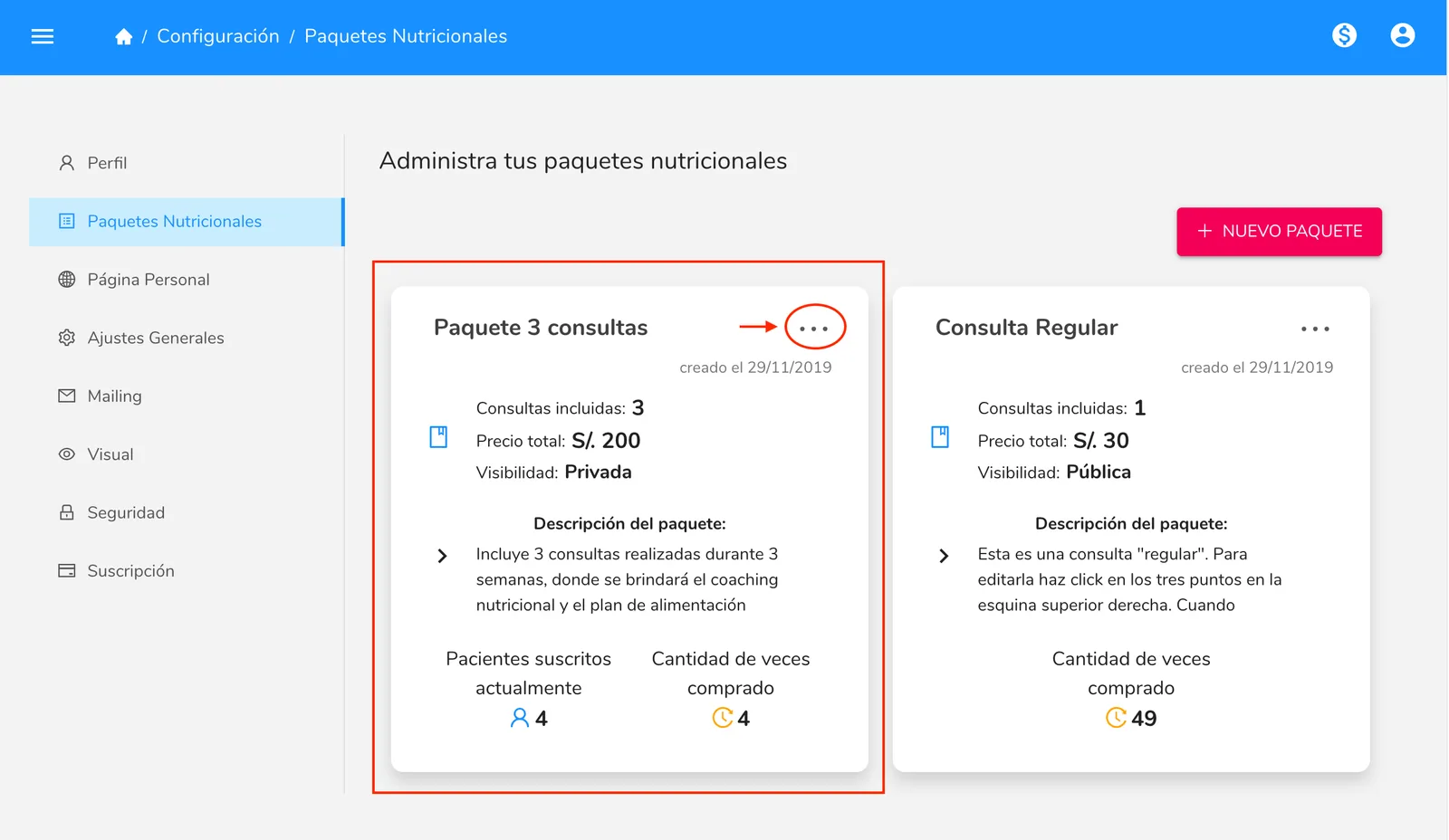
1. Go to the “Nutritional Packages” section in the settings menu (/configuracion/paquetes), locate the nutritional package you want to change the visibility of, and click on the three dots in the top right corner.
In this case, we want to change the visibility of “Package 3 Consultations” from “Private” to “Public”.
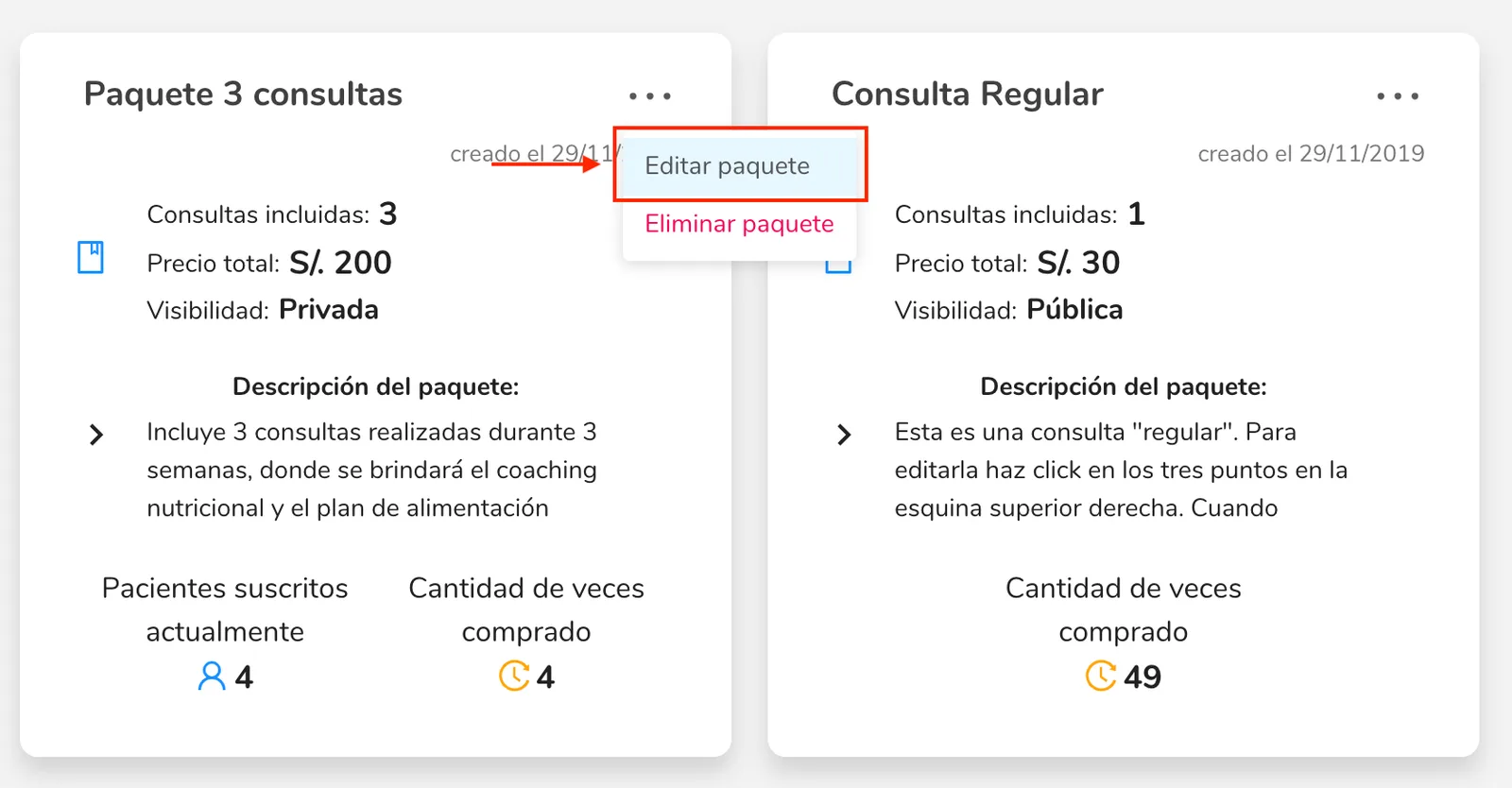
2. Then, click on “Edit package”
- Click the button next to “Privacy” to change the visibility of the selected package. If the switch shows “Public,” it means the package will be visible.4. Done! You have changed the visibility of the selected package.
Can’t find what you’re looking for?
Our team replies within 1 business day, Monday to Friday 9:30 AM – 6:00 PM (GMT-5).