
How do I edit the information on my personal page?
Edit your Almendra personal page: which details you change with the Edit button and which ones from Settings, under Personal Page and Profile.
Updated August 13, 2024
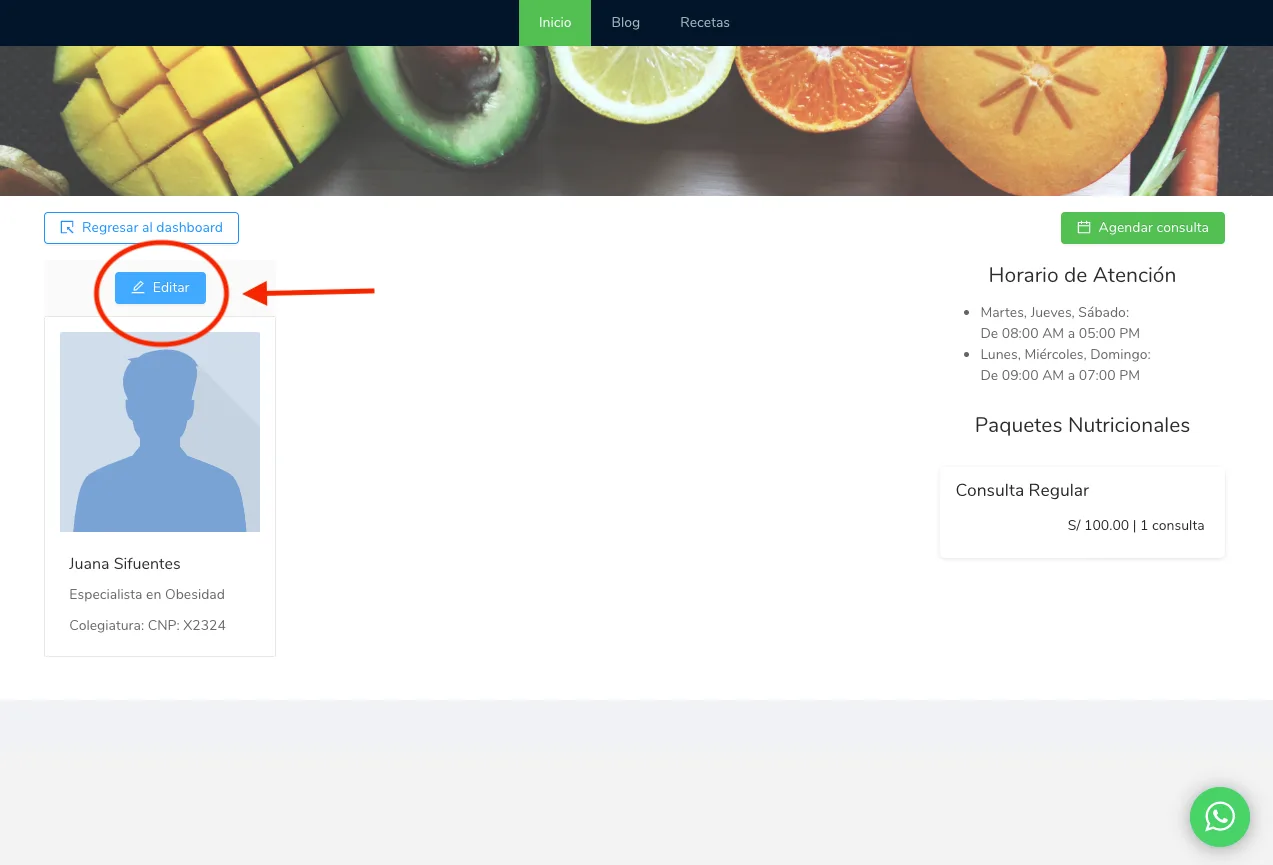
To edit your personal page, first go to the menu of your personal page. This is what you will see in the menu of your personal page. Click the “Edit” button above your profile image on the left.
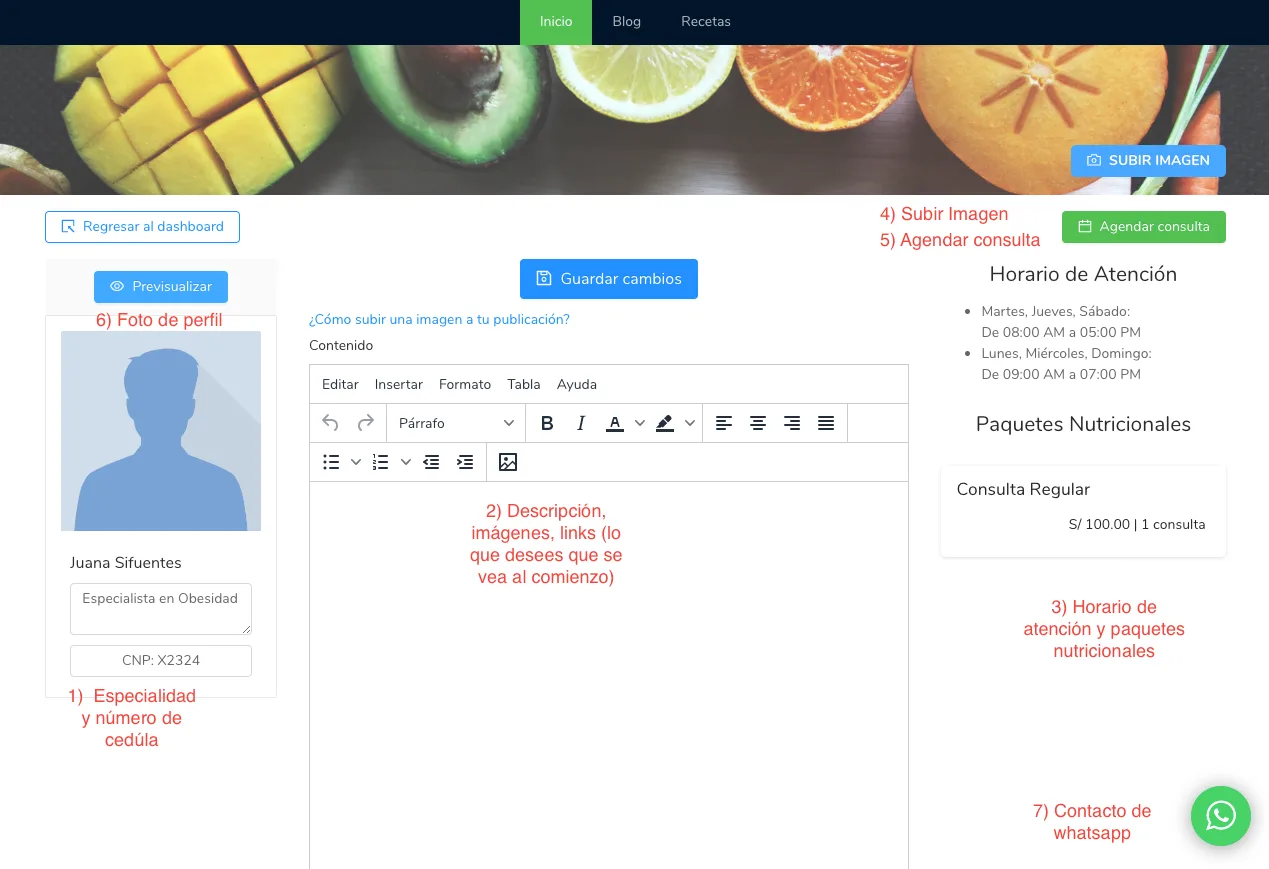
In the image below, the fields that can be edited are numbered. You can edit 1), 2), and 4) from this same page by clicking “Edit.“To edit 3) and 7), you will need to go to the settings of your personal page (settings menu, “Personal Page” section).
To edit 6), you will need to go to your profile settings (settings menu, “Profile” section).
Finally, point 5) (the “Schedule Appointment” button) will only appear if you are on the Expert or Unlimited plan.
Can’t find what you’re looking for?
Our team replies within 1 business day, Monday to Friday 9:30 AM – 6:00 PM (GMT-5).