Migrate from Excel
Move every patient from Excel into Almendra in 5 minutes — without losing a single field.
Upload your spreadsheet, map columns (Almendra auto-detects the common ones), and you're done: names, contacts, measurements, goals, custom fields. No retyping.
XLSX · CSV · Google Sheets · Custom fields · Guided import
More than 600 professionals migrated clients from Excel without losing data.
Column auto-mapping
Almendra recognizes common columns like name, email, phone, measurements, and goal to speed up the upload.
Your custom fields stay intact
Create your custom fields and map them during import so your workflow does not get lost.
Duplicate detection
Review matches by email or phone before confirming, with control to avoid duplicate client files.
Migrate from Excel
How to migrate in 5 minutes
The import flow is built for professionals with years of spreadsheet history and no desire to retype it.
Step by step
Upload the sheet and confirm the mapping
Download the XLSX template, paste your data, upload the file, and review the columns Almendra detected.
- Supports XLSX, CSV, and Google Sheets exported as XLSX.
- Dropdowns for mapping columns with your own names.
- Preview before creating client files.
Custom fields
Your structure does not disappear
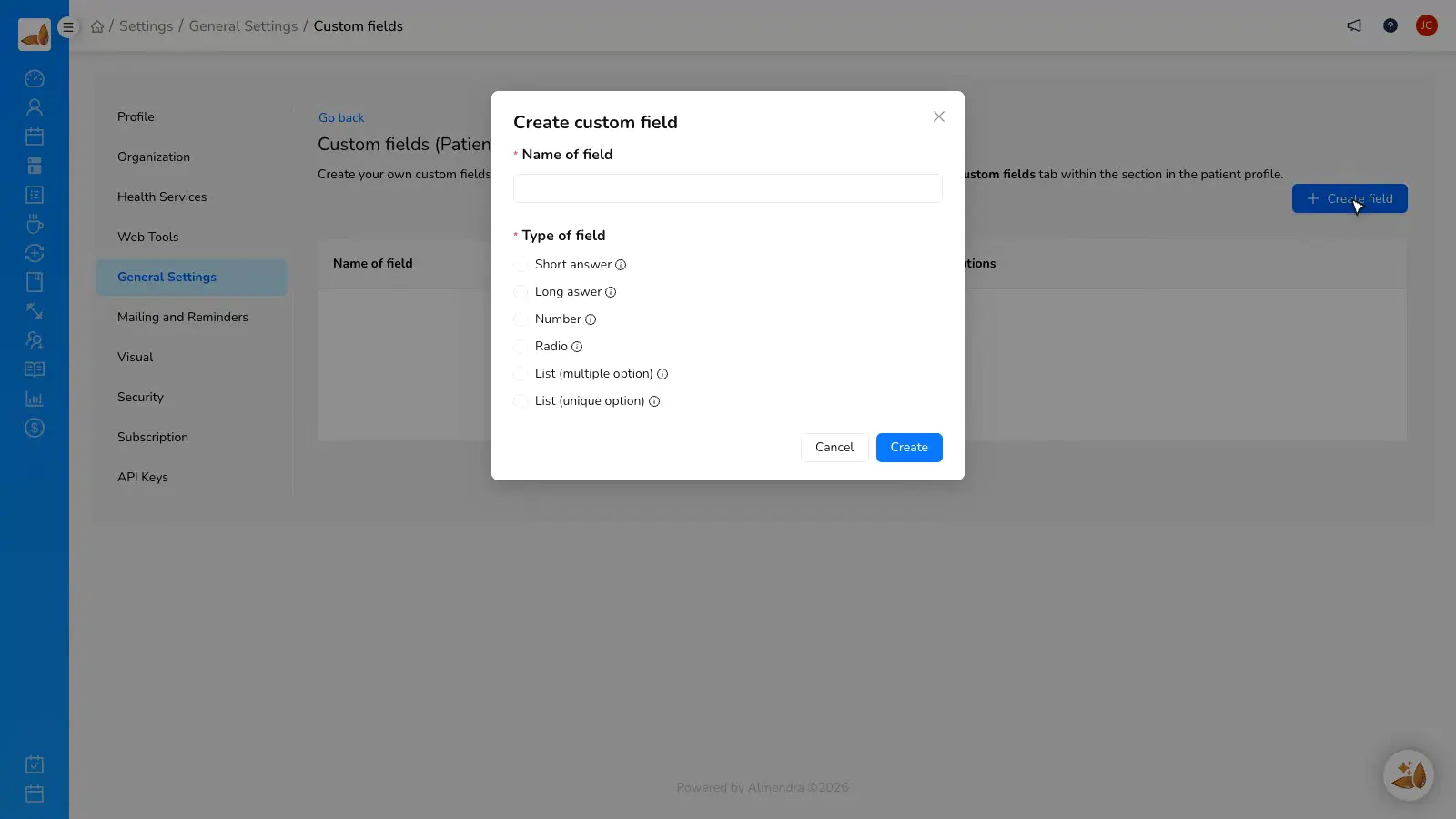
If your Excel has internal columns, you can move them into custom fields and keep each client's context.
- Clinical, administrative, or follow-up fields.
- Tags for recent imports.
- Individual file ready for plans and appointments.
Leave Excel behind
Your Excel was useful. Now it needs to become a system.
Excel → Almendra checklist
A one-page guide to clean your sheet, paste data into the template, and review the import without anxiety.
We'll send the checklist and migration resources. No spam.
“I thought I was going to lose everything. In one afternoon my clients were inside, with custom fields and tags to review the import.”
Patricia G.
Nutritionist, 12 years in practice
FAQ
Leave Excel behind
Which formats does Almendra accept?
What if my columns don't match yours?
Does it keep my custom fields?
Does it detect duplicates?
Can I undo the import if something looks off?
What if I have more than 1000 patients?
Migrate your clients and start working with real files.
Create your free account and test the import with your own sheet.