Changelog

What's new in Almendra

Every update that reaches your account, explained in a few words: new features, changes that save you time and bugs we've fixed.

  1. New

    Refreshed meal plan editors

    The three meal plan editors have a new design that’s clearer and quicker to use:

    • Table: the whole week in one table. It’s no longer a trial version: it’s now the table view for everyone.
    • Flexible: tabs for each day that show how much energy you’ve planned compared with the goal.
    • Day by day: each day with its meals and their calories and macronutrients in view.

    Everything you could do before is still there: add foods and recipes, change dates, see the nutrient analysis and copy days.

  2. Fixed

    Changing a plan's dates no longer mixes up its menus

    When you changed a plan’s dates from the patient profile, sometimes the days from another plan of the same patient were copied into it, and the plan stopped opening. Now each plan always keeps its own menus.

    We also fixed two related editor problems:

    • Plans whose days have their own names (for example “Plan 1” and “Plan 2” instead of Monday to Sunday) open without errors.
    • If the editor fails to open a plan, it no longer marks it as “pending” on its own.
  3. New

    New patient app: Almendra 6.0

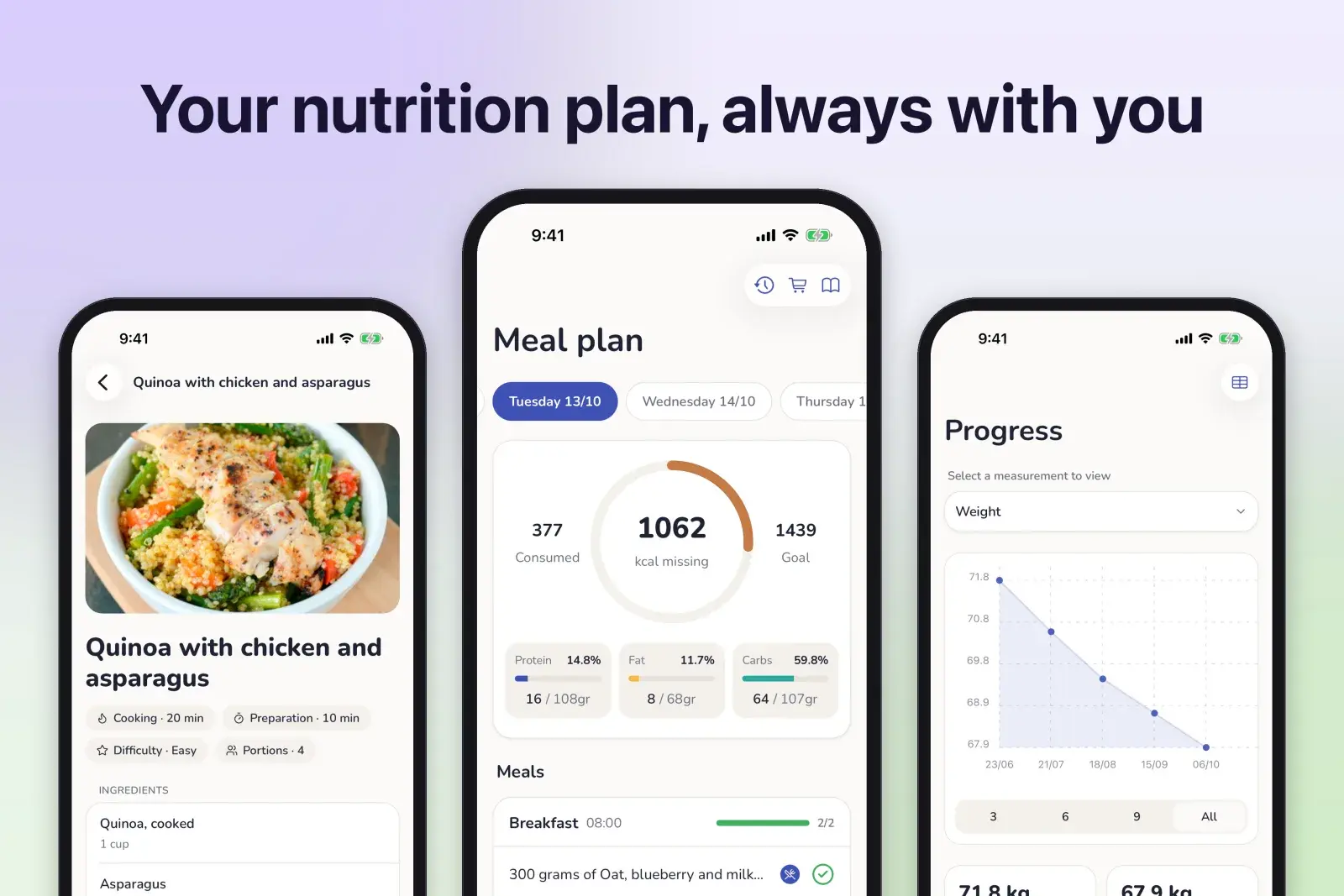
    Your patients’ app is completely new, rebuilt from scratch:

    • A new design with five tabs: Plan, Workout, Progress, Appointments and Profile.
    • Available in Spanish, English and Portuguese.
    • Progress shows all their measurements, including body composition for each arm, each leg and the trunk.
    • Your patients fill in the forms you ask for before the appointment from their phone.
    • Food amounts and measures appear in their language.
    • Tapping a meal reminder opens the app straight to their plan.
    • Your contact buttons and your logo now work in the app.
    • Faster and more stable, with lots of fixes.

    Your patients get it when they update the app from their app store.

  4. New

    Get help without leaving Almendra

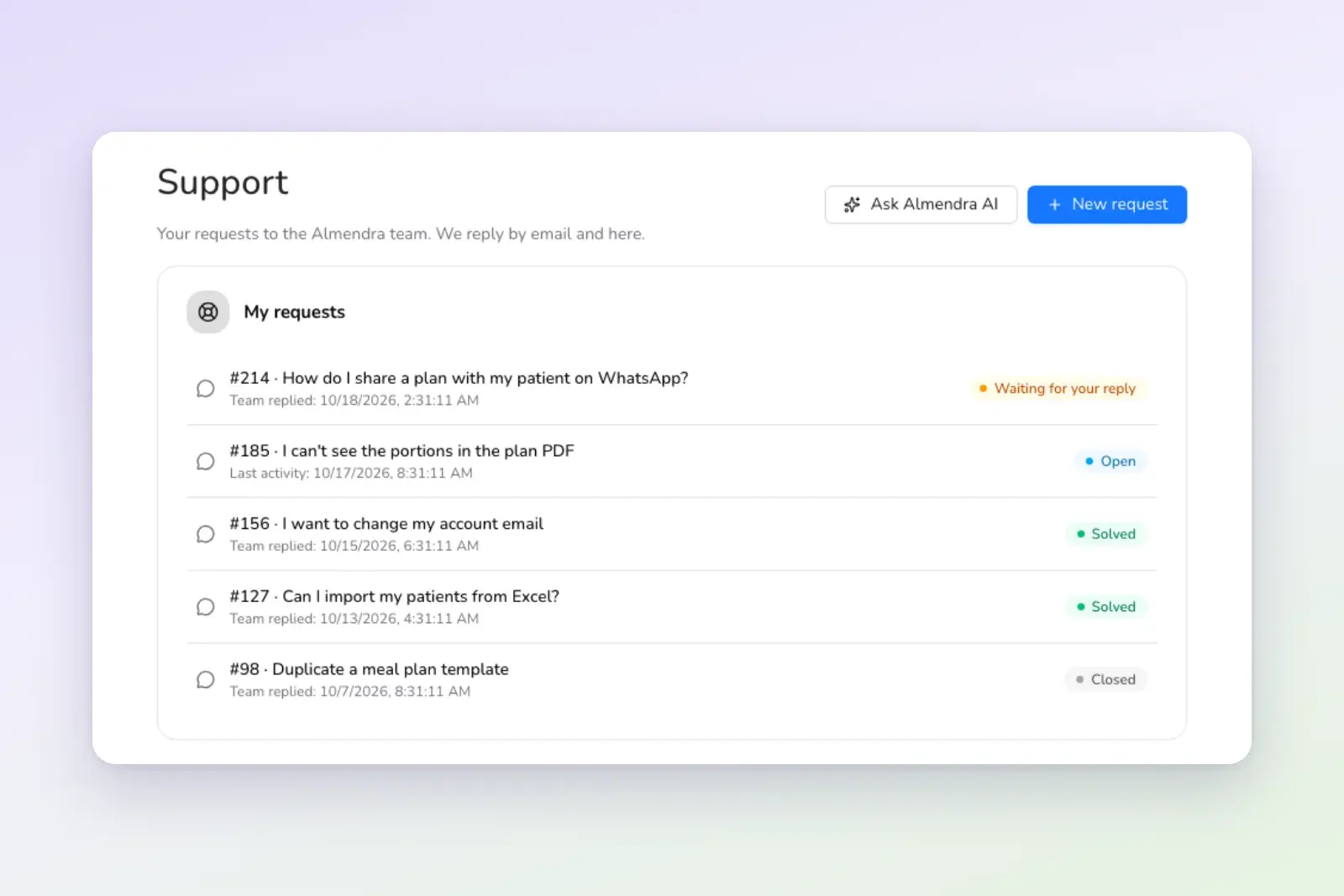
    Support now lives inside Almendra:

    • Ask Almendra AI. It answers using the help center articles and knows which screen you’re on.
    • If it can’t solve it, it creates a request for you. It shows you a summary of the problem, and you choose Send to support or Cancel.
    • Follow your requests on the Support page, and reply from there or from your email. Each request stays in a single email thread.
    • Support never uses credits. If you’ve run out of credits, the chat opens in support mode.
  5. Improved

    Your plan templates load much faster

    The screens that show your meal plan templates (the templates page and the template picker when you create a plan) now load only what the list needs. If you have lots of templates, you’ll notice: before, they could take several seconds.

  6. Fixed

    Recipes you edit inside a plan are saved properly

    When you edited a recipe inside a meal plan:

    • The recipe editor sometimes closed on its own and you had to open it several times.
    • Some changes were lost and you had to redo them.

    Both problems are fixed: the editor opens the first time and your changes are saved.

  7. Fixed

    Fewer connection errors when saving or loading

    Every now and then, an action failed with a server error and worked when you tried again. We found the cause in the connection between our servers and fixed it, so those occasional errors should go away.

    We also fixed the service status notice: it sometimes showed a problem that had already been solved. Now it only appears when there’s an active incident, and it has a clearer design.

  8. New

    Almendra is now in Portuguese

    Almendra is now available in Brazilian Portuguese, as well as Spanish and English:

    • The whole dashboard, plan and routine PDFs, emails and sample templates.
    • The patient app and the help center.
    • The names of the 880 exercises in the workout library.
    • The foods from the TACO table, the Brazilian food composition table.

    Change the language from your account menu, at the top right.

  9. New

    A new step-by-step flow to create meal plans

    We redesigned the screens for creating a meal plan to make it easier to get started:

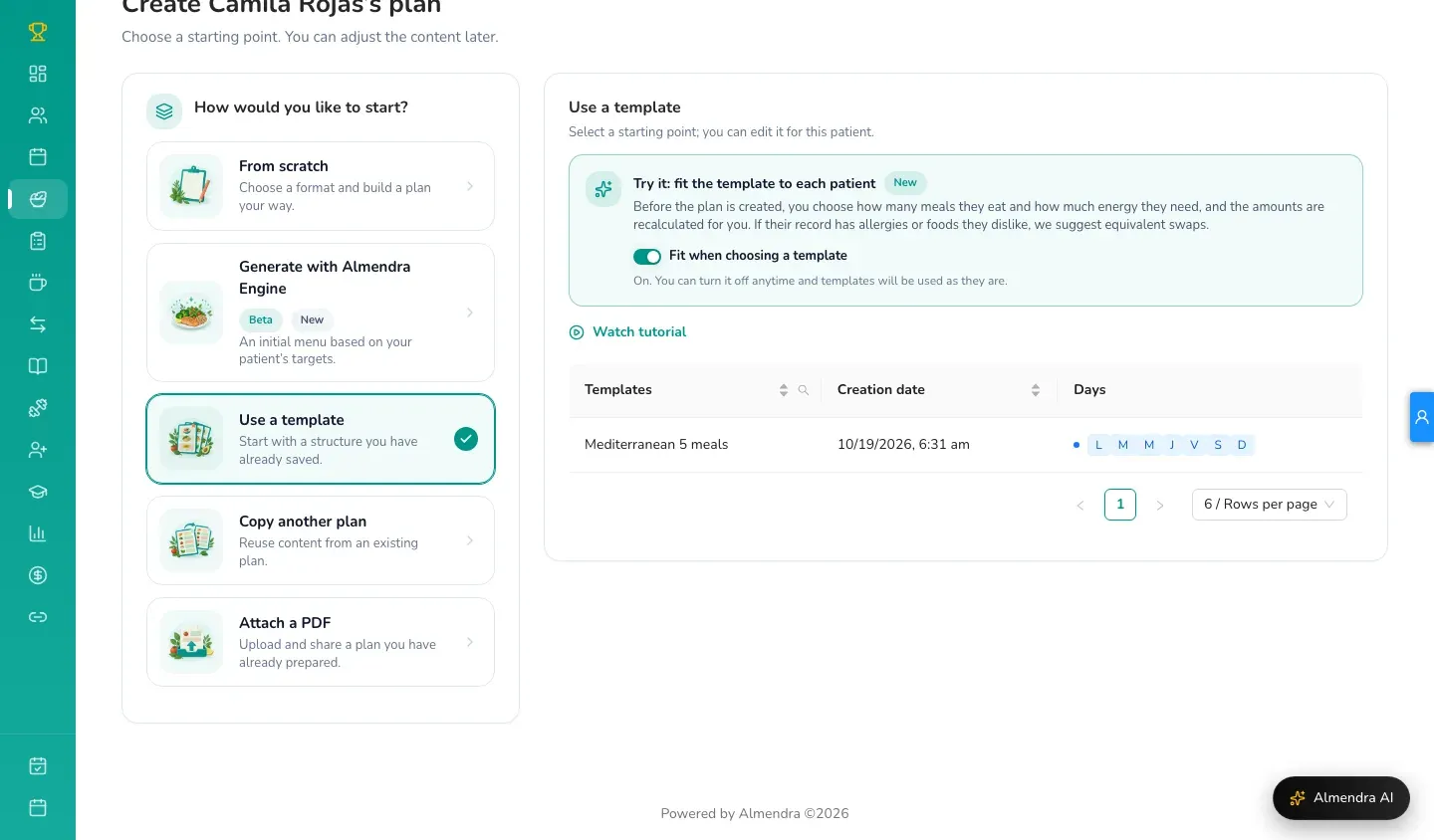
    • How you want to start: from scratch, with a template, by copying another plan or by attaching a PDF you already have.
    • Goals: calories, macronutrients and their distribution per meal, clearer and with the totals always in view.
    • Review: a summary of the plan before you send it to your patient, with the app and PDF options.

    You haven’t lost any features: everything you could do before is still there.

  10. Improved

    The patient profile opens instantly

    When you open a patient’s profile you no longer wait on a loading screen: their name and main details appear right away, and the rest follows a moment later. If you’ve opened it before, it shows up complete straight away.

  11. Fixed

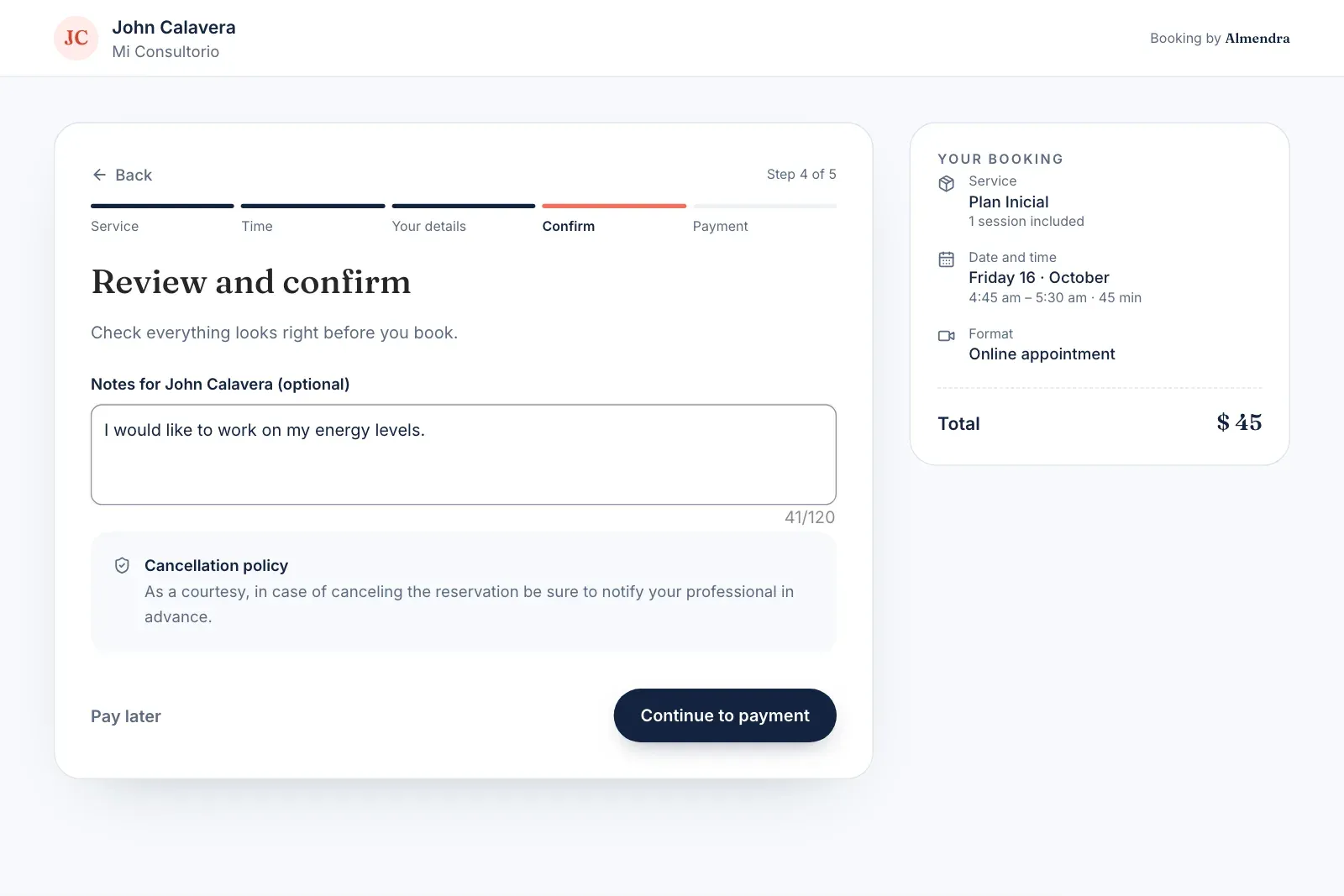
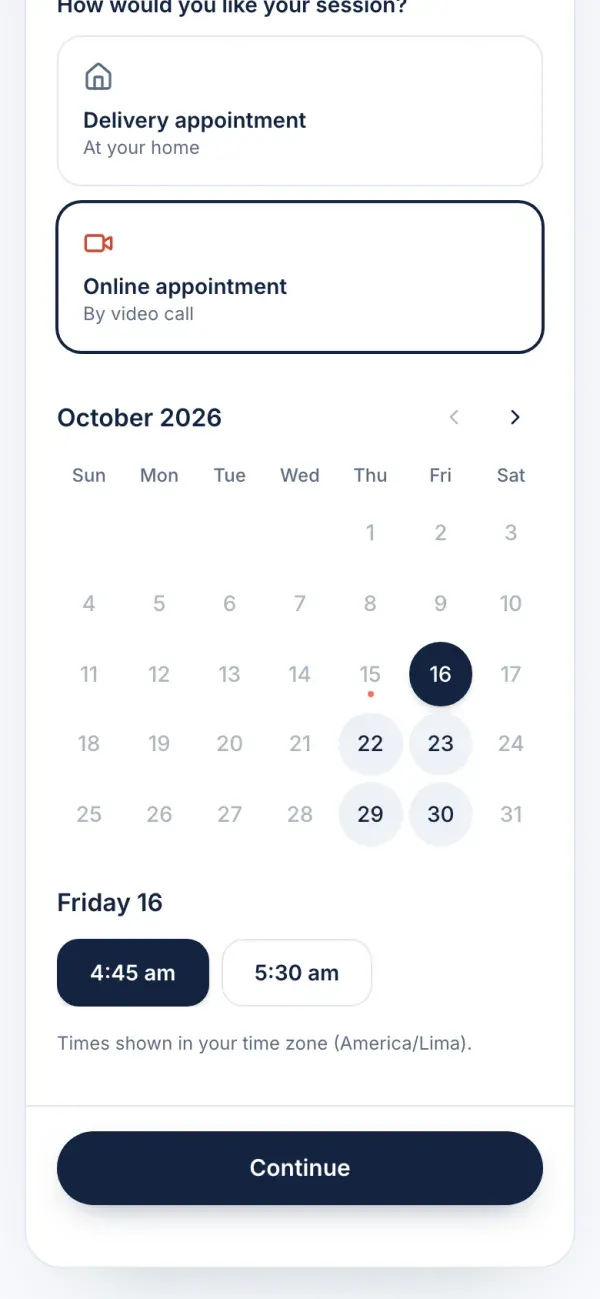
    Fixes to your home page, sign-up and online bookings

    • Customize your home: the window for choosing your home page widgets showed the wrong data (“0 widgets used”). It’s now a simple list with switches and Cancel and Save buttons.
    • Online bookings: you need an active service to turn them on, but there was no way to create one right there. Now you can create the service in the first step.
    • Sign-up: the password requirements turn green when they’re met.
    • Laptops: the “continue on your computer” notice, meant for phones, no longer shows up.
  12. New

    Create your own API keys

    If you’re on a paid plan, you can now create, renew and delete your API keys from Settings → API Keys, without having to ask us. They let you connect Almendra with other tools, for example to create patients or appointments automatically.

    The documentation is at api.almendra.io/docs.

  13. New

    New help center at almendra.io/help

    Say hello to our new help center: almendra.io/help.

    • More than 120 articles in Spanish, English and Portuguese.
    • Fast search (press / to search).
    • Videos play right inside the article.

    Almendra AI also uses these articles to answer your questions.

  14. New

    Getting started: a guide to begin, with a discount

    If you’re new to Almendra, your home page shows Getting started, a short list of what helps most at the beginning:

    1. Add your first real patient.
    2. Create a meal plan for them.
    3. Invite them to the app.
    4. Create a plan for a second patient.

    Each step opens a short guide. Plus, each step you complete gives you 5% off your first month, up to 20%. If you have a limited-time offer active, that one applies instead.

  15. Improved

    Clearer usage history in your subscription

    In Settings → Subscription, the usage history now shows the last two periods. Use “Show all periods” to see the rest. The review notice, when there is one, appears next to the period’s status.

  16. Improved

    Your plans save themselves while you work

    The meal plan editor now saves your changes automatically a few seconds after each edit, and tries again on its own if the connection fails.

    • You no longer lose work if you close the tab or go to another screen.
    • No more error that stopped you from editing when the browser ran out of space.
    • If the plan was changed in another tab or on another device, we let you know instead of overwriting those changes.
  17. Improved

    Shorter, easier-to-follow guides

    We shortened the dashboard’s interactive guides so you learn by doing:

    • Your first patient: a new guide that walks you through adding a real patient and creating a plan for them.
    • Sample meal plan: from 20 steps to 7.
    • Exchange-based plan: from 15 steps to 5.
    • Sample appointment: from 11 steps to 4.

    At each step you click the real button, so by the end you know where everything is. You’ll find them in Tours and videos.

  18. Fixed

    Grocery list and unbranded PDFs on the Teams plan

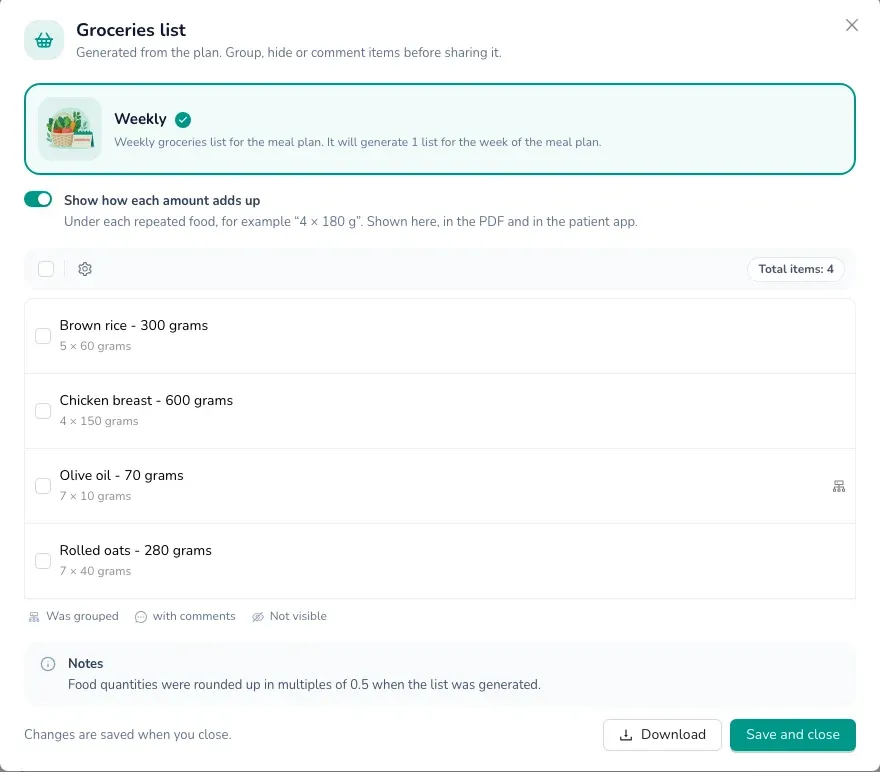
    On the Teams plan, turning on the grocery list for a meal plan wrongly showed the “Feature Not Available” notice, and PDFs still came out with the Almendra branding. It now works the same as on the other paid plans.

  19. Fixed

    A clear notice when your Google account disconnects

    If you send app invitations from your Gmail and your Google connection had expired, inviting a patient showed a “Server error” with no further explanation. Now we ask you to reconnect your Google account and take you to the screen to do it.

  20. Improved

    Almendra AI uses a newer AI model

    Almendra AI, the pre-appointment summary and AI calorie calculation now use a newer artificial intelligence model that reasons through its answers better. Also, if the assistant doesn’t manage to answer you, the credit isn’t charged.

  21. Fixed

    Recipes in templates and searching with accents and ñ

    • Recipes in templates: editing a recipe “Only for this meal” inside a template always failed. It works now.
    • Search: foods and recipes starting with ñ or an accented vowel (for example “Ñoquis” or “Ácido fólico”) didn’t show up when you searched for them. Now they do.
  22. New

    Choose the design of your personal page

    Your personal page (the public website where patients get to know you and book) now has several designs to choose from, besides the classic one. Go to Personal page → Page design, check the preview and change it whenever you like.

  23. New
  24. Fixed
  25. Fixed

    One failed payment no longer cancels your subscription

    If your monthly subscription payment failed (for example, because your card didn’t have funds that day), we canceled the subscription on the first attempt and you had to subscribe again. Now we retry the payment for a few days and let you know by email, without cutting off your access.

  26. New

    Referral program for your patients

    Turn on a referral program so your patients recommend you. Each patient shares a code or your booking link:

    • The referred person gets a discount on their first plan.
    • The patient who invited them gets a discount on their next new plan.

    You choose the percentages. Turn it on in Personal page, under “Patient referrals”, and in each patient’s profile you can see who they referred.

  27. New

    Create your own exercises, with a photo

    Besides the exercises in the library, you can now create your own exercises with a photo, in My exercises. They’re shared with your team, show up when you build workouts, and appear with their image in the routine PDF.

  28. New

    Take booking payments with Stripe, plus a new integrations page

    • Stripe: you can now take payment for online bookings with Stripe, as well as Mercado Pago and PayPal.
    • Integrations: Google, Zoom, Mercado Pago, PayPal and Stripe each have their own page in Settings → Integrations, explaining what each one is for and where it’s used.
  29. Fixed
  30. Fixed

    The "Show calories" option stays off

    When you turned off Show calories (what your patient sees in the app) from the plan summary, the option turned itself back on after reloading. Now it stays the way you leave it.

  31. Fixed
  32. Fixed

    The app access email is sent reliably

    When you resent the app access email to a patient, sometimes it wasn’t sent even though the dashboard said it was. Now it’s sent, and if something goes wrong we show you why.

  33. Fixed

    Plan goals: no more getting stuck

    In the goals step of a plan, combining the distribution by meal time with removing and re-selecting days could leave every control locked, and you had to reload the page. That no longer happens.

  34. Improved
  35. Improved

    Smart food search is back, and faster

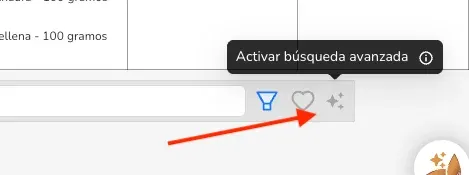
    Smart food search (the sparkle icon next to the search box) is available again, and it’s now much faster: it shows the best match first and includes foods created by other nutritionists.

  36. Improved

    Your filters and searches stay when you reload

    In Patients, Plans, Schedule and Templates, your searches, filters, sort order and the page you’re on stay put when you reload or go back. You can also save or share the link with the filters applied.

  37. New
  38. New

    AI summary before every appointment

    In the patient profile, the Brief me button creates a pre-appointment summary of what changed since the last visit: how their measurements evolved, adherence, progress toward their goals, topics to talk about and suggested adjustments.

    You can edit the text before using it. Each summary uses one AI credit, and it’s only charged if the summary is created successfully.

  39. Improved

    Refreshed patient profile

    The patient profile has a cleaner design: a header with their details, their schedule, their plan and their tags one click away, plus a strip with their key stats that’s always visible.

  40. Fixed
  41. Improved

    A tidier Settings page

    The Settings page has a new design: a grouped side menu (Account, Your business, Preferences, Billing & API) and each section in clear cards, so you can find every setting faster.

  42. Improved

    New sidebar and dashboard design

    We refreshed the sidebar and the overall dashboard design: new icons, cleaner cards and loading screens with the Almendra look. Your brand color is still used across the dashboard.

  43. New

    Win back inactive patients

    The new Recover Patients section shows you the patients who haven’t come in for a while, what share of your total they represent, and the potential revenue if they come back. For each one you see their last activity and weight progress, and you can mark who you’ve already contacted.

  44. Fixed

    Emailing PDFs no longer fails

    Emailing the PDF of a plan, a routine or an appointment could take almost a minute and fail, and retrying sometimes sent duplicate emails. Now it’s sent almost instantly.

  45. New

    Delete pending team invitations

    In Teams, you can now delete an invitation you sent that hasn’t been accepted yet, for example if you used the wrong email.

  46. New

    Advanced workout routines

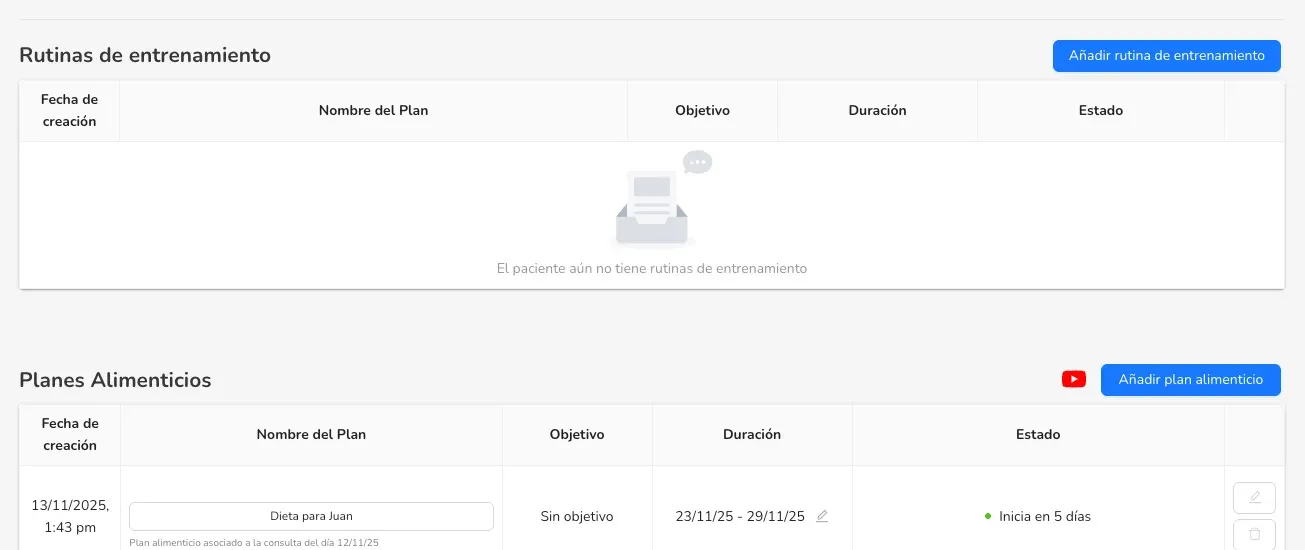
    Until now, workout routines in Almendra were very basic: they had to live inside a meal plan and were just free text. Many of you asked for more, and it’s here: you can now create complete workout routines, as well as routine templates.

    1. Create the routine. The patient profile has a new section, “Workout Routines”. Just like with meal plans, you can add a new routine and edit its name and dates.

    Workout routines section in the patient profile

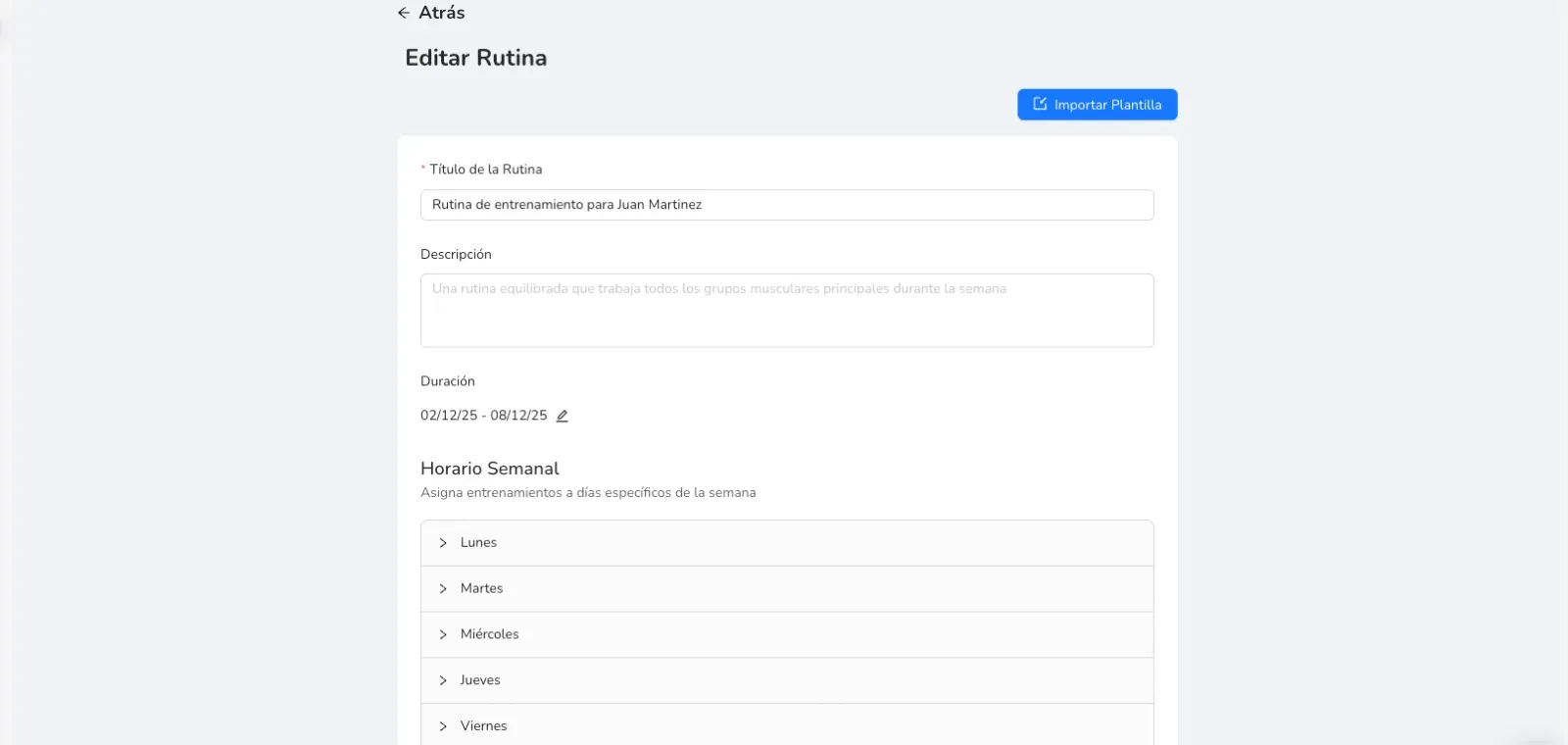
    2. Edit the routine. From this menu you create the routine from scratch or import one you already have.

    Menu to create or edit a routine

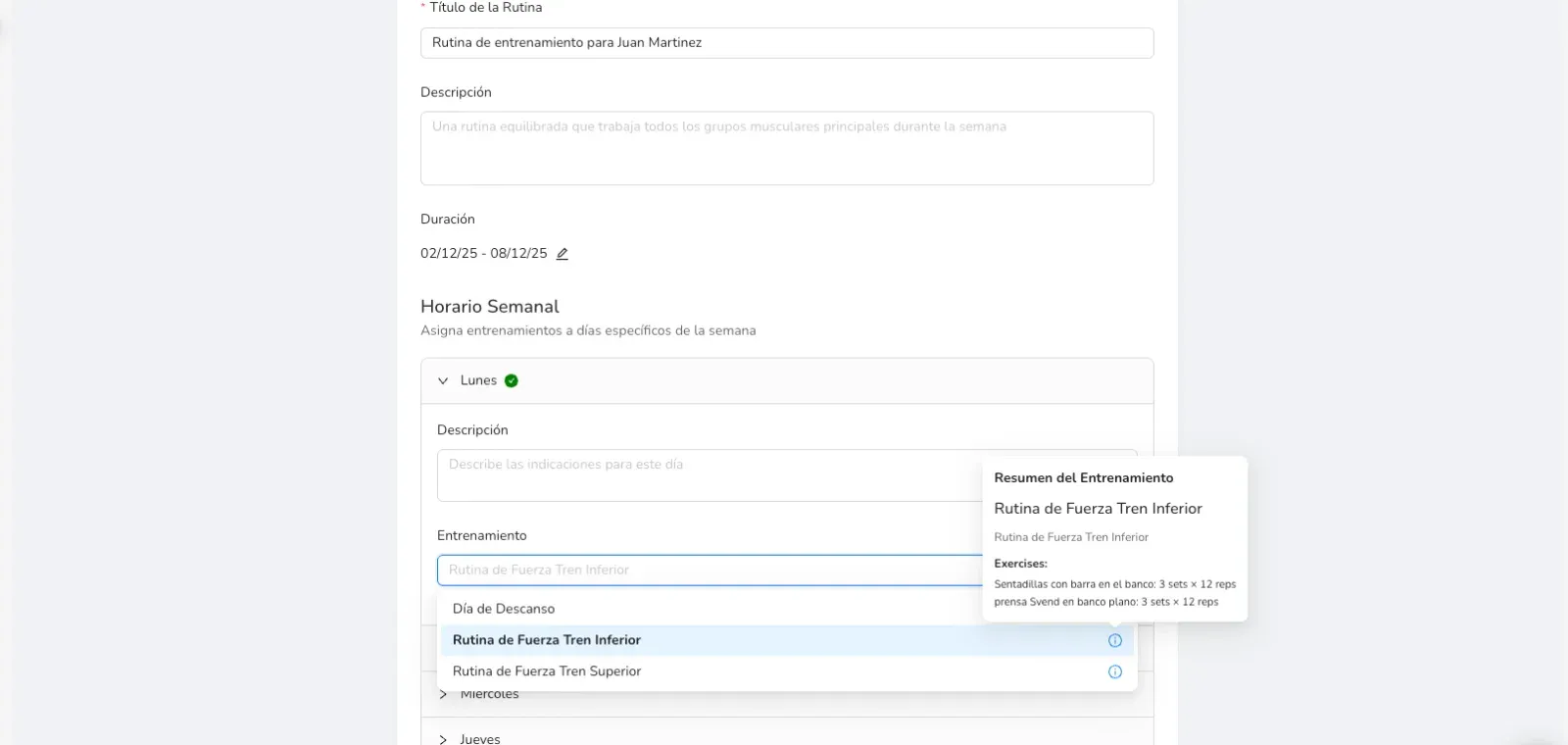
    3. Build the week. To each day of the routine you add a workout or a rest day. A workout is the list of exercises for one day; the routine is the weekly plan, with 1 to 7 workouts.

    Routine days with workouts and rest days

    The workouts in the list are the ones in your workouts section (the dumbbell icon in the sidebar). We explain it in step 5.

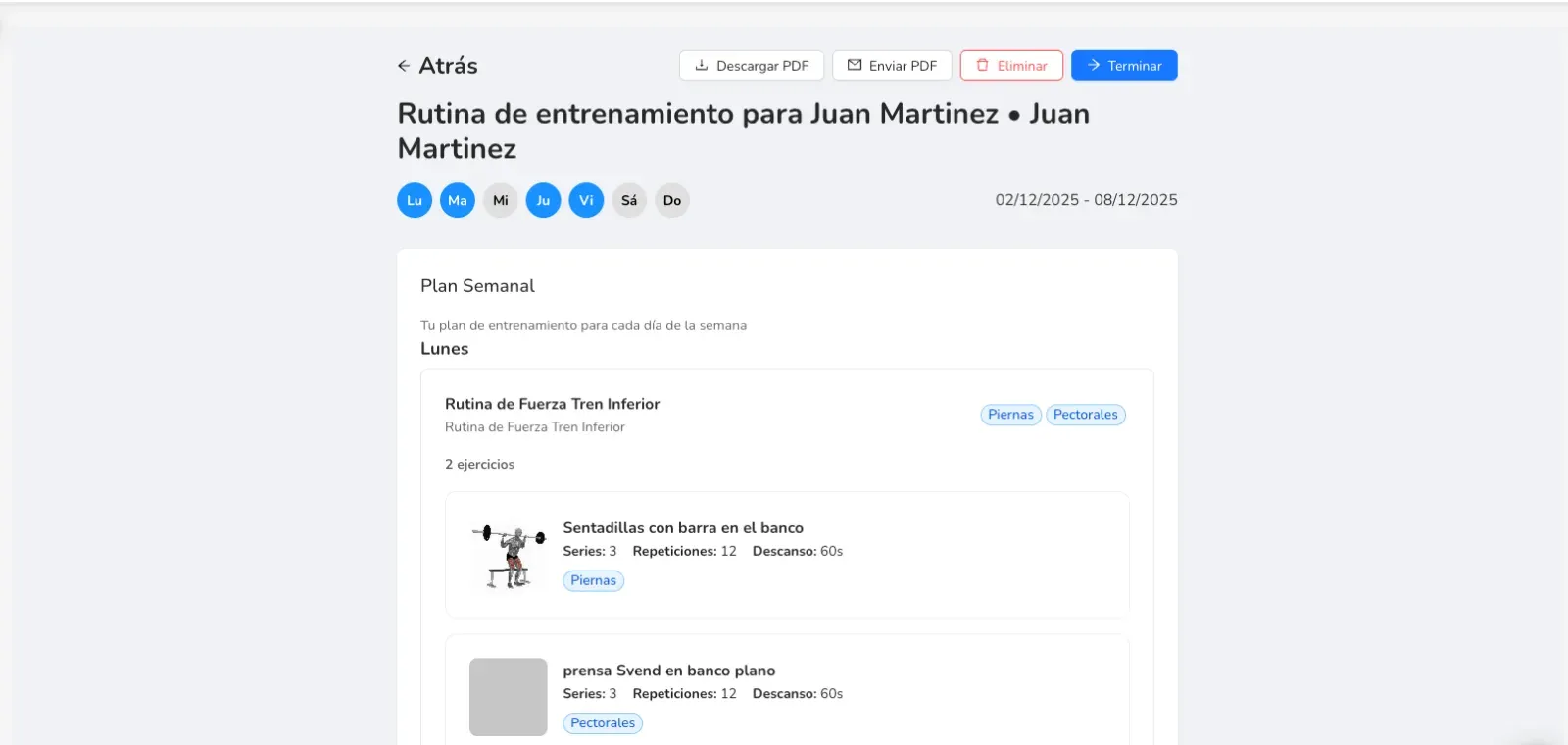
    4. Finish the routine. When you’re done, you can download it or send it as a PDF, or simply leave it for your patient to see in their app.

    Finished routine, ready to send

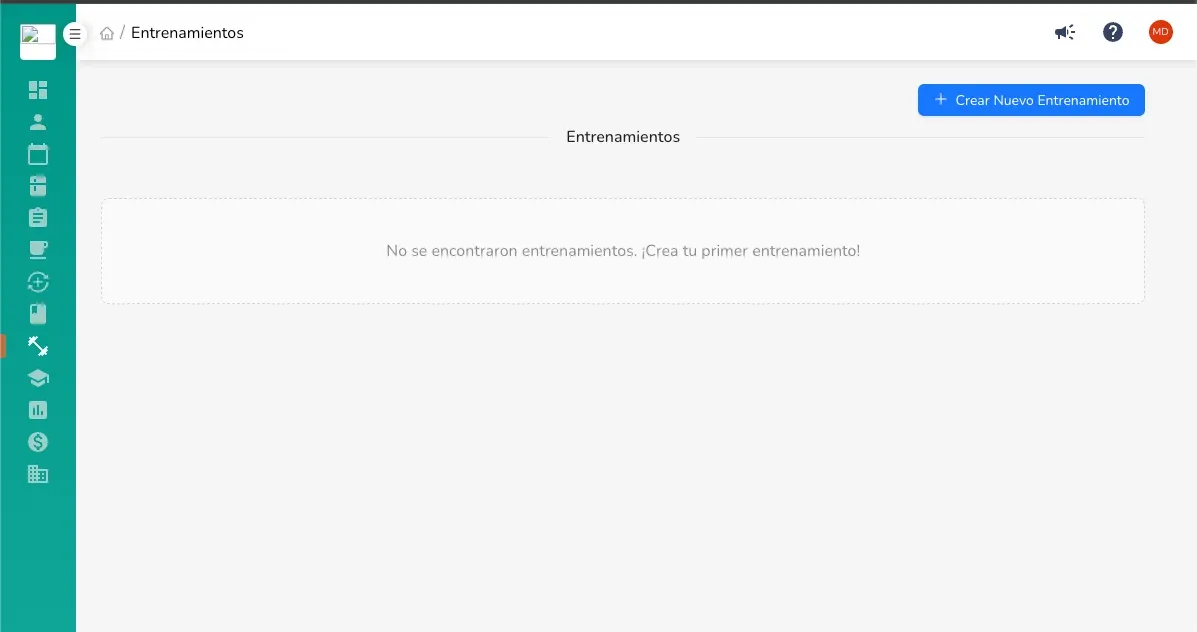
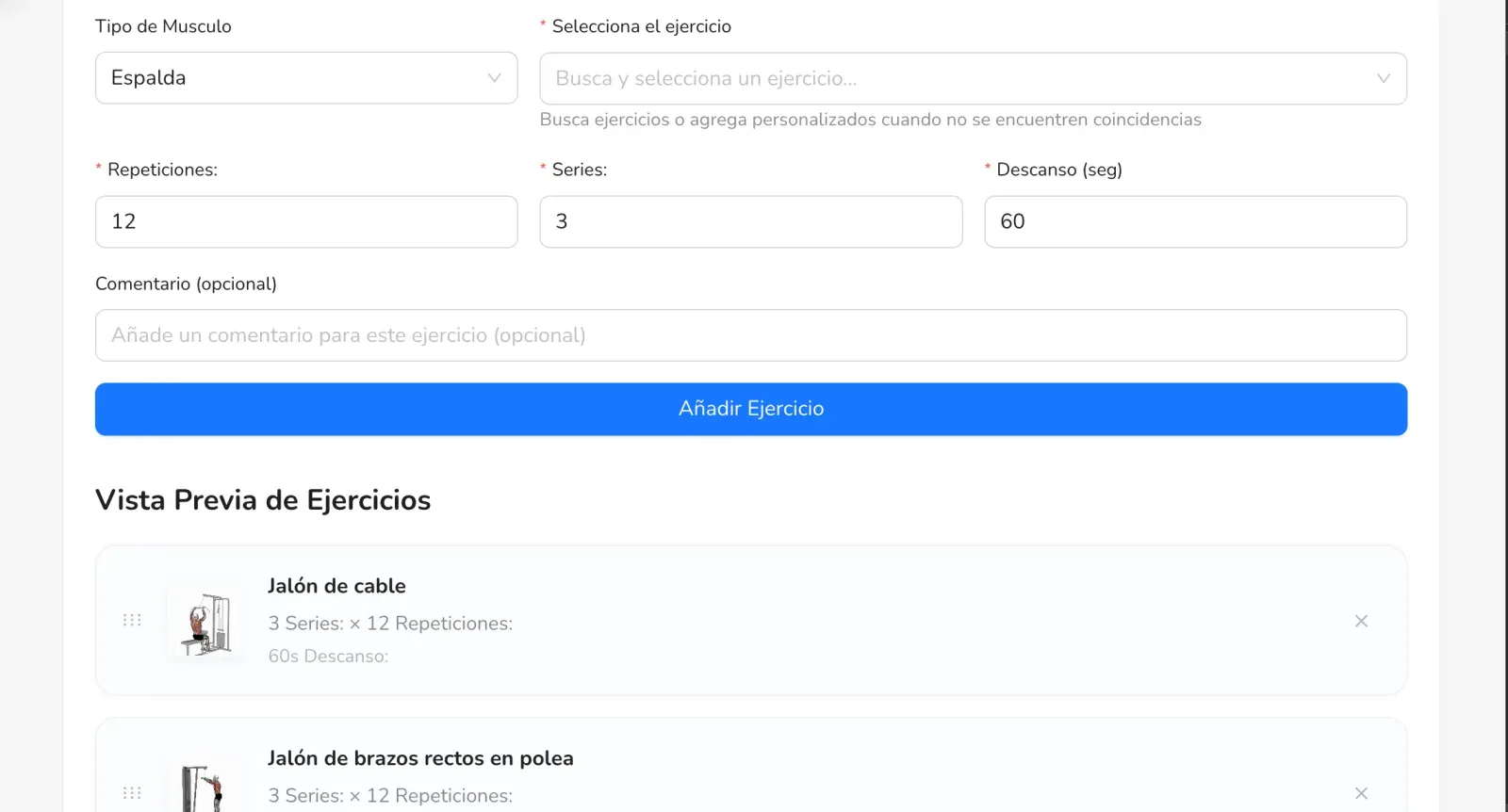
    5. Workouts. The dumbbell icon in the sidebar shows all your workouts: “Upper body”, “Full body”, “Legs”, and so on. With “Create New Workout” you build one step by step and then use it in any routine.

    List of workouts

    Building a workout step by step

  47. New

    Almendra Teams is here: the way to grow your clinic

    Meet Almendra Teams, built for nutrition clinics, shared practices and teams with several professionals. It turns Almendra into a platform to work as a team, keep resources in one place and grow together.

    Everything your team needs

    You can add all the nutritionists and support staff in your practice, with no member limit. Your team can:

    • Share patients, meal plans, recipes and templates (coming soon).
    • See stats on team performance, patient results and the business.
    • Keep shared schedules and reminders for the whole team (coming soon).
    • Set roles and permissions to protect sensitive data and organize the work.
    • Manage finances and operations from one dashboard for the whole clinic.

    Why Teams

    Almendra has always been a powerful tool for professionals who work on their own. Teams is built for practices that want to grow together, without losing control or quality of care.

    It’s available now, with team plans and a free trial. Learn more at almendra.io/teams, or ask for a demo at hola@almendra.io.

  48. New

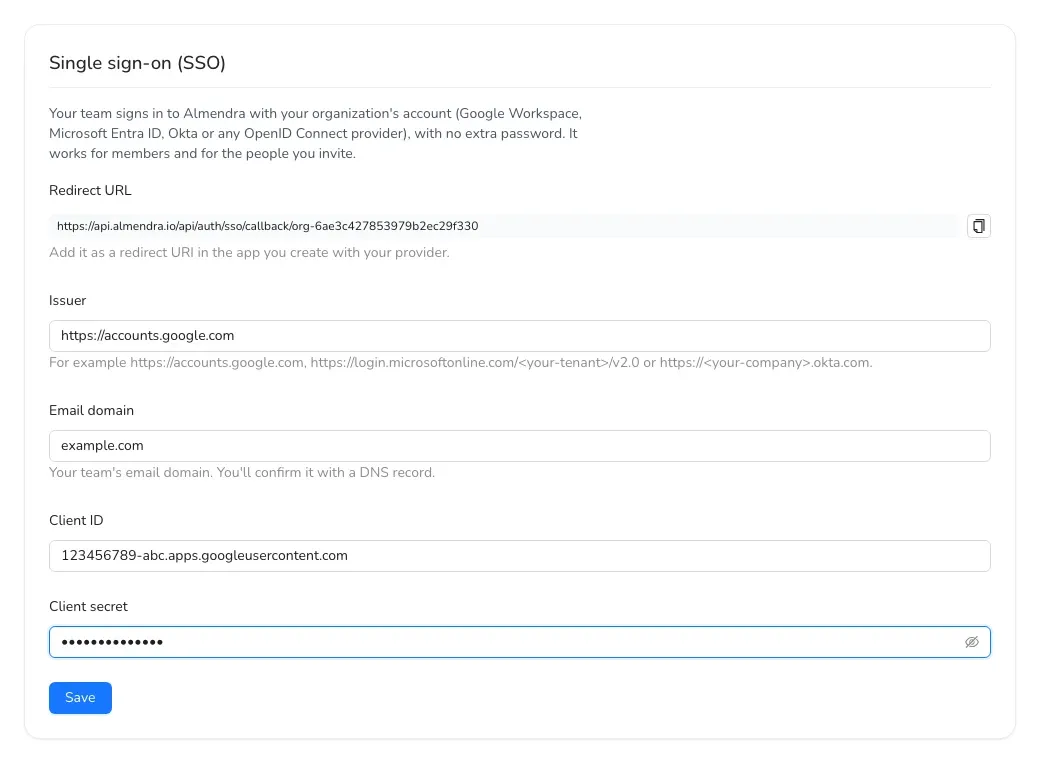
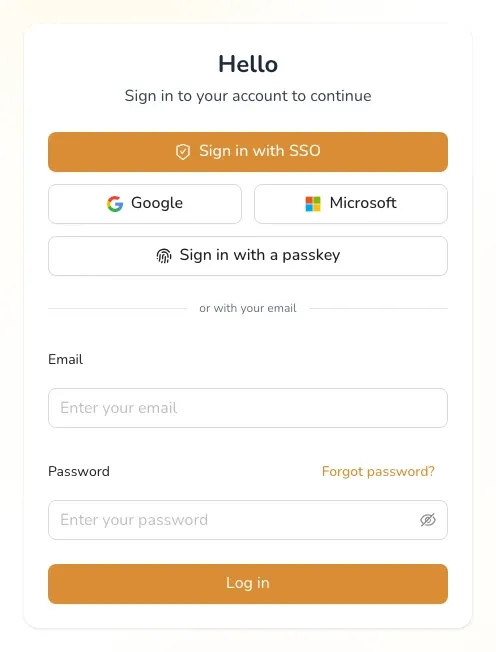
    Sign in with Google or Microsoft

    You can now sign up and sign in with your Google or Microsoft account, with no new password to create or remember.

    • One-click access.
    • More secure, because Google or Microsoft verify your account.
    • No passwords to recover.

    On the sign-in screen, choose “Sign in with Google” or “Sign in with Microsoft”. It’s especially handy if you already work with Google Workspace or Microsoft 365.

  49. New

    New smart food search

    Finding the right food or recipe is one of the slowest parts of building a plan, and sometimes you end up creating a new one or using something similar. That’s why we built smart food search:

    • More foods: it also searches foods added by other nutritionists.
    • Best match first: each result gets a match score, and we show you the one that best fits your search.
    • Sorted by relevance: from most to least relevant.

    Since it searches a bigger database, it can take a little longer. That’s why it’s optional: turn it on with this button before you search.

    Button to turn on smart search

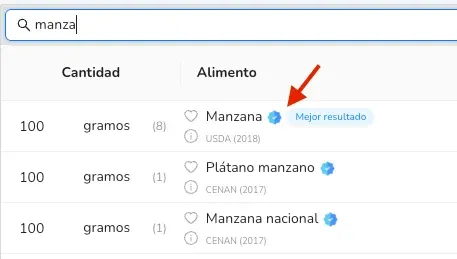
    Also, official foods now have a badge. If a food has it, it comes from a country’s official food database. If it doesn’t, you can still use it; it’s most likely correct, but it hasn’t been verified.

    Official food badge

  50. New

    The patient app can show only your recipes

    Many of you asked for your patients to see only the recipes you created in the app, instead of all public recipes, because it was sometimes confusing. Now you can.

    • If you want them to keep seeing all recipes, you don’t need to do anything.
    • If you want them to see only your recipes, go to Settings → Web Tools and turn on the option at the bottom of the page.

    Option to show only your recipes in the app

  51. New

    AI-calculated calories and new body composition measurements

    Two updates to make your patient follow-up more complete.

    1. Calculate food log calories with AI

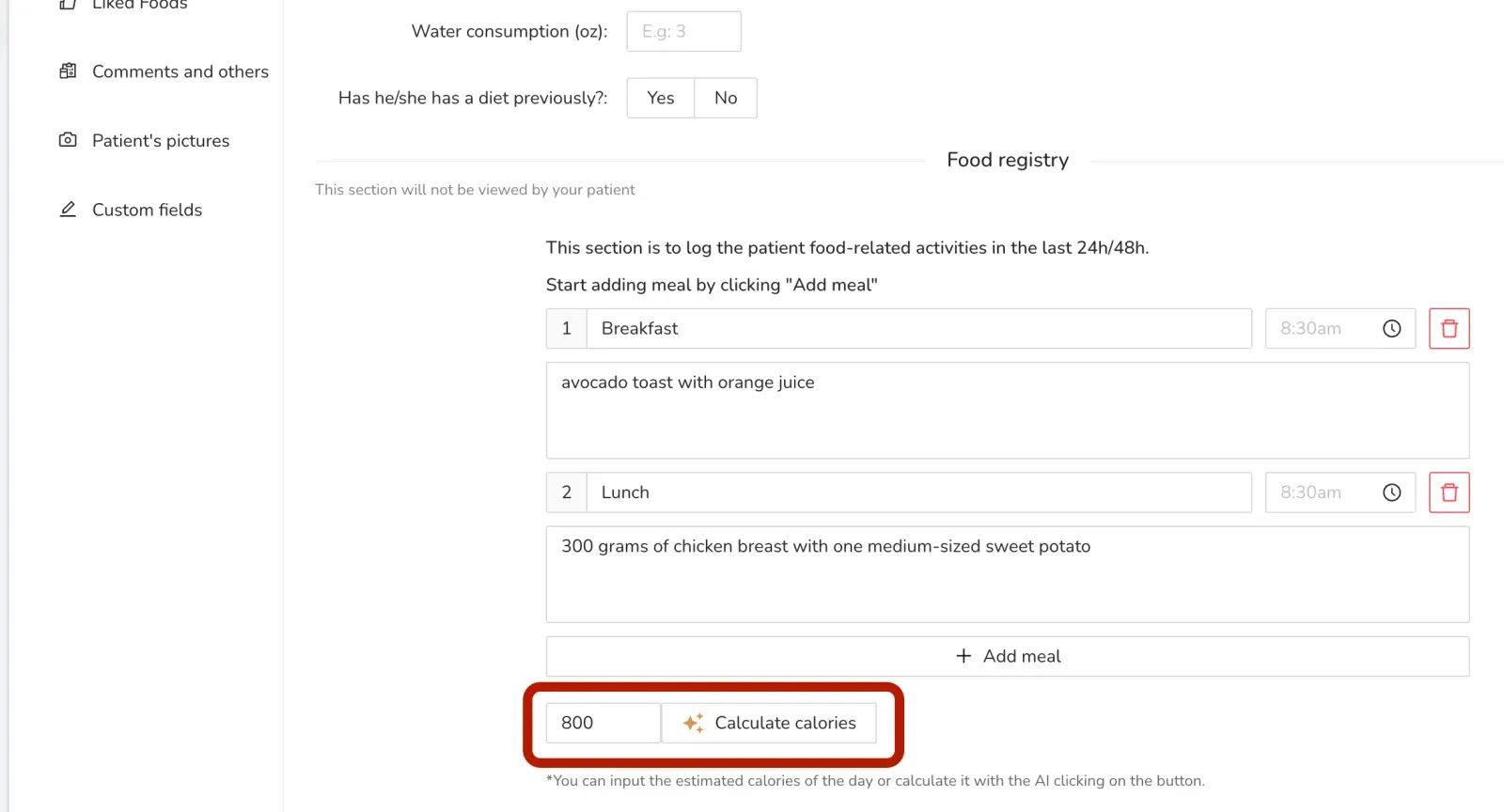
    In the anamnesis, when you record what your patient eats, you can now calculate the calories automatically with one button. You’ll find it in the patient’s profile, in the food log. It’s an estimate, and you can edit it.

    Automatic calorie calculation in the food log

    2. New measurements for your appointments

    We added the segmental measurements from bioimpedance scales (such as InBody):

    • Muscle mass of the right arm, left arm, right leg, left leg and trunk.
    • Fat percentage of the right arm, left arm, right leg, left leg and trunk.

    If you don’t see them in your appointments, turn them on in Settings → General Settings.

    Also

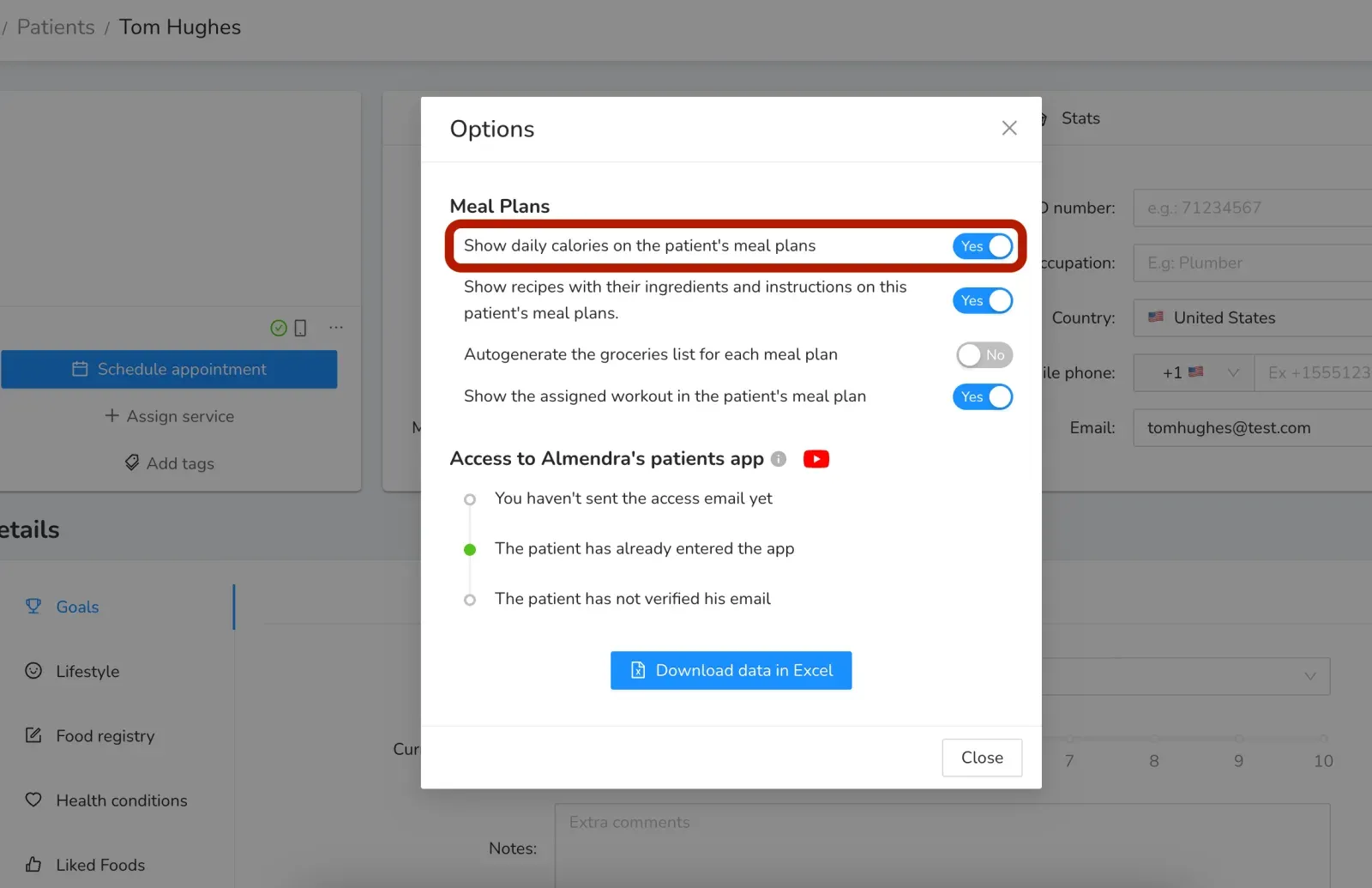
    New patients have the “Show daily calories on the patient’s meal plans” option turned on by default, so they can see the new food log. If you’d rather they didn’t, you can turn it off for each patient.

    Option to show daily calories

  52. New

    Food log: better tracking, better results

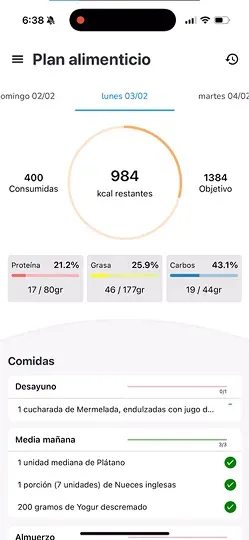
    We launched the food log: your patients log what they eat in the app, and you see how well they’re following their plan.

    For your patients

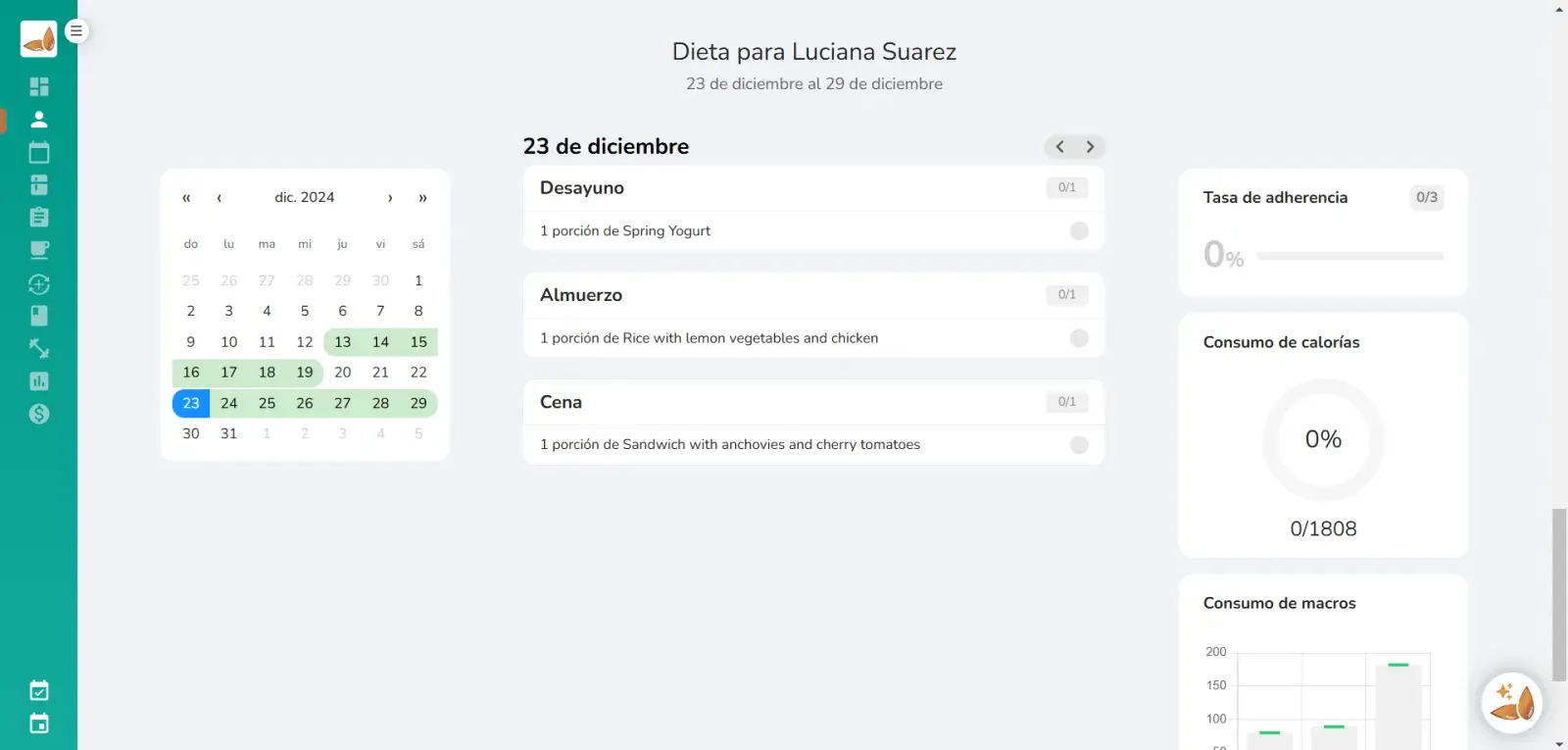
    Logging in the app is new and simpler: they tap the meals in their plan to mark them as eaten and see their calories and macronutrients for the day in real time.

    Food log in the patient app

    For you

    In each patient’s profile you see:

    • Adherence: the percentage of plan meals they followed.
    • Calories: what they ate compared with their daily goal.
    • Macronutrients: protein, carbs and fat eaten.
    • History: every logged meal, so you can adjust the plan with real data.

    No more asking “did you follow the plan?”: now you have a clear record, and your patients stay motivated by seeing their progress every day.

  53. New

    New meal plan templates

    We added a collection of meal plan templates for different kinds of patients: weight loss, athletes with performance goals, or patients with conditions such as diabetes.

    • Don’t start from scratch: pick the right template and adjust it to your patient’s goals.
    • Save time without losing quality or accuracy.
    • Work with more types of patients with a solid starting point for each case.
  54. New

    Automatic appointment reminders on WhatsApp

    You can now schedule automatic WhatsApp reminders for your patients with their appointment details: date, time, instructions and even documents.

    • Fewer no-shows: your patients arrive informed and on time, and last-minute cancellations go down.
    • Less repetitive work: no more calling or texting patients one by one.
    • On the app your patients already use: WhatsApp messages get read.
    • A more professional practice: a timely, personal reminder reflects well on you.
We use cookies
These cookies help us keep the page secure, give you a better experience, and show you more relevant advertising. We won't turn them on unless you agree.

Read more on our Privacy policy