
Can I create the meal plan after the appointment?
Create the meal plan during the appointment with Add meal plan and move on without filling it in; later, open it from the Almendra sidebar to complete it.
Updated January 7, 2022
Yes. When you’re in an appointment, in the meal plan step, you’ll see the following table with the patient’s meal plans (in this case, the patient Felicia Robles doesn’t have any meal plans yet):
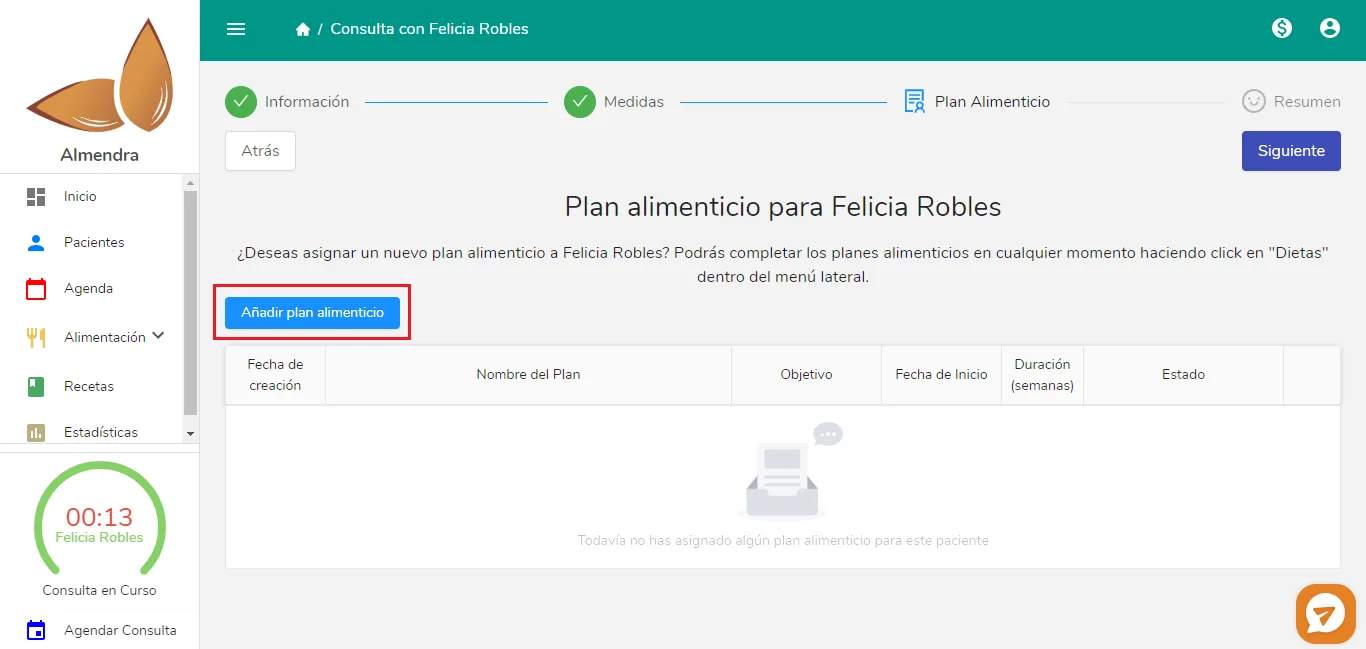
Click the blue Add meal plan button and you’ll see the following:
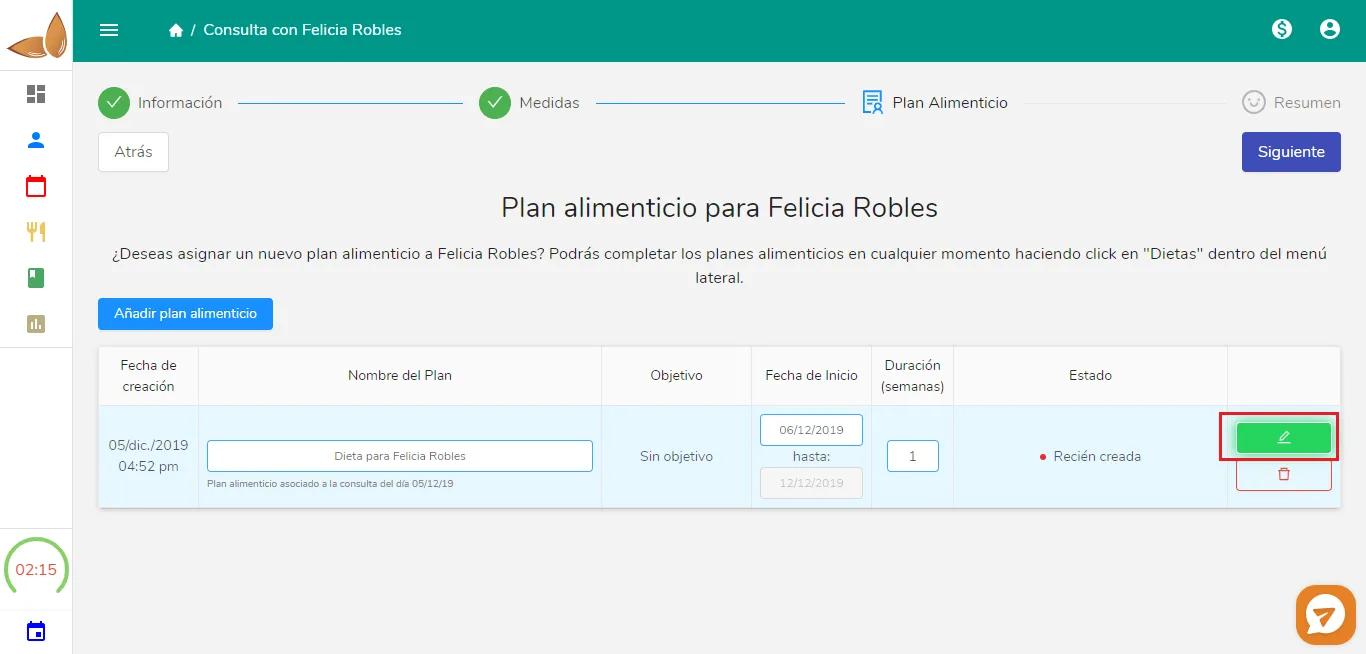
If you want to start filling in the meal plan right then (with the appointment in progress), click the green button. Otherwise, you don’t need to do anything else related to the meal plan. Click the blue Next button and continue with the appointment as usual. The meal plan is now in your pending plans.
To see it, go to the Meal Plans section in the sidebar, and you’ll see the meal plan you just created. Click it and you’ll go to the meal plan generator.
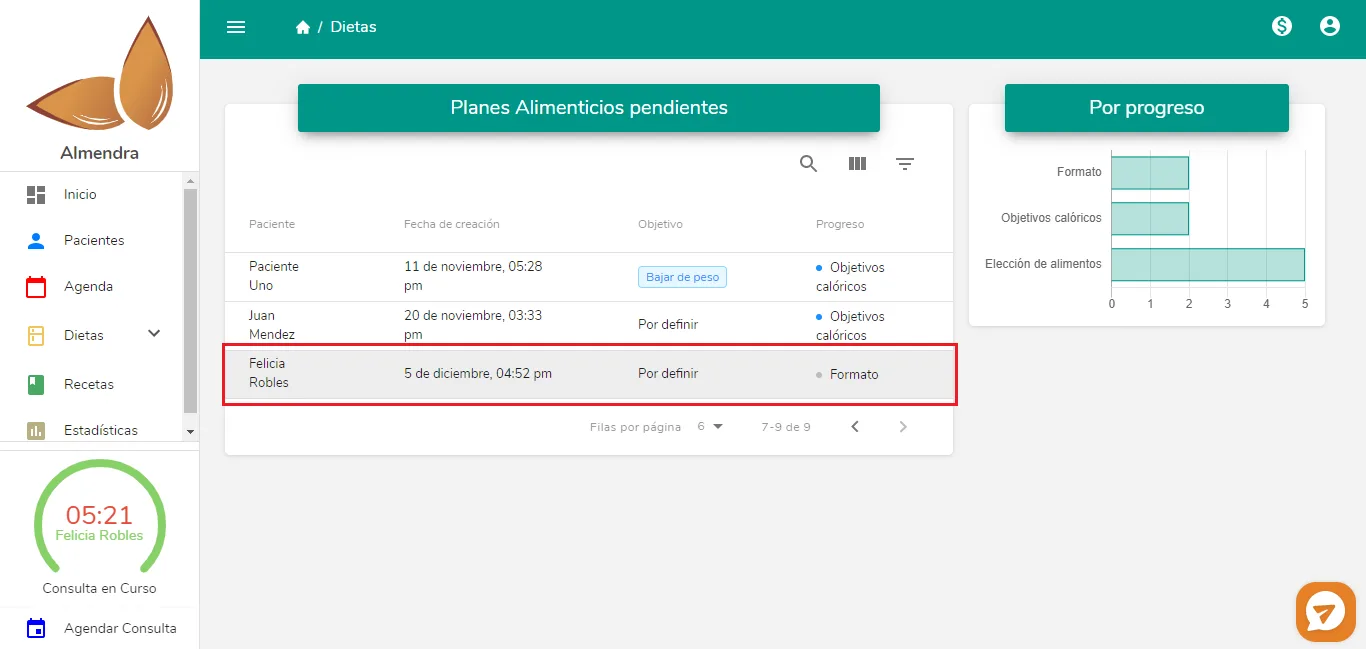
Remember that whenever you see the timer in the sidebar (bottom left, with the green arc and the time 05:21), it means you have an appointment in progress. Don’t forget to finish it!
Can’t find what you’re looking for?
Our team replies within 1 business day, Monday to Friday 9:30 AM – 6:00 PM (GMT-5).