
How do I schedule an appointment?
Schedule an appointment in Almendra with the Schedule appointment button on Home or the Schedule page, or by clicking and dragging over a time slot.
Updated August 12, 2024
Click the following link to watch a detailed video walkthrough:
To schedule an appointment, you have the following options:
1. From Home:
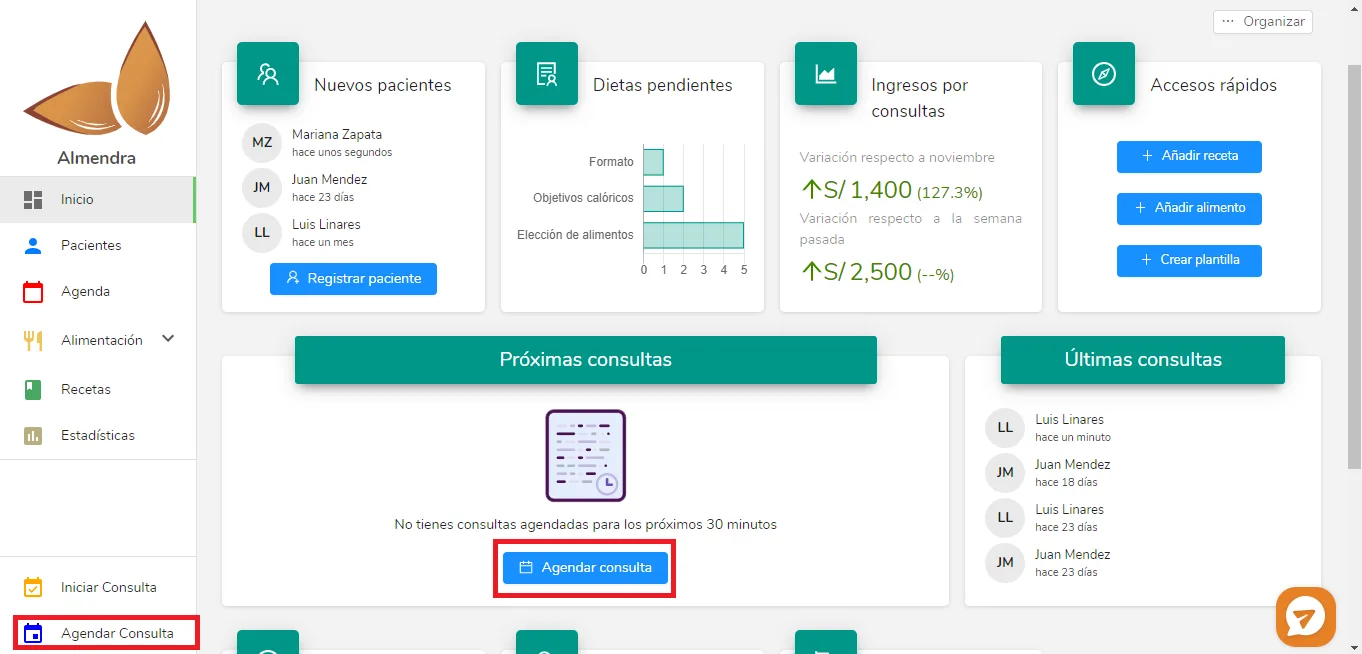
Click either of the two “Schedule appointment” buttons in the red boxes. A pop-up window will open where you enter the appointment details, such as the patient, date, and time.
2. From Schedule:
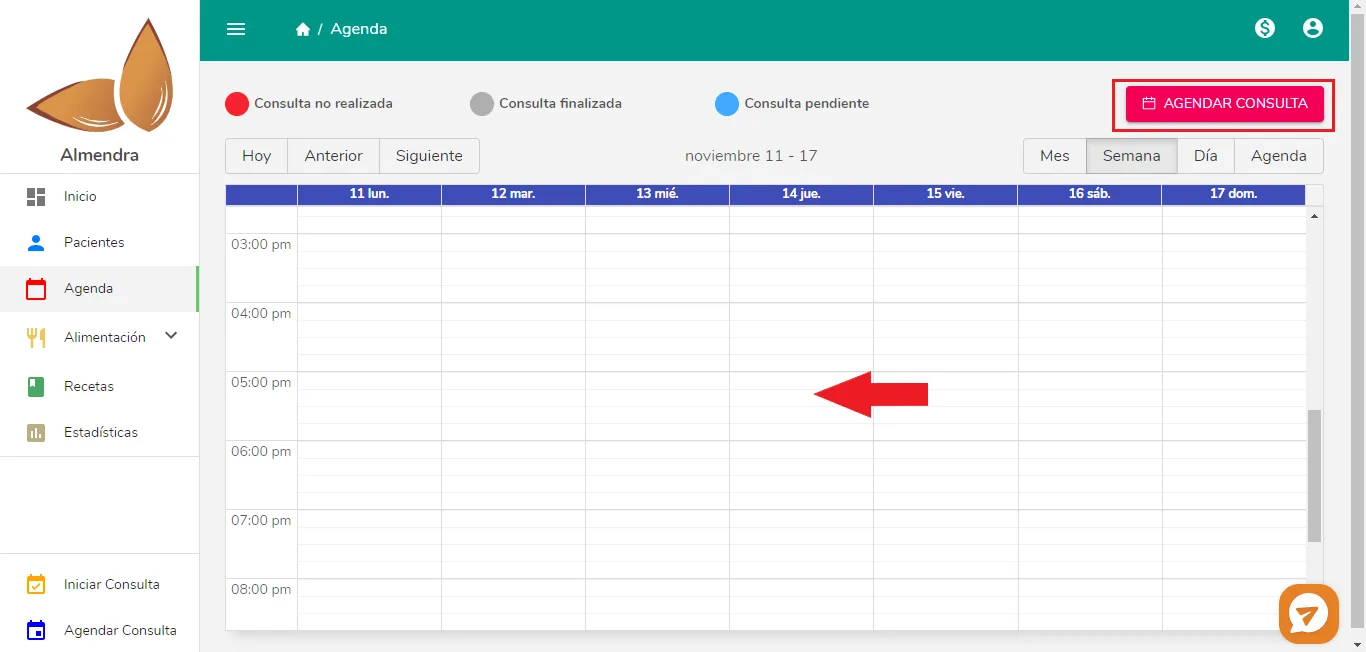
You have two options on this screen:
-
Click “Schedule appointment”: the pop-up window will open.
-
Click and drag: place your cursor where the red arrow is (it can be any day and time). Click and hold the mouse button, then drag down: a gray rectangle shows the start and end times. Release the button when the end time shown is the one you want.
Can’t find what you’re looking for?
Our team replies within 1 business day, Monday to Friday 9:30 AM – 6:00 PM (GMT-5).