
How do I cancel a scheduled appointment?
Cancel a scheduled appointment in Almendra from Home with the trash icon or from the Schedule with the Delete button, then confirm with Yes, delete.
Updated January 7, 2022
Remember to let your patient know when you cancel an appointment, so there’s no confusion or misunderstanding between you.
You have several options to cancel an appointment:
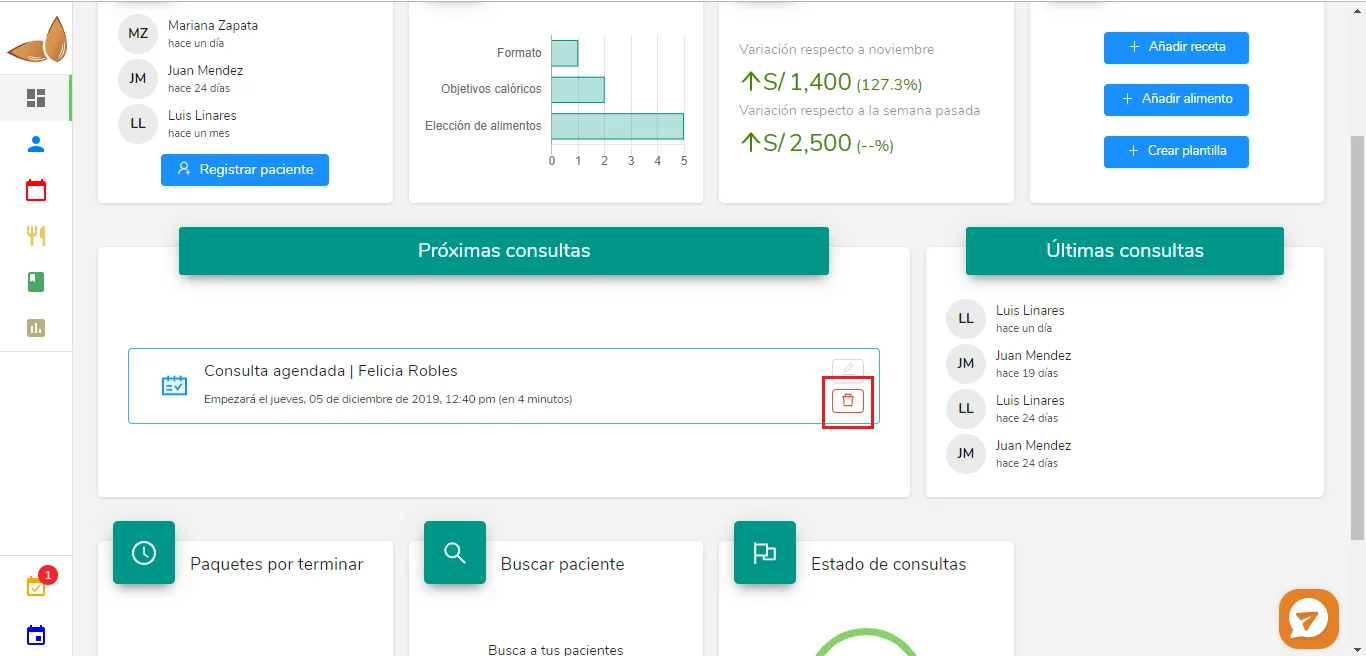
1. From Home:
Hover over the rectangle that says “Scheduled appointment | Felicia Robles”, and then hover over the trash can at the bottom right. Click on it and a confirmation window will open. Click on “Yes, delete”.
2. From Schedule:
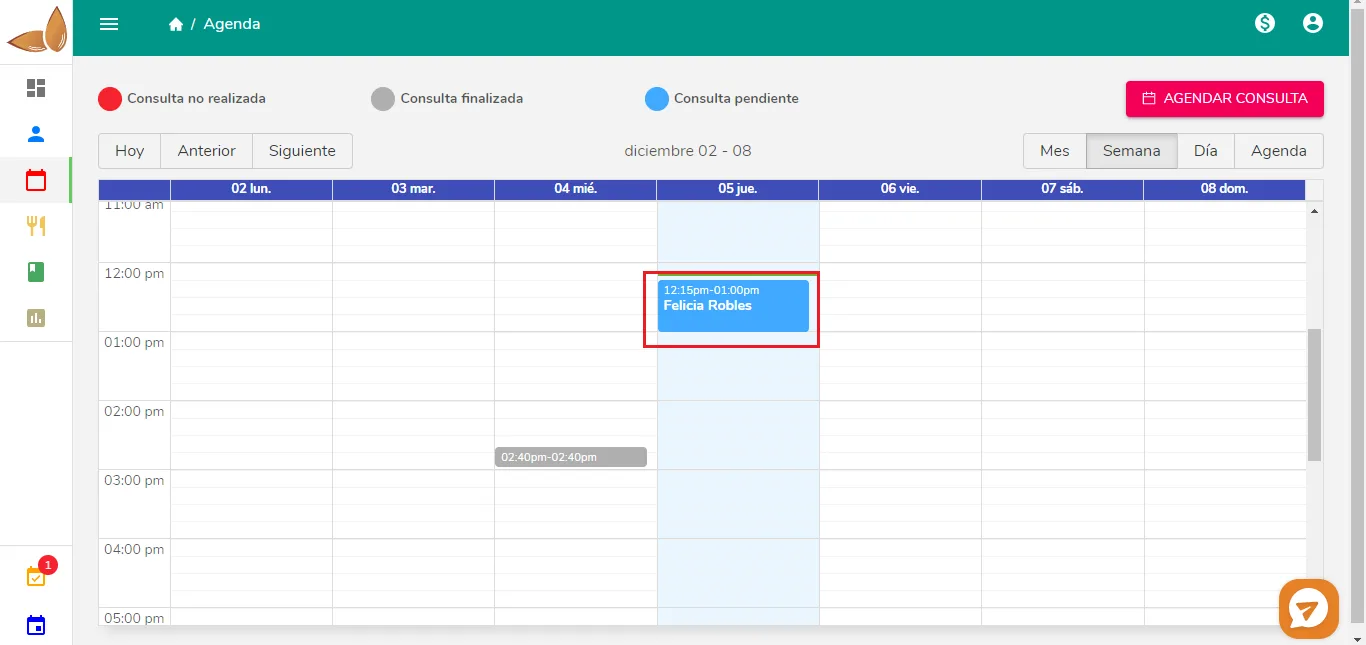
Click on the appointment you want to cancel. The following pop-up window will open:
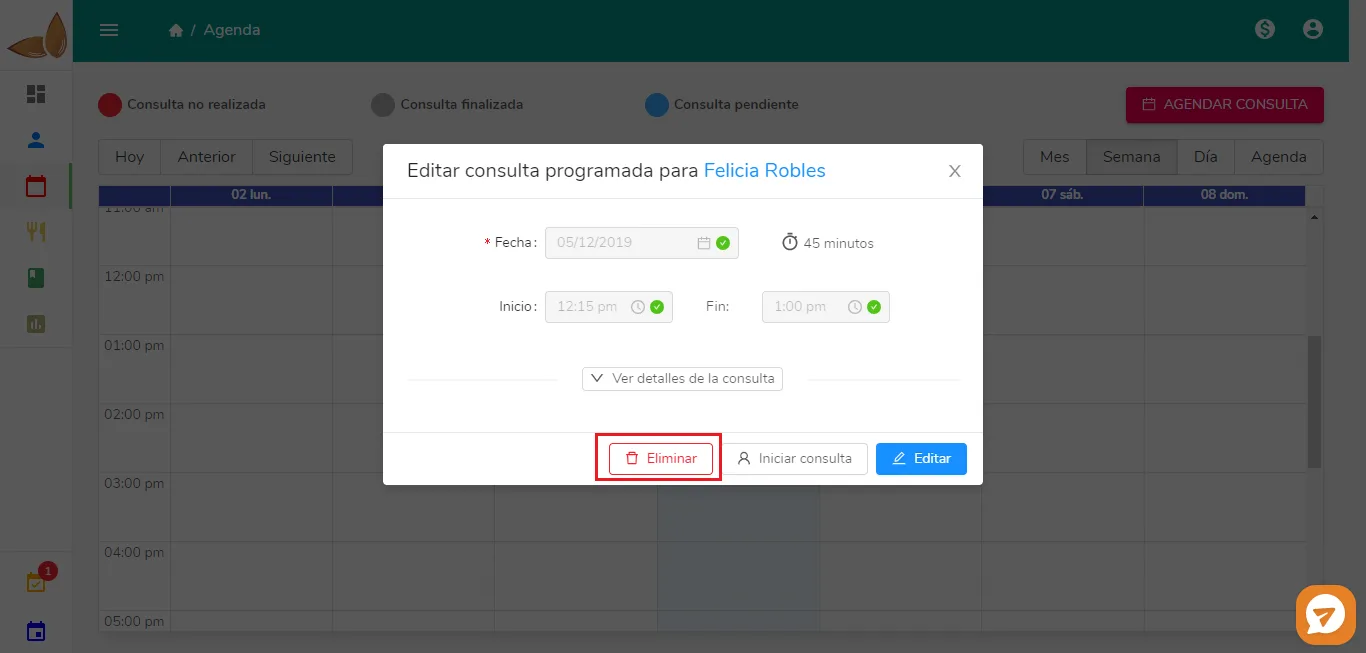
Click on “Delete”. A confirmation window will open, where you need to click on “Yes, delete”.
Can’t find what you’re looking for?
Our team replies within 1 business day, Monday to Friday 9:30 AM – 6:00 PM (GMT-5).