
How do I set up the card commission percentage?
Set the average card commission (POS) in Almendra's General Settings so your finances reflect the net amount you actually earn per appointment.
Updated January 7, 2022
To set up the commission percentage that card payments charge you, just go to “General Settings” (/configuración/generales):
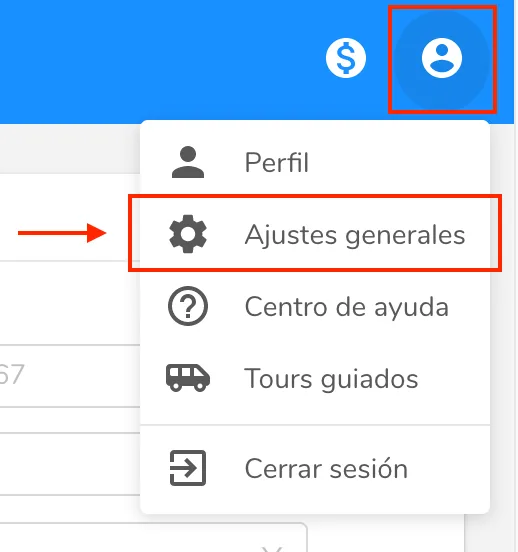
Then scroll down and, in the “Finance” section, you’ll find the “Average card commission (POS)” field:

Enter the commission percentage in that field and it will be automatically applied to every appointment you hold, whenever it is paid by card and you select the “Card” option.
What is it for?
With the average card commission we can calculate your finances more accurately, taking into account the net money you keep after an appointment.
Can’t find what you’re looking for?
Our team replies within 1 business day, Monday to Friday 9:30 AM – 6:00 PM (GMT-5).