
How do I finish an appointment in progress?
End an appointment in progress with Finish on the last step, from the stopwatch in the sidebar, or with the stop icon on Appointment in progress on Home.
Updated October 28, 2026
You have three options to finish an appointment in progress:
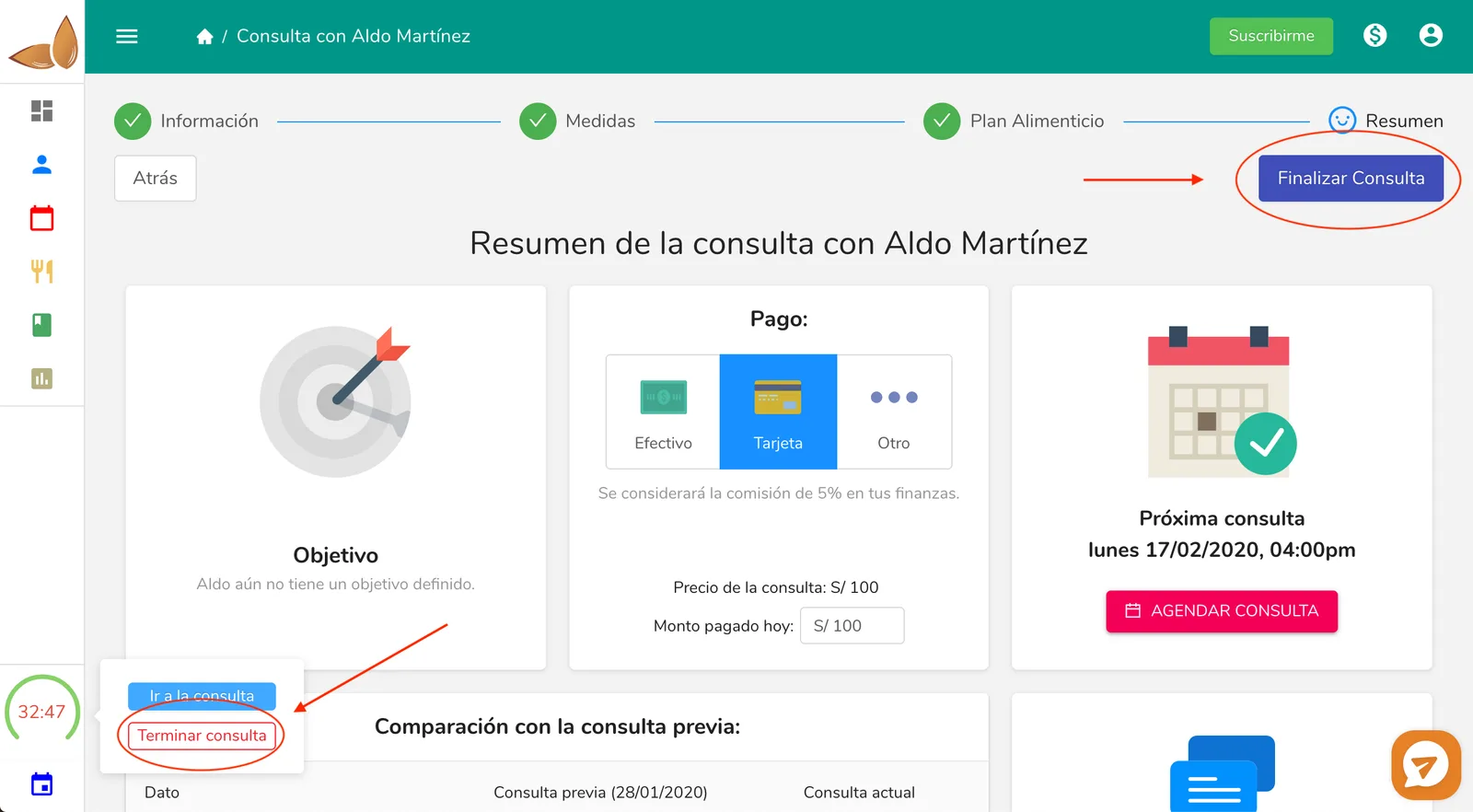
1- Click on the “Finish” button in the last step of the Appointment process.
2- Click on the stopwatch in the left sidebar and then click on “Finish appointment”. Remember that the stopwatch only appears when you have an appointment in progress.
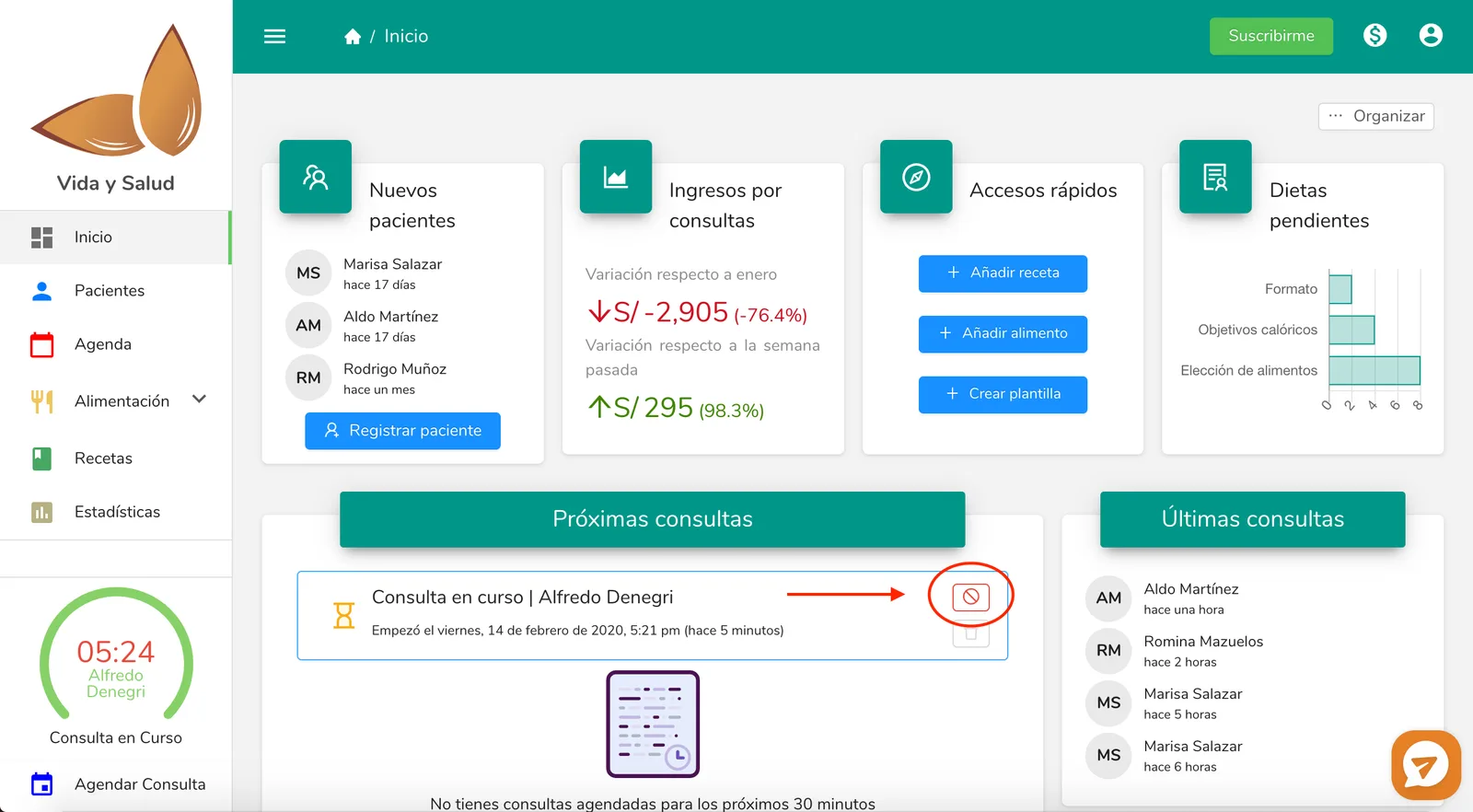
3- On Home, hover over the “Appointment in progress” item and click on the “stop” icon.
Saw the patient without starting the consultation in Almendra? If the consultation belongs to a package and is still scheduled, you don’t need to start it to close it: open the consultation in Schedule and click Mark as done. There you enter the amount paid that day and the payment method. See How do I fix a consultation payment?.
Reference image for points 1 and 2
Reference image for point 3
Can’t find what you’re looking for?
Our team replies within 1 business day, Monday to Friday 9:30 AM – 6:00 PM (GMT-5).