
How do I start a scheduled consultation?
Start a scheduled consultation in Almendra from Start consultation in the sidebar, the Upcoming consultations widget on Home, or from your Schedule.
Updated August 12, 2024
Click this link if you want a detailed explanatory video:How to start an appointment
To start a scheduled consultation, you have the following options:
1. On the Home page:
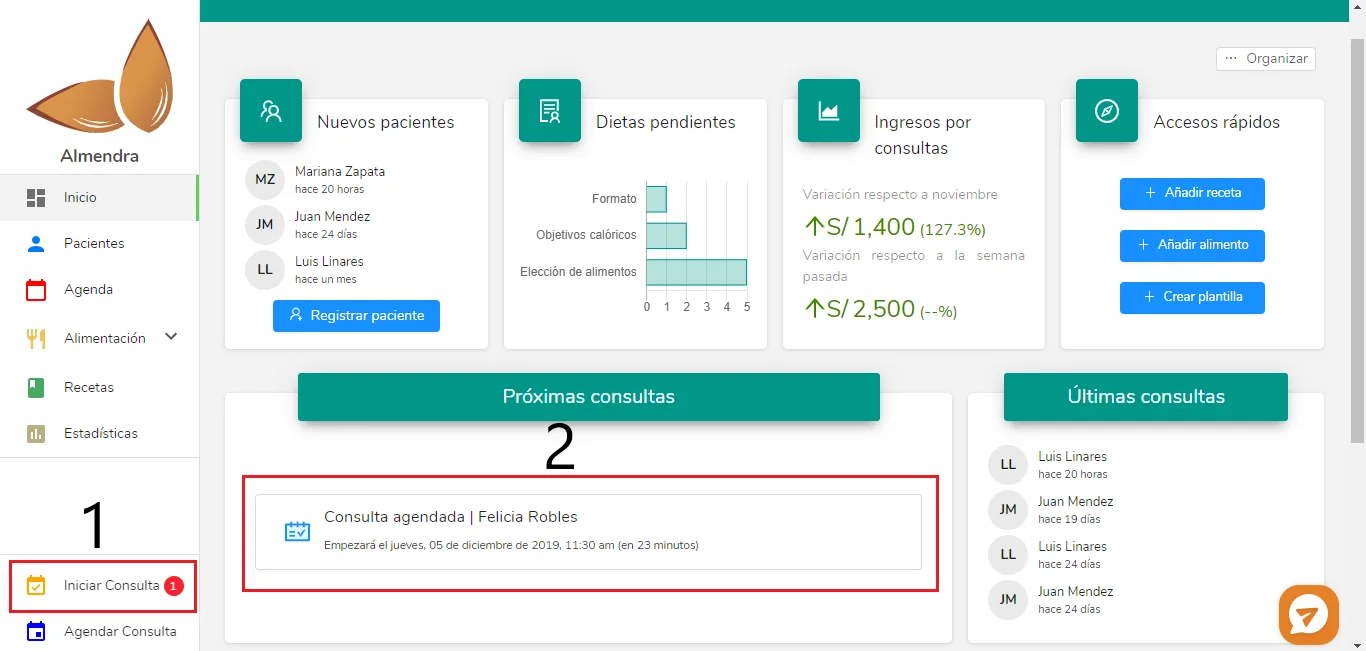
As you can see, on the Home page there are 2 elements from where you can start a consultation.- The sidebar (1): When you have a scheduled consultation that is about to start, you will see a notification next to “Start consultation” (a red circle with a number). Click on “Start consultation,” and you will see the following pop-up window:
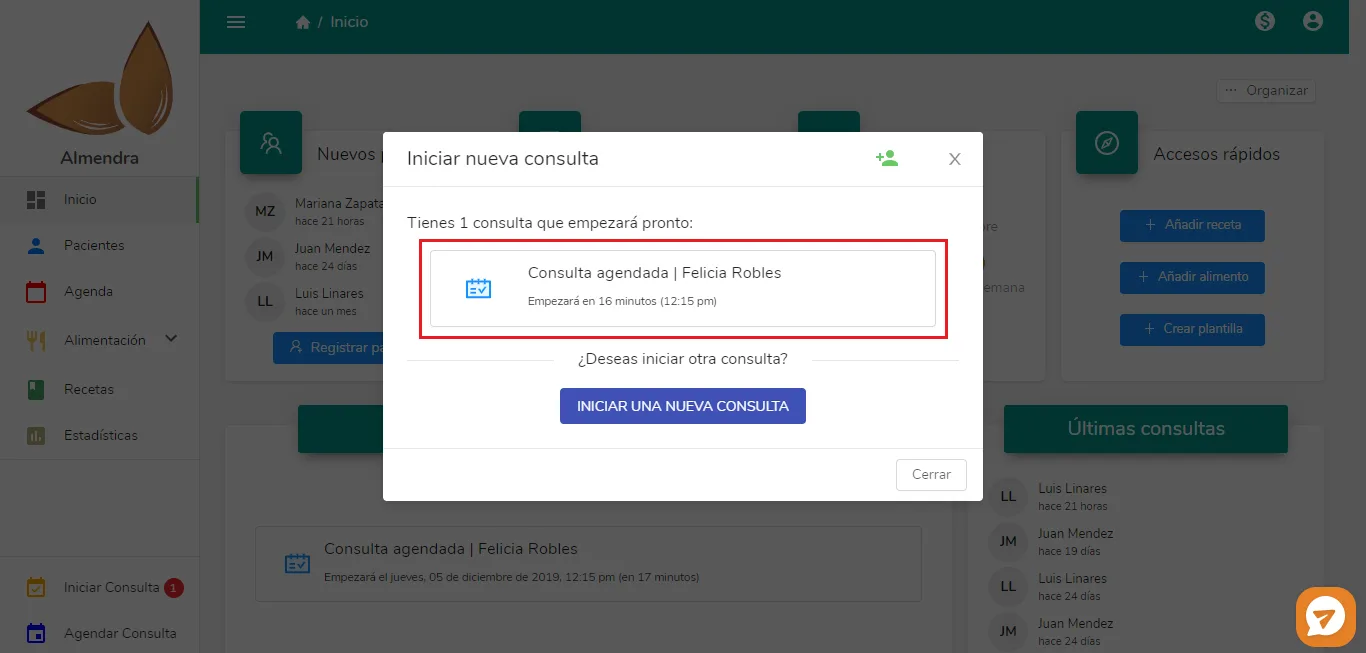
Click on the box that says “Scheduled consultation | Felicia Robles,” and another pop-up window will appear to confirm the action. In that window, you must click “Yes.“If you want to start another consultation (one that was not scheduled, perhaps with another patient who arrived at that moment), you can click on “Start a new consultation.”
- Upcoming consultations widget (2): Simply click on the box that says “Scheduled consultation | Felicia Robles,” and a confirmation window will appear. In that window, you must click “Yes.”
2. In Schedule:
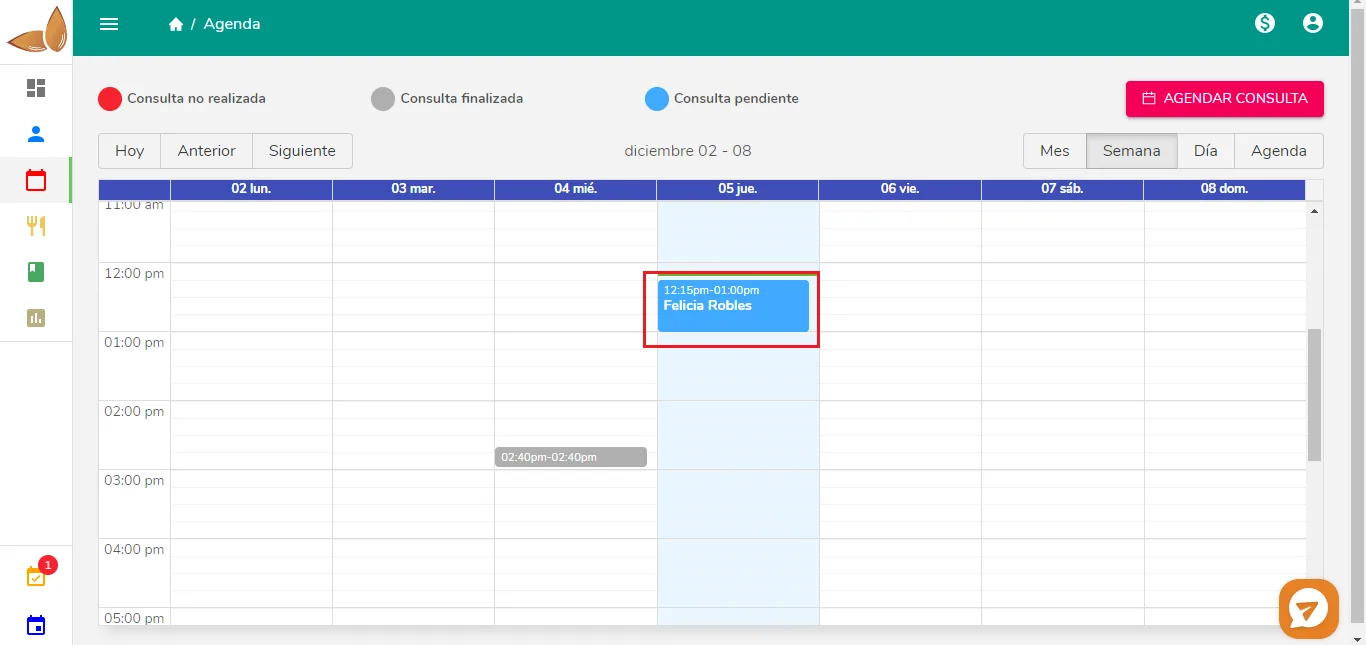
Find the consultation you wish to start (check the day in the column and the time in the row, as well as the patient’s name) and click on it. You will see the following pop-up window:
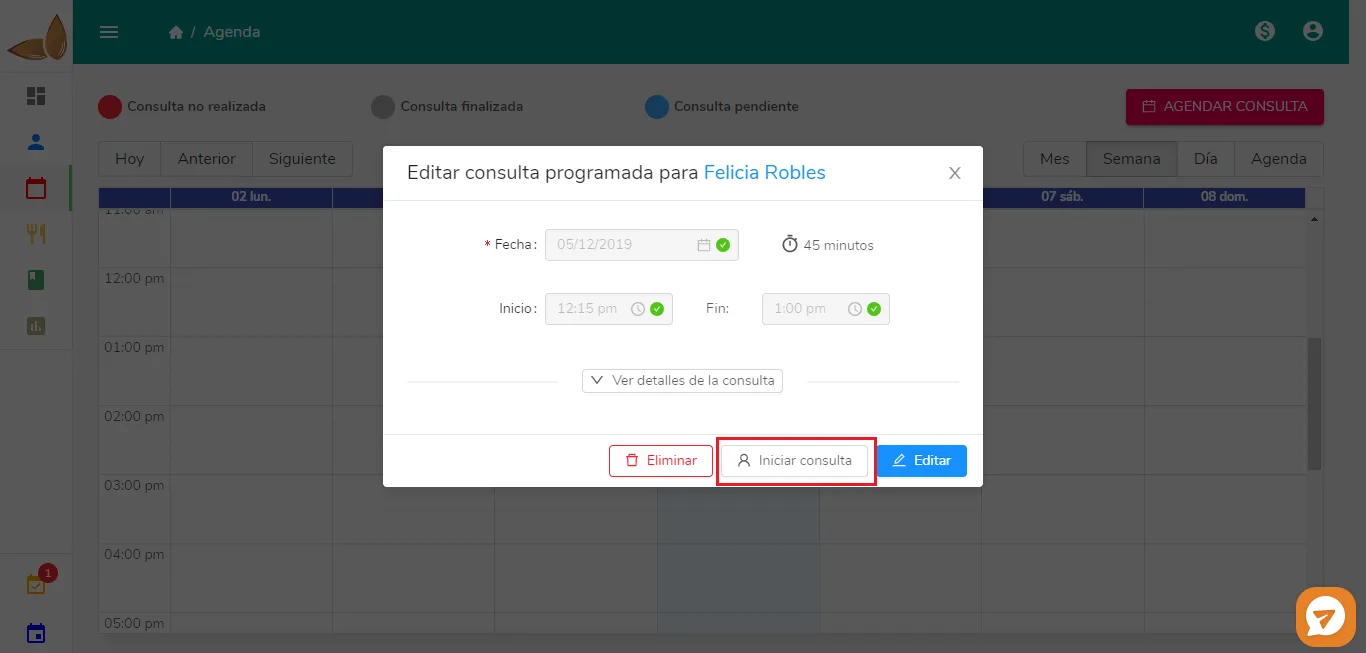
Click on “Start consultation” and you’re done!
Can’t find what you’re looking for?
Our team replies within 1 business day, Monday to Friday 9:30 AM – 6:00 PM (GMT-5).