
How do WhatsApp reminders work?
Almendra can send your patients a WhatsApp reminder before every scheduled appointment. Turn it on in Settings → Mailing and Reminders.
Updated October 24, 2026
Almendra can send your patients a WhatsApp reminder before every scheduled appointment. It’s sent from Almendra’s WhatsApp, so you don’t need to connect your own number. It goes a long way toward fewer missed appointments.
Turn the reminders on
- Go to Settings → Mailing and Reminders.
- Find Appointment reminder with the WhatsApp icon and turn the switch on (Enabled).
- Under Schedule send, choose how many hours before each appointment it goes out.
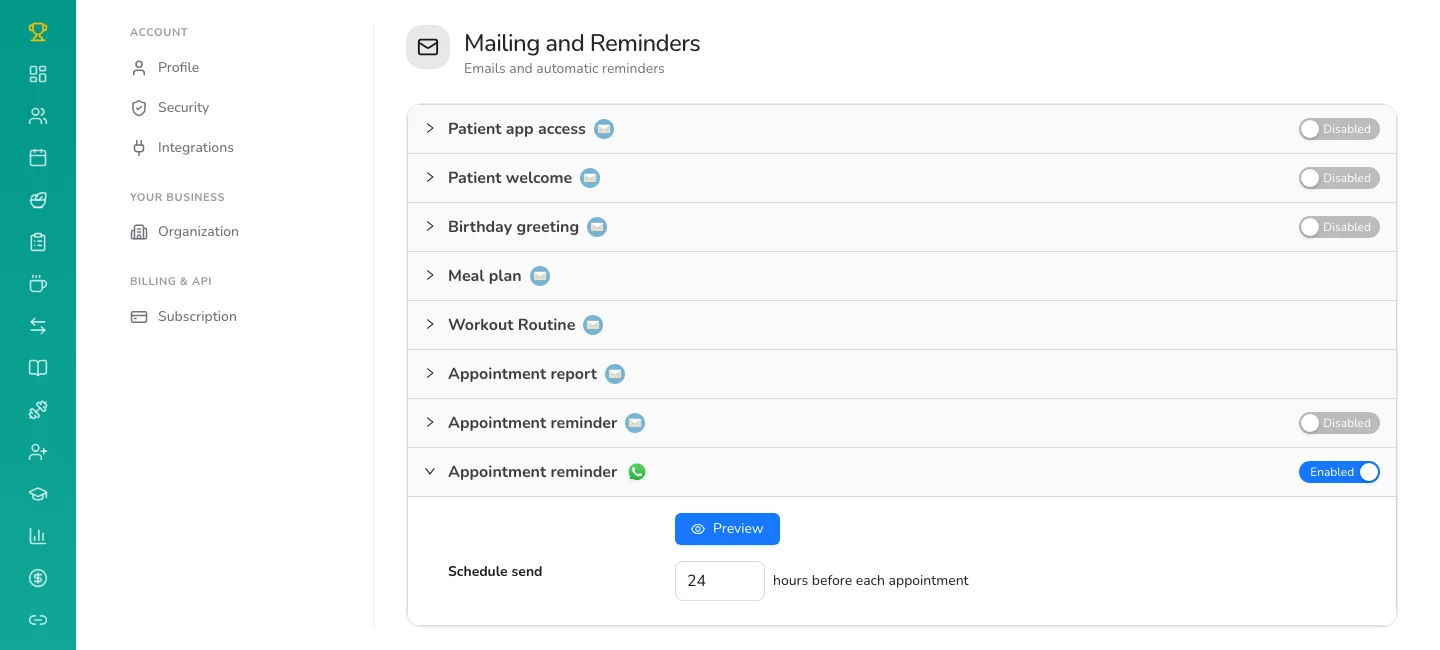
The send time is shared by the WhatsApp reminder and the email reminder: change one and the other changes too. You can have either one on, or both.
What your patient receives
A message with their name, your name and the appointment date. You can see it with the Preview button.
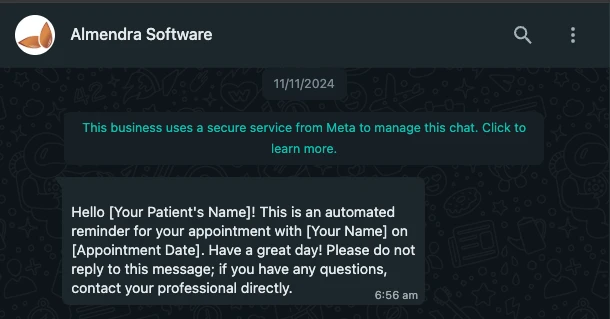
The message asks them not to reply there and to contact you directly with any questions, because replies to that number don’t reach you.
What it needs
- The patient must have their mobile number on their profile, with the country code (for example, +1 or +44). Patients without a phone number don’t get it.
- The appointment has to be scheduled in your Schedule, whether you booked it or the patient booked it online.
- If your plan doesn’t include automatic emails and reminders, you’ll see a Pro badge next to the switch.
Can’t find what you’re looking for?
Our team replies within 1 business day, Monday to Friday 9:30 AM – 6:00 PM (GMT-5).