
How do I change my password?
Change your Almendra password from General Settings in the Security section: fill in the fields and click Change password.
Updated August 13, 2024
1. Go to Settings:
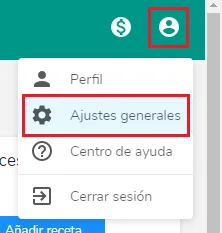
2. Click on Security****3. Fill in the corresponding fields and click “Change Password”:
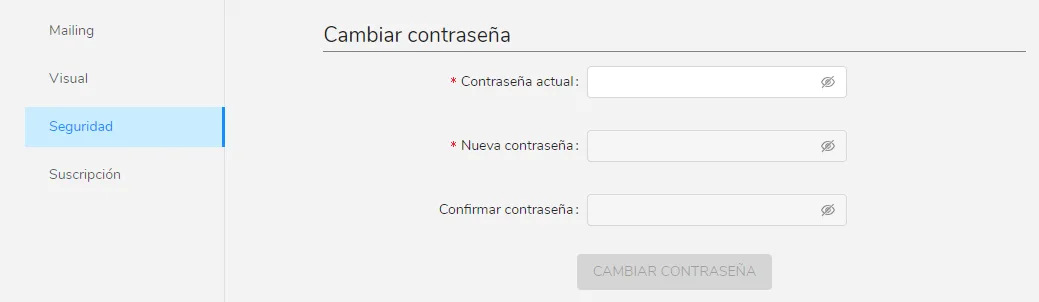
Done! Your password has been modified.
Can’t find what you’re looking for?
Our team replies within 1 business day, Monday to Friday 9:30 AM – 6:00 PM (GMT-5).