
How do I set up my home page?
Customize your Almendra home page with the Customize button: choose which widgets appear on your dashboard and move them between panels.
Updated January 7, 2022
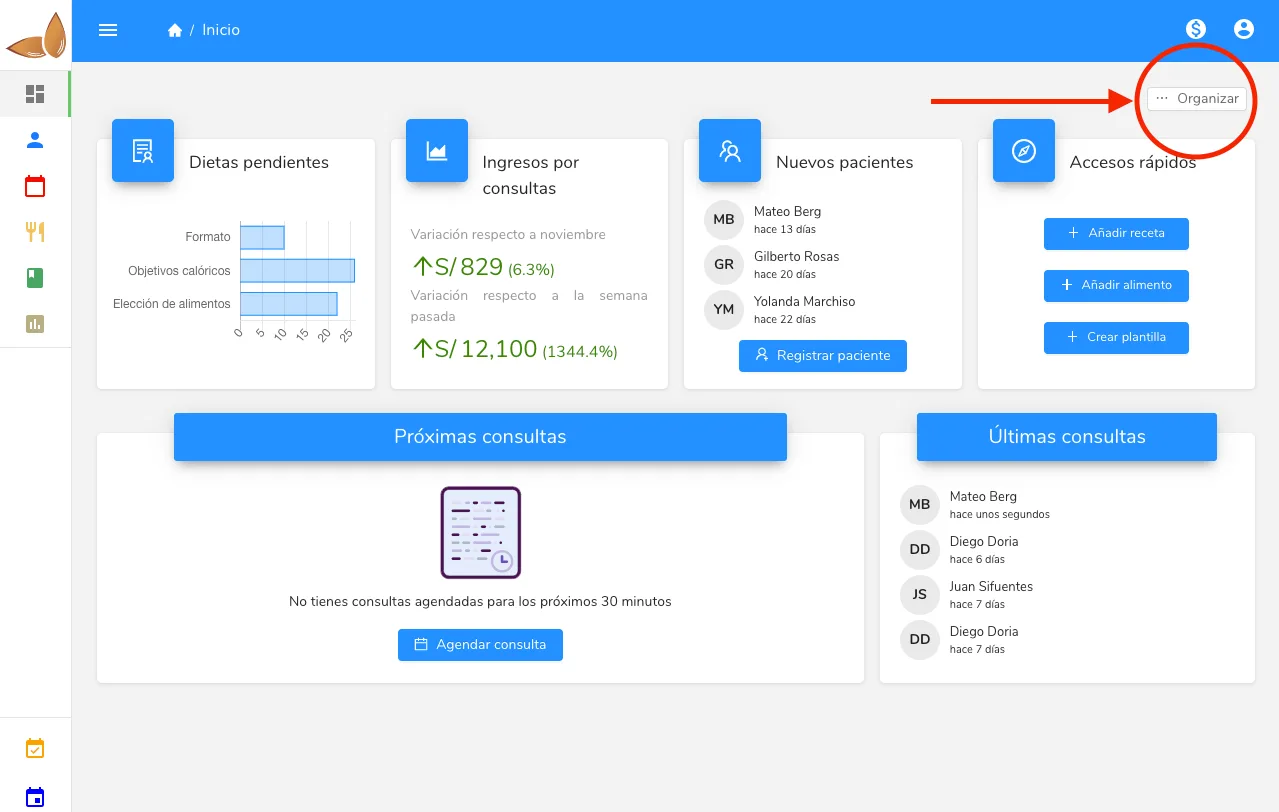
To set up your dashboard, click the “Customize” button in the top right corner of the dashboard.
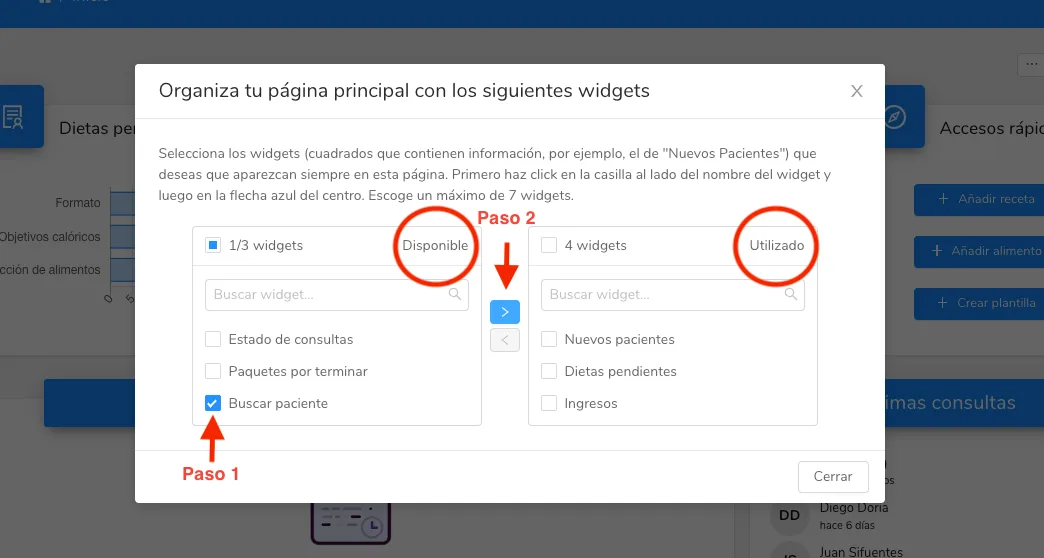
The right panel shows the widgets you currently have in the software, and the left panel shows the ones available to use. It’s as simple as selecting the one you want (step 1) and moving it to the other side using the arrow shown (step 2). When you’re done, click “Close” at the bottom right.
Can’t find what you’re looking for?
Our team replies within 1 business day, Monday to Friday 9:30 AM – 6:00 PM (GMT-5).