
How do I change the name of a food from a database?
Rename a database food inside a meal plan in Almendra by clicking its name and typing a new one. Your patient will see the updated name.
Updated January 6, 2022
You might not like the names of the foods provided by Almendra and its databases. You can change the name of a food that has already been added to the meal plan as follows:
1. Place your cursor over the food’s name and click it:
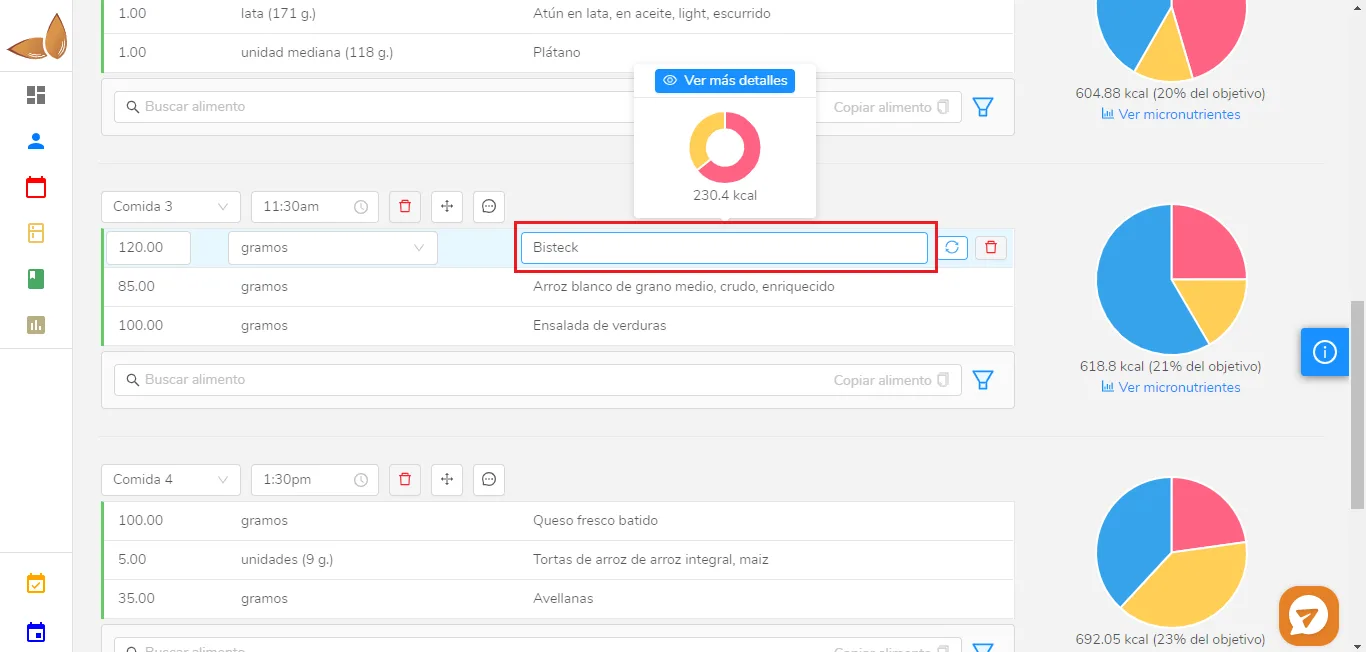
2. Type the name you want for that food and click anywhere on the screen:
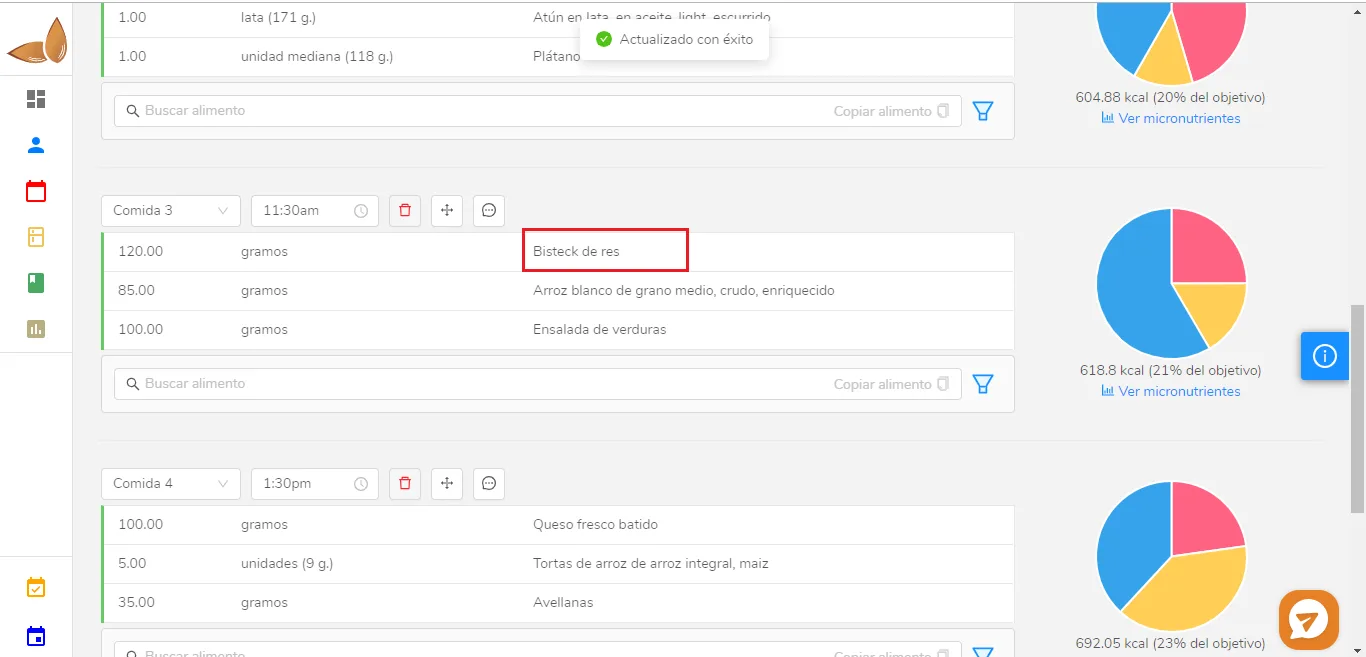
Done! The food’s name has been changed. The patient will see the changed name of the food.
Can’t find what you’re looking for?
Our team replies within 1 business day, Monday to Friday 9:30 AM – 6:00 PM (GMT-5).