
What options does the patient have to view the meal plan?
Patients can view their meal plan in their Almendra account, with recipes and macros per meal, or as a PDF you download or email from the plan summary.
Updated January 6, 2022
They have two options:
1. In the patient’s Almendra account (recommended):
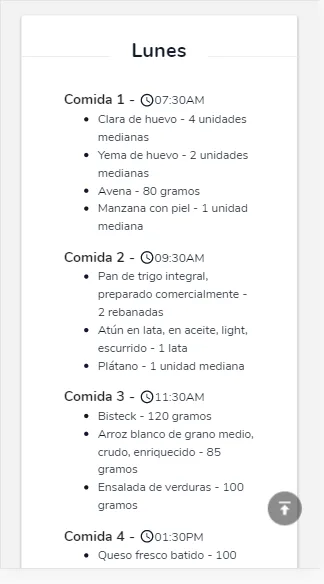
The information is the same: they can see the foods with their respective amounts, meal times, and the macronutrient distribution per meal. You can choose whether you want the patient to see the calories of each food. If the meal plan contains recipes with preparations, they will appear with their ingredients, preparation times, and more.
2. Through the PDF
In the meal plan summary, you’ll see two buttons that let you download the PDF or send it by email through Almendra.
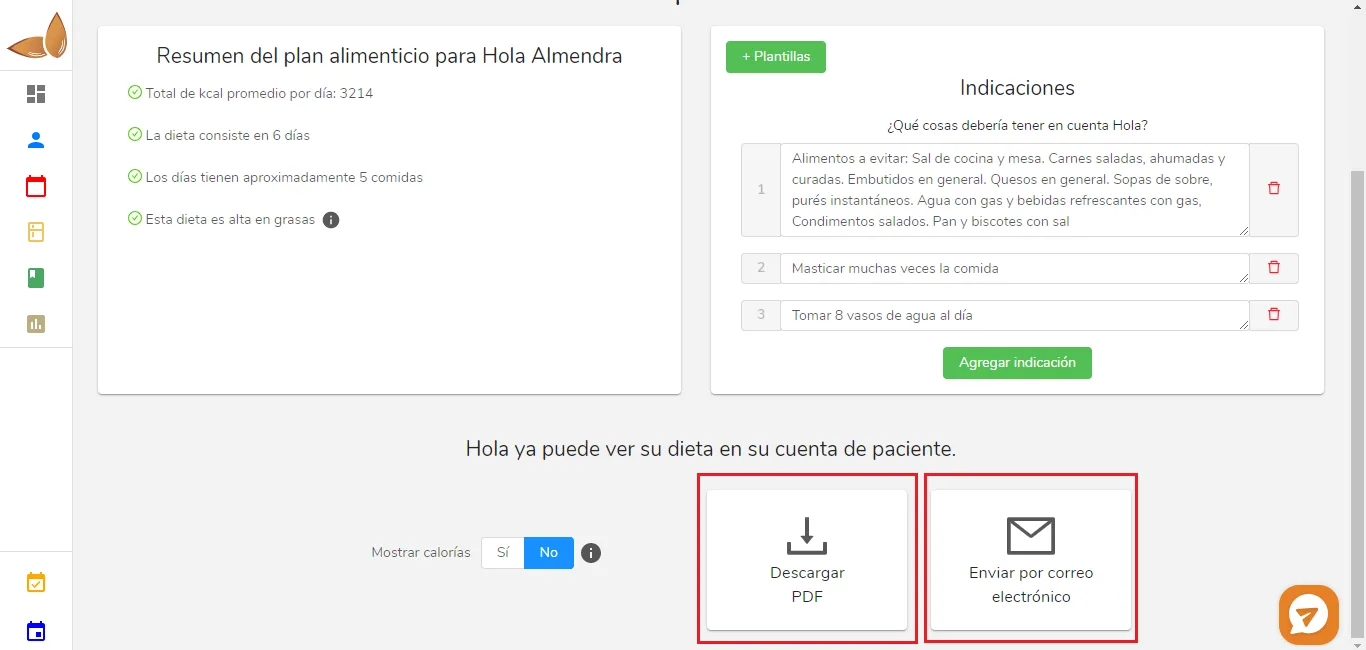
If you click “Send by email”, a window will open where you enter the subject and body of the email. You’ll notice the patient’s email is filled in automatically. Once you click send, the patient will have their meal plan within moments.
If you click “Download PDF”, you’ll download the file to your computer. You can send it through any other email app (Gmail, Outlook, iCloud, etc.). You can also print it and give it to the patient in person.
Can’t find what you’re looking for?
Our team replies within 1 business day, Monday to Friday 9:30 AM – 6:00 PM (GMT-5).