
How do I modify the dates of a meal plan?
Change a meal plan's dates from the meal plans table in the patient's profile in Almendra, where you can also edit the plan name and length in weeks.
Updated January 6, 2022
1. Go to the patient’s profile:
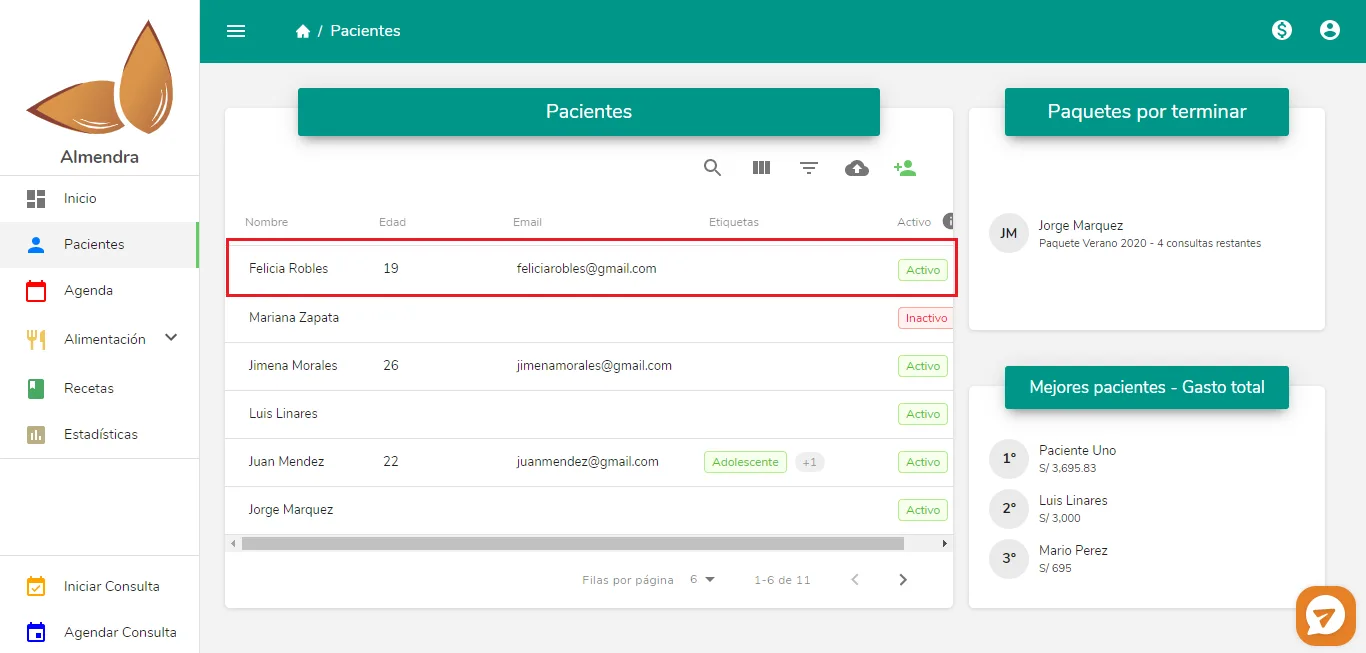
Click anywhere on that row to go to the patient’s profile.
2. Scroll down as far as you can to see the meal plans table:
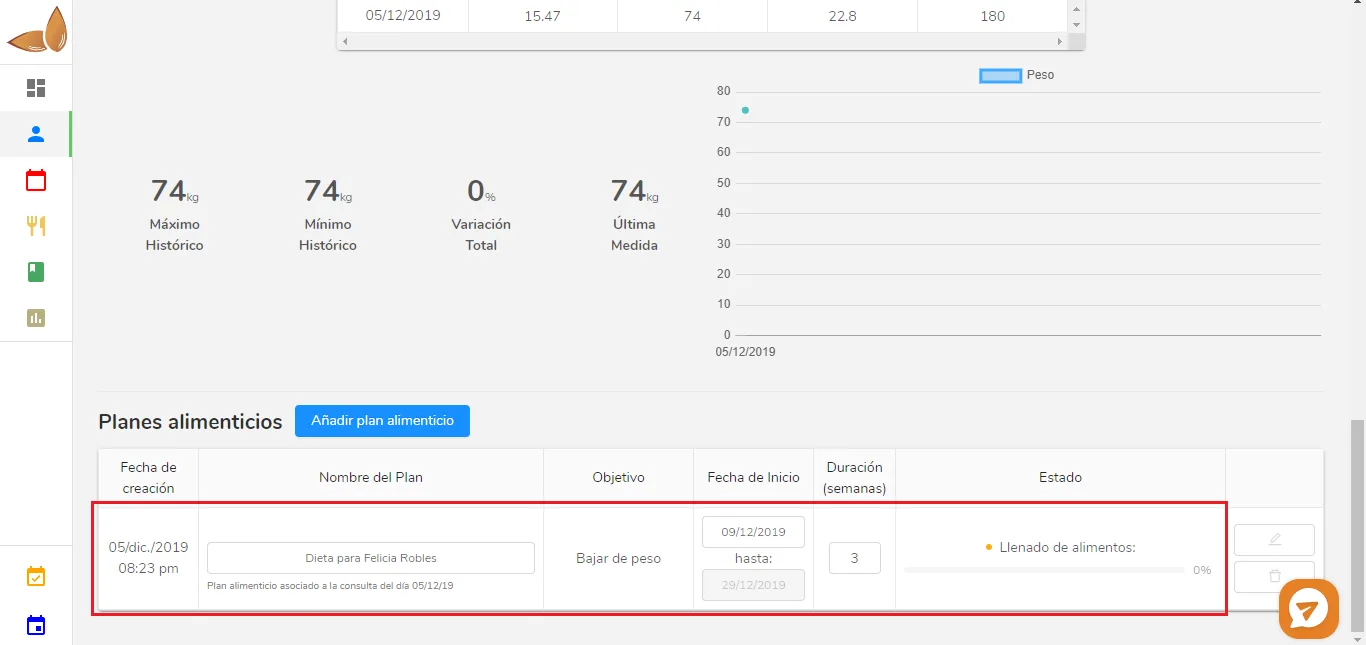
*Make sure the patient has meal plans. If you see an empty table instead of what’s shown in the image above, it’s because that patient has no meal plans.
You can edit the meal plan’s dates there. Just click the date and a calendar will open. You can also edit the plan’s name and its duration in weeks.
Can’t find what you’re looking for?
Our team replies within 1 business day, Monday to Friday 9:30 AM – 6:00 PM (GMT-5).