
How do I add an equivalent food?
Swap a food for its equivalent in any meal plan editor, and add an equivalents group at the proportion you choose in a flexible meal plan in Almendra.
Updated October 15, 2026
If you’re on this page, you probably want to answer one of these two questions:
-
How do I swap a food for an equivalent food?
-
How do I add a group of equivalent foods to a flexible plan?
Both require that you’ve already created your equivalents in the Equivalents section. If you haven’t yet, read How do I add an equivalent food group?.
1. How do I swap a food for an equivalent food?
- In the table editor: click the food inside its cell and choose Choose equivalence. If you’d rather let Almendra pick, use Random equivalence. If the food has no equivalents, these options are disabled.
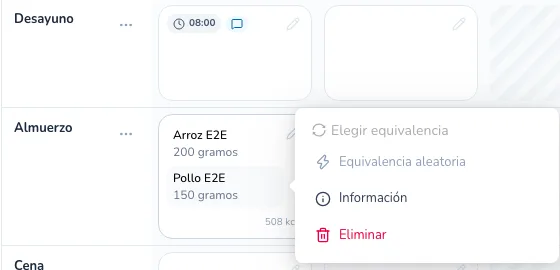
- In the day-by-day and flexible editors: click the circular arrows icon to the right of the food.
The Swap food for equivalence window opens, with the quantity and macros of the current food and the list of its equivalents:
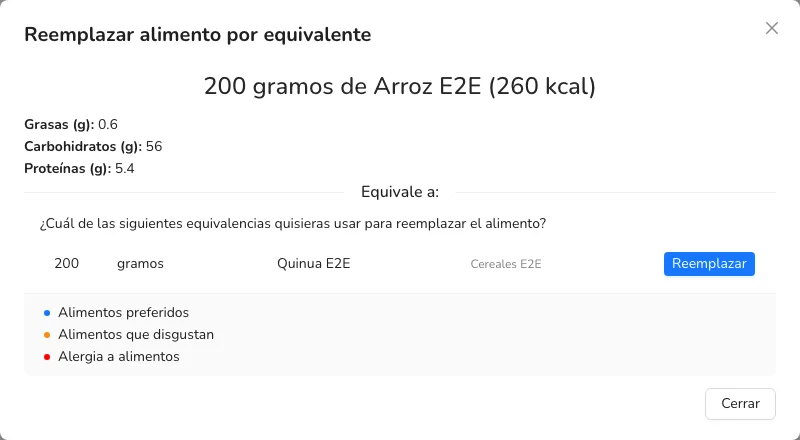
In this example, 200 grams of rice are equivalent to 200 grams of quinoa. You may have many more equivalent foods. Pick the food you want to use instead and click Swap.
2. How do I add a group of equivalent foods to a flexible plan?
In a Flexible options plan, each group in a meal has a search bar. Next to it there’s a green + button (Add equivalents group). Click it and the Add equivalents group window opens:
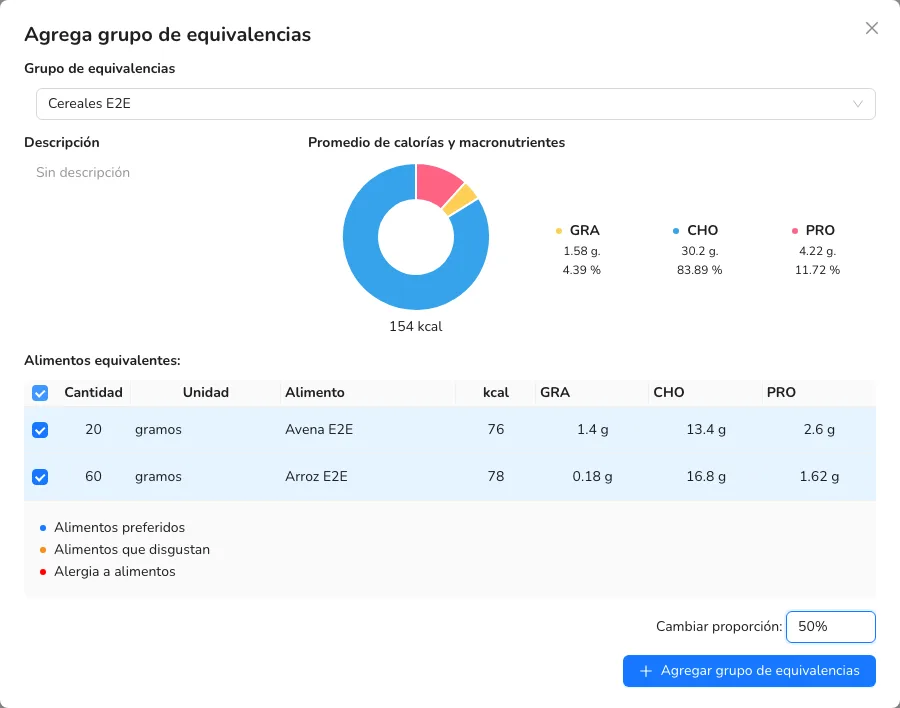
- Under Equivalence group, choose the group. You’ll see its description and its average calories and macronutrients.
- Under Equivalent foods, check the foods you want to add as options for the patient.
- In Change proportion, choose what proportion of the quantities to add. For example, if the group says “2 units of anchovy”, 100% adds 2 units and 50% adds 1 unit.
- Click Add equivalents group. The checked foods are added as options of the group in that meal.
Can’t find what you’re looking for?
Our team replies within 1 business day, Monday to Friday 9:30 AM – 6:00 PM (GMT-5).