
Where can I see the micronutrients of each food?
See a food's micronutrients from its Details in the meal plan editor, or with the info button in any food search in Almendra, for any amount you want.
Updated October 15, 2026
There are two options:
1. The food is already in the meal plan:
It depends on the editor you’re using:
- Table editor: click the food inside its cell and then Details.
- Day-by-day editor: hover over the info icon (the “i”) at the end of the food’s name. You’ll see a chart with its macronutrients; click See more details.
- Flexible editor: click the info icon (the “i”) at the end of the food’s name and then Details.
A window opens with the food’s information, including micronutrients:
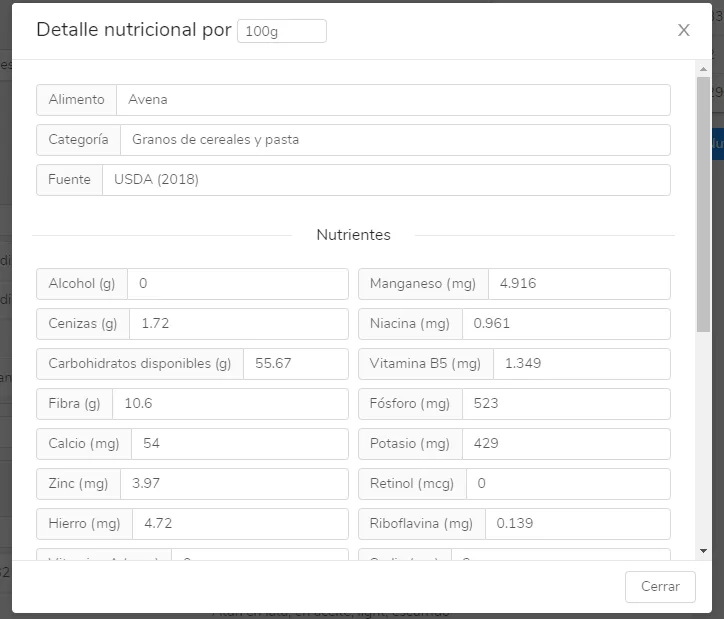
You can view the nutrients for any amount you want: just change the amount at the top of the window, where it says “Nutritional details per”.
2. The food is not in the meal plan yet
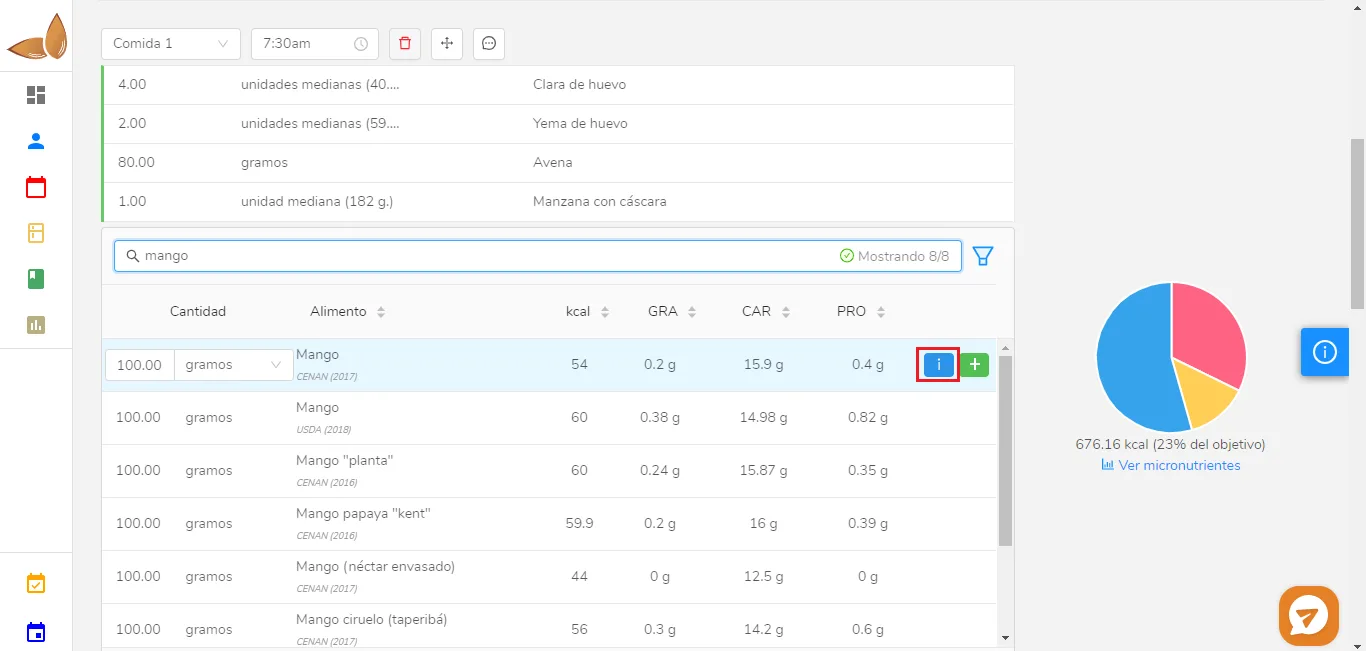
In this case, type the name of the food in the search (it can be any search: in the meal plan, in a recipe, or in equivalents) and click the blue button with an “i”. The same pop-up window as in the previous case will open:
Can’t find what you’re looking for?
Our team replies within 1 business day, Monday to Friday 9:30 AM – 6:00 PM (GMT-5).