
How does the automatic sending of the meal plan to the patient's email work?
Email the meal plan to your patient from the plan summary in Almendra with Send by email, editing the subject and message before it goes out.
Updated August 12, 2024
You can send the patient’s meal plan directly to their email through Almendra. To do this, go to the summary of the meal plan and click on “Send by email”:
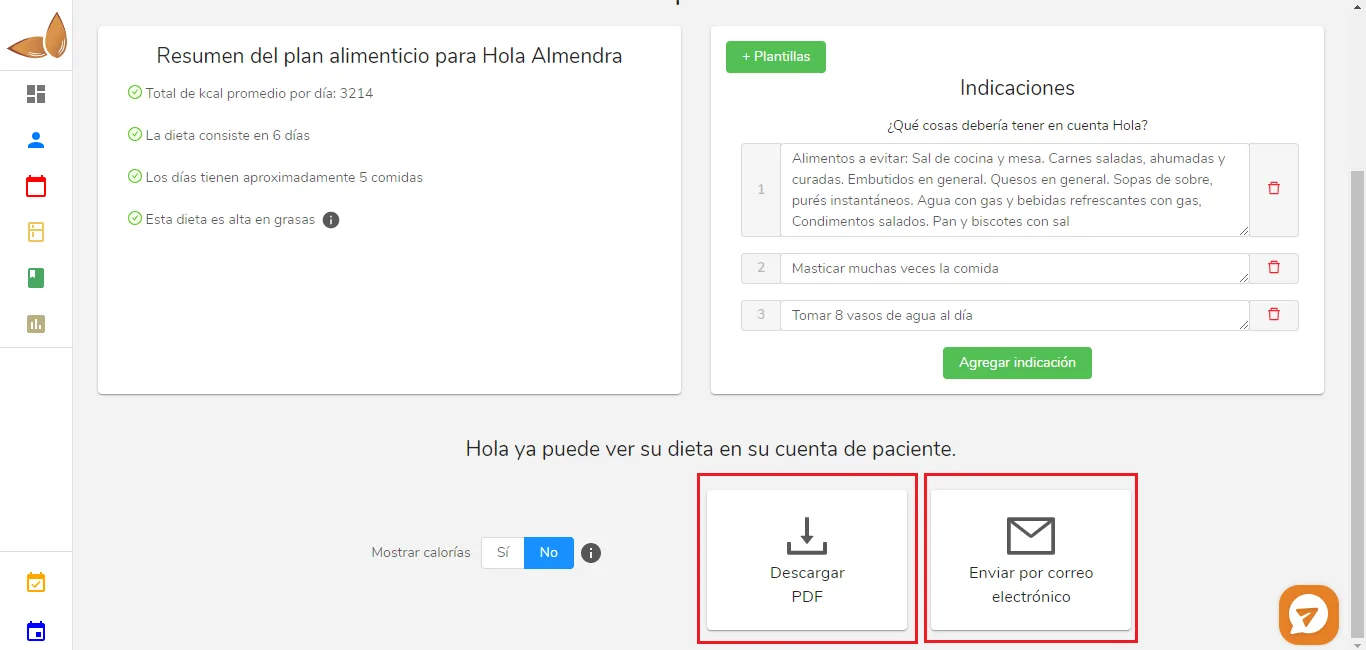
Remember that if you click “Download PDF,” you’ll have the meal plan as a file on your computer.When you click “Send by email,” you will see the following pop-up window:
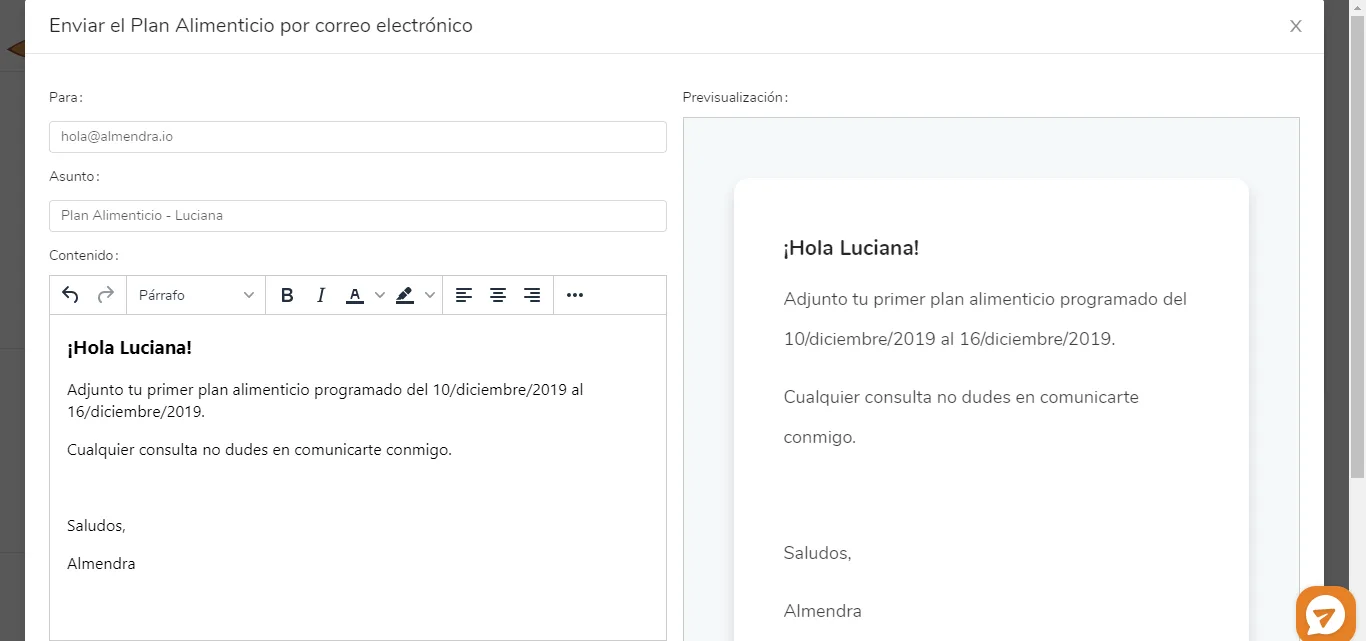
There you can edit the subject and content of the email. When you’re done and ready to send it, scroll down a bit and click “Send email”:
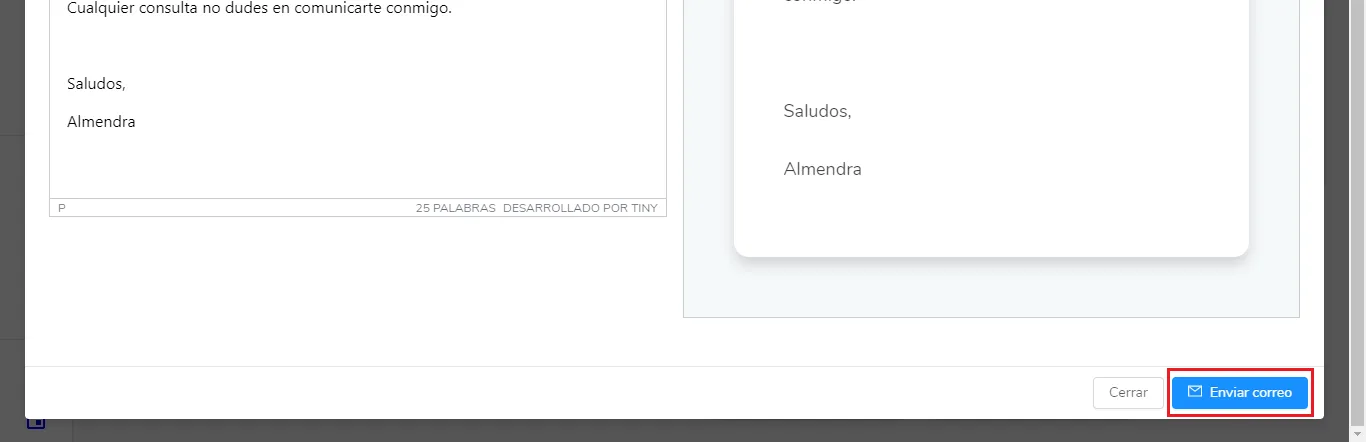
Done! Your patient will receive the meal plan shortly.
Can’t find what you’re looking for?
Our team replies within 1 business day, Monday to Friday 9:30 AM – 6:00 PM (GMT-5).