
How do I add an equivalent food group?
Create equivalent food groups in Almendra from Equivalents > Create equivalence so you can swap foods in strict and flexible meal plans.
Updated January 7, 2022
To add an equivalent food group, go to the “Equivalents” section (/equivalentes) and click “Create equivalence”.
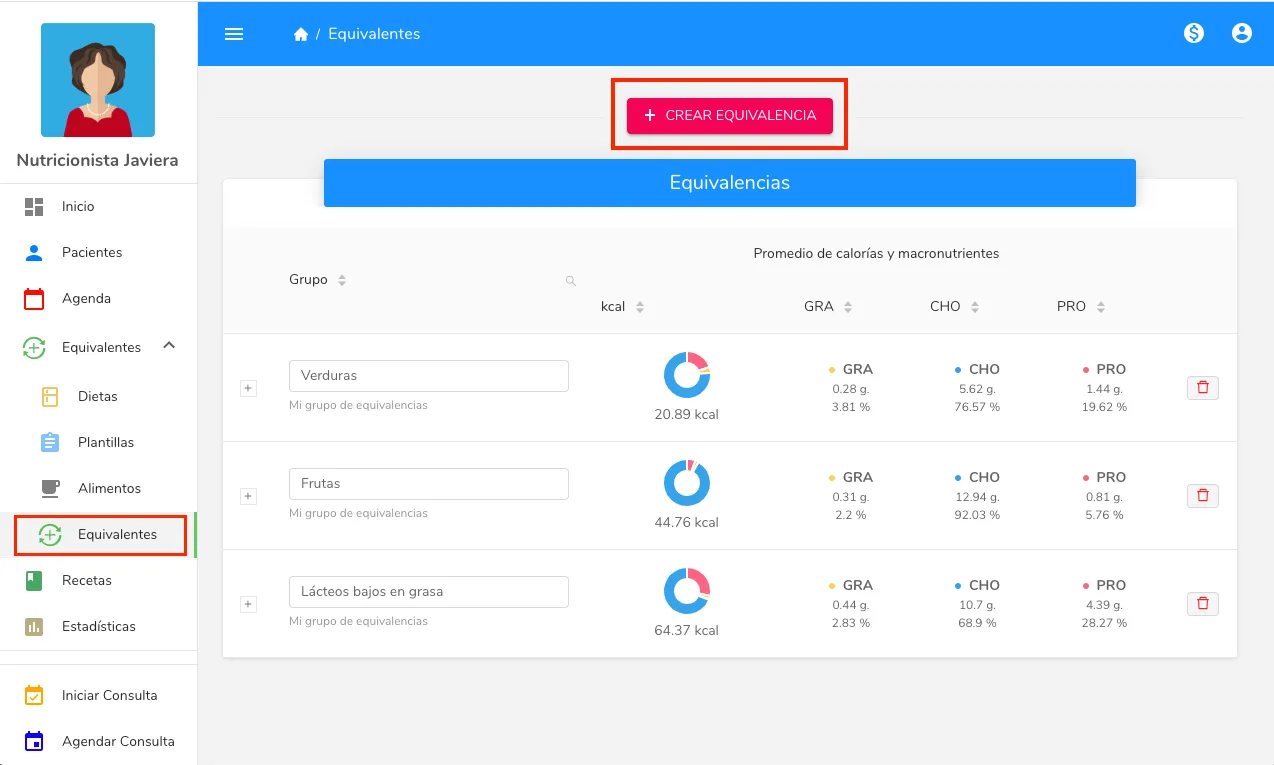
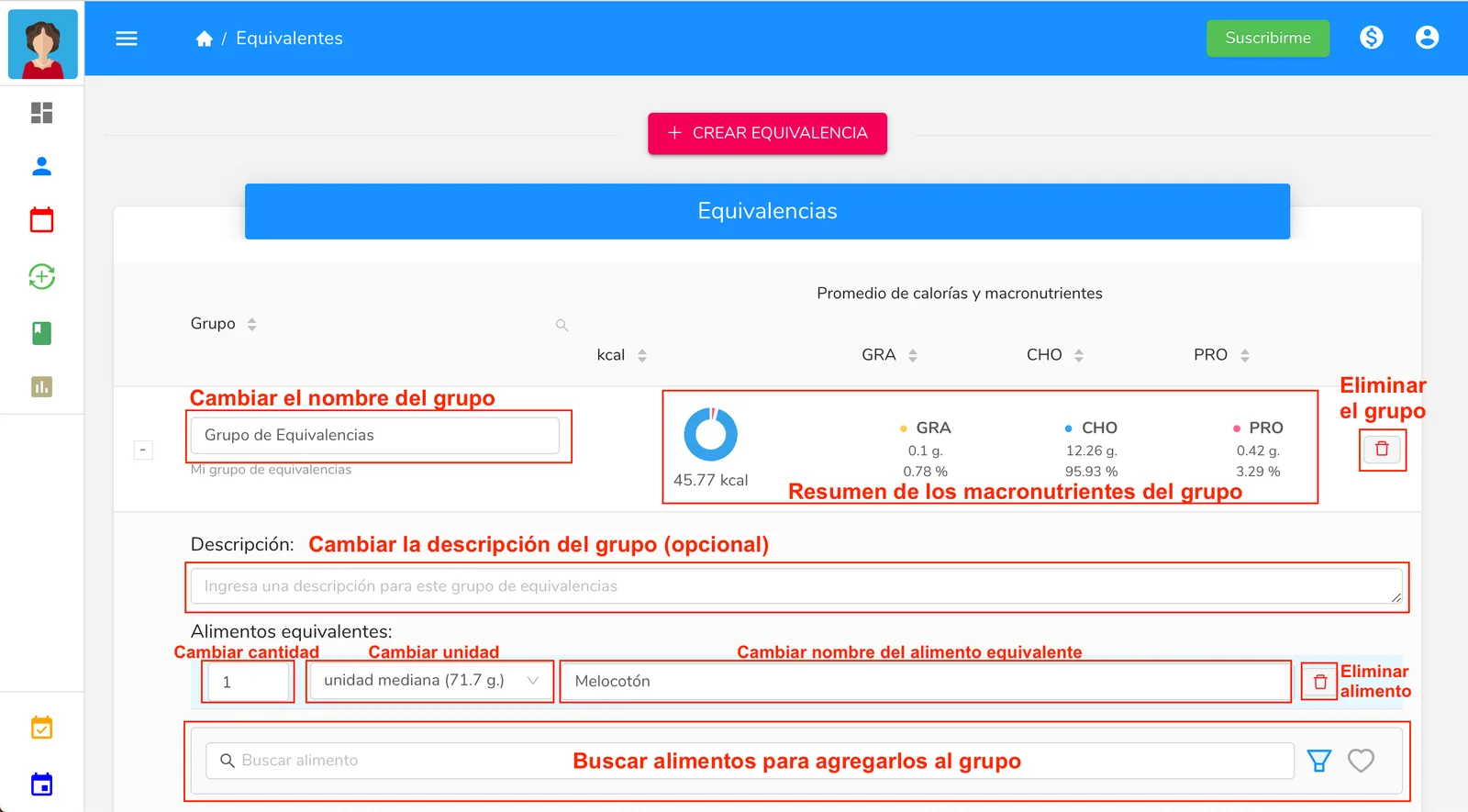
The equivalent food group has the following editable properties:
-
Group name
-
Group description (optional)
-
Equivalent foods. Includes the quantity, the unit, and the name of the food.
For more information on where to change these properties, refer to the following image:
Creating equivalent food groups is useful in the following cases:
-
In a meal plan (strict or flexible), you can swap a food in a meal for an equivalent one, as long as it belongs to an equivalent food group. The calorie proportion of the swapped food will be kept.
-
In a flexible meal plan, you can add whichever equivalent foods you want from any group as options for the meals you choose. You can choose the proportion of the equivalent food group to add.
Remember, if you want to know how to add an equivalent food to a meal plan, we’ve prepared a guide especially for you:
How do I add an equivalent food?
Can’t find what you’re looking for?
Our team replies within 1 business day, Monday to Friday 9:30 AM – 6:00 PM (GMT-5).